On your product pages
The check is added to your product pages on its own, under the buy buttons. Shoppers type a ZIP code or postcode and get the answer at once.
 ZIP Delivery Checker Get the app
For online stores · Supported in Aria
ZIP Delivery Checker adds a delivery check to your product pages. Shoppers enter their ZIP code or postcode and instantly see whether you deliver there, the delivery time and the estimated delivery cost, before they reach checkout.
Try the live demo View on App Market7-day free trial, then $4.99/month or $3.99/month billed yearly.
Live demo
The block, the code check and the answers run the same code you install. Nothing is saved or sent: the delivery areas of this demo live only on this page.

$24.00
Try a code:
Delivery areas of this demo, as a store owner sets them in the app dashboard
10001-10299: same day for orders before 2 PM, $5, free delivery over $50112*: 1–2 business days, from $9, deliveries on weekdaysThe product page around the block is an illustration. The code you check is remembered in this browser, as on your site, so the next product page shows the answer right away. On your site the areas, prices and texts are yours, and the codes shoppers check outside your areas appear in your dashboard.
What you get
The check is added to your product pages on its own, under the buy buttons. Shoppers type a ZIP code or postcode and get the answer at once.
Each area has its own delivery time, estimated cost in your store currency, a “from” price, free delivery over an order amount and a note.
Enter 10001, SW1A* or 10000-10299. Areas are checked in order, so nearby neighborhoods can get a faster delivery time.
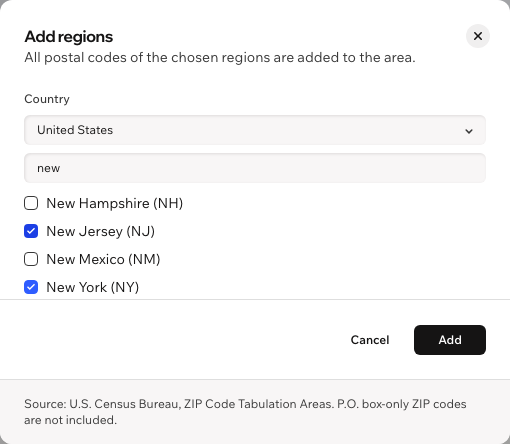
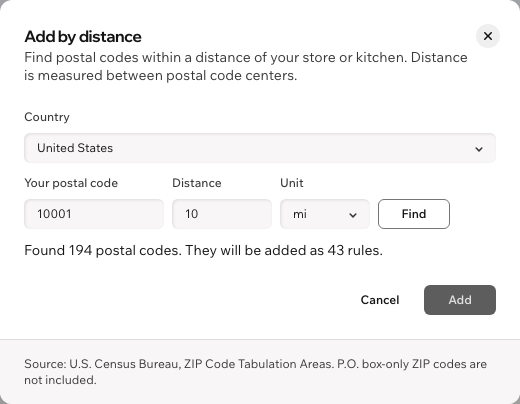
Add whole US states or regions in 9 European countries, or every code within a distance of your store. Or import a list from a CSV file.
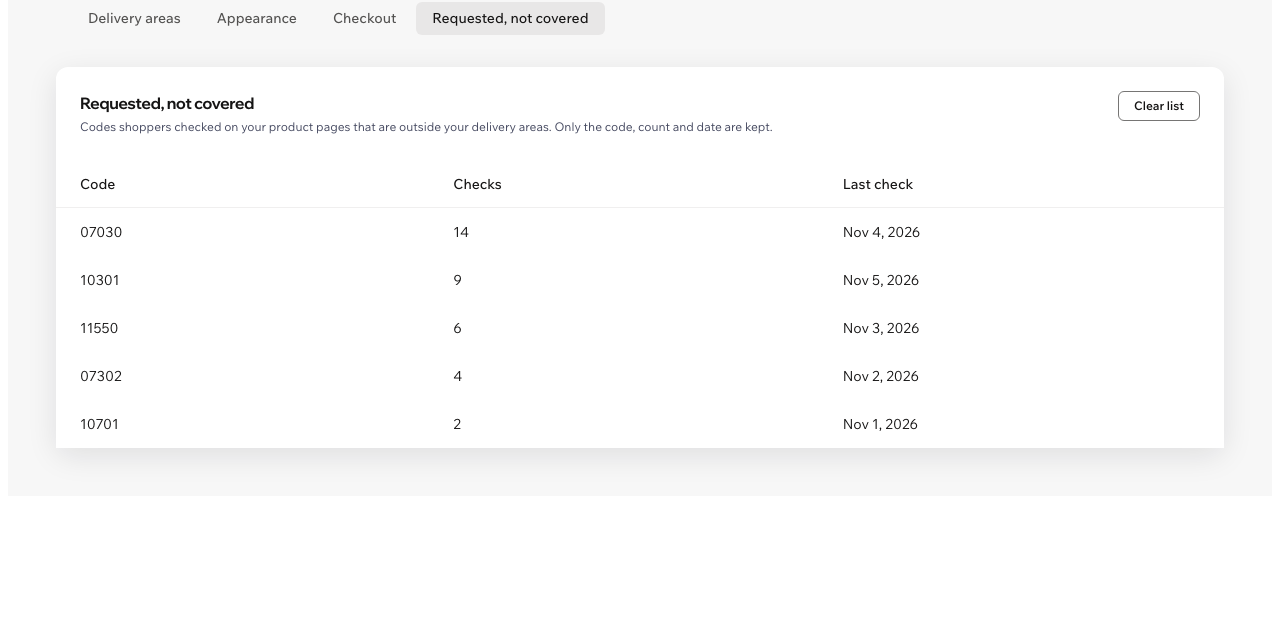
See which codes shoppers checked outside your areas and how often, so you know where to expand.
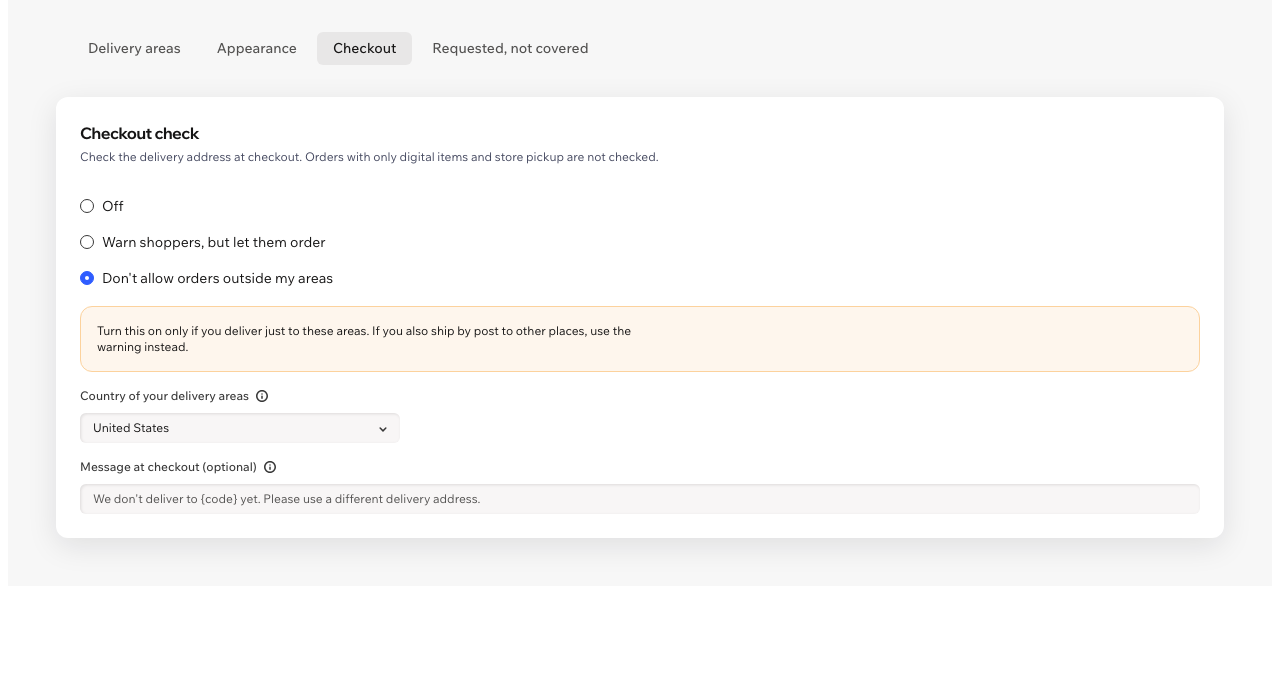
Warn shoppers or stop orders to addresses outside your areas. Store pickup and orders with only digital items are never blocked. Off by default.
The shopper's code is kept in their browser, so every next product page already shows the answer.
The check follows your site language, right-to-left included, and your site colors, with an optional accent color. The dashboard is in 9 languages.
Ask Aria, the Wix AI assistant, which areas are set, whether you deliver to a code, or where shoppers ask for delivery. Aria only reads: you make changes in the app dashboard.
What you see
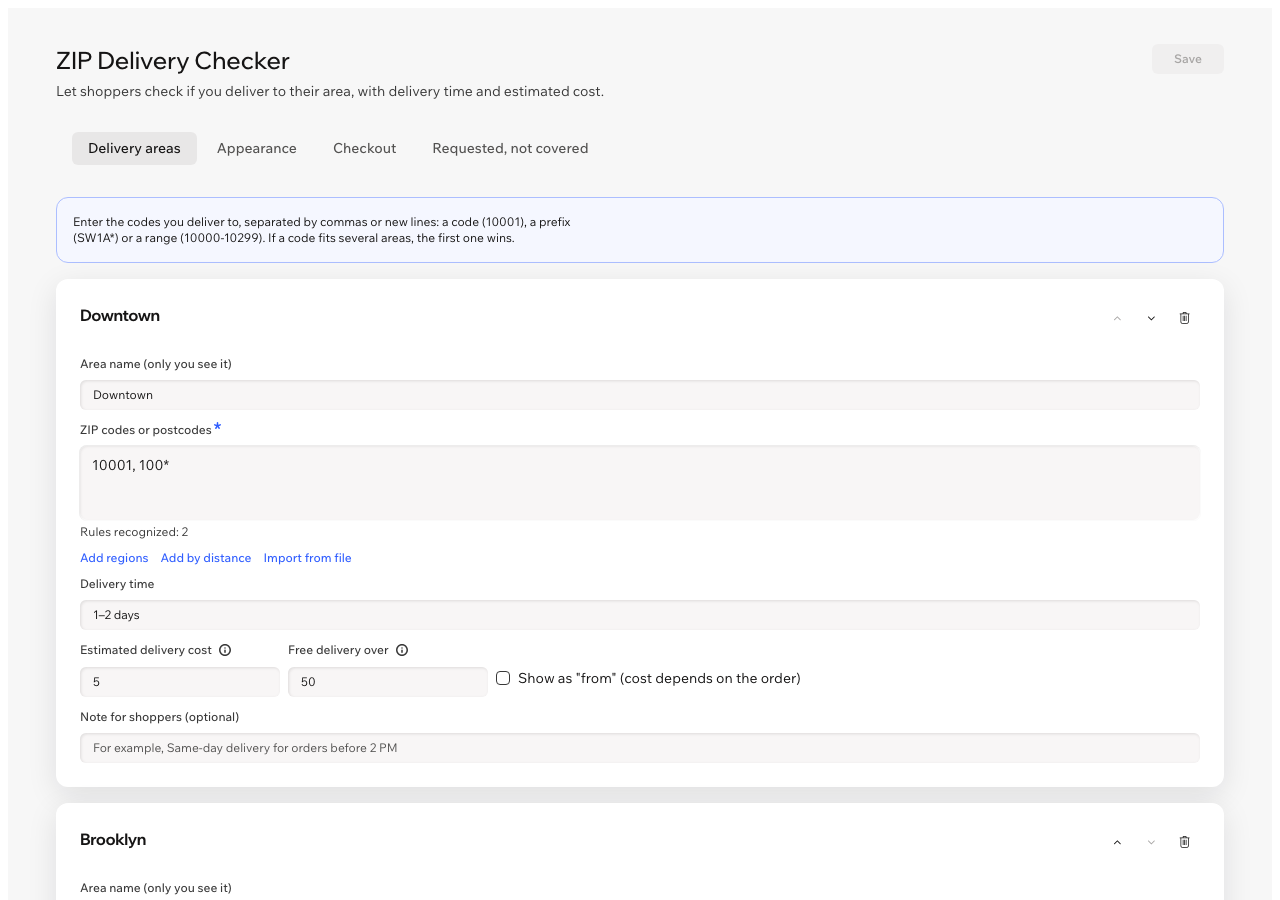
Add your delivery areas, set the time and cost for each, and save. Pick states, regions or a distance instead of typing codes, and check which codes shoppers asked for.
Pricing
$4.99/month
or $3.99/month billed yearly · 7-day free trial
Set up your areas before the trial starts: shoppers see the check while your trial or plan is active. Prices shown in USD. Current pricing is on the App Market listing.
In the app dashboard, add an area and enter the codes you deliver to, separated by commas or new lines: a code (10001), a prefix (SW1A* for every code that starts with SW1A) or a range (10000-10299). Spaces and dashes don't matter, and US ZIP+4 codes match by their first five digits. If a code fits several areas, the first one wins, so put smaller areas first. You can have up to 20 areas.
Yes. Add regions picks US states, or regions in Austria, Belgium, France, Germany, Italy, the Netherlands, Poland, Spain and the United Kingdom. Add by distance finds every code within a distance of your postal code, in kilometers or miles, measured between postal code centers. Both turn the result into ordinary codes, prefixes and ranges you can still edit.
Yes. Import from file reads a CSV or text file, for example a column exported from a spreadsheet, and adds the codes to the area.
It is an estimate you enter for each area, shown in your store currency. The app does not change your shipping rates: the shopper pays what your shipping settings charge at checkout.
If you turn it on. The checkout check is off by default. Choose to warn shoppers and let them order, or not to allow orders to addresses outside your areas, and pick the country of your areas. Store pickup and orders with only digital items are never checked. Use “don't allow” only if you deliver just to these areas.
The check and the checkout message follow the language of your site, in 30 languages, right-to-left included. The app dashboard is in English, German, Spanish, French, Hebrew, Italian, Portuguese, Russian and Chinese. Your own texts, like the delivery time or a note, show as you write them.
Nothing. You can set up everything in the dashboard first; the check shows on your product pages while your free trial or Pro plan is active. In the editor you see a sample answer, so you can check where the block sits.
Install the app, set your areas and publish your site. The check is added to your product pages on its own. If you don't see it, click Add to product page in the app dashboard.
Your areas and settings are stored in data collections on your own site. For the Requested, not covered list it keeps only the code, the number of checks and the date of the last check, nothing about the shopper.