Every store price
Shop, category and product pages and product galleries switch together, including sale and strikethrough prices in product galleries.
 VAT Toggle Get the app
For Wix Stores · Supported in Aria
VAT Toggle: Prices Excl VAT adds a simple switch to your store. Shoppers, especially businesses, see every price including or excluding VAT, recalculated with your rate and in your currency format. The cart and checkout stay as they are.
Try the live demo View on App Market7-day free trial, then $3.99/month or $2.99/month billed yearly.
Live demo
The switches and price changes below run the same code merchants install. Try a different VAT rate or the Spanish storefront: prices keep their currency format and get a clear label. Nothing is saved or sent.
Store prices in the demo include 20% VAT, like most stores in the EU and the UK. The cart and checkout don’t change: shoppers always pay your store price with tax as set up in your store. The store around the switch is an illustration.
What you get
Shop, category and product pages and product galleries switch together, including sale and strikethrough prices in product galleries.
€1,249.90, 1.249,90 € or CHF 1’249.90: the app recalculates the number and keeps the format of your store.
A small Incl. VAT or Excl. VAT label next to each price shows which view is on. Turn it off if you like.
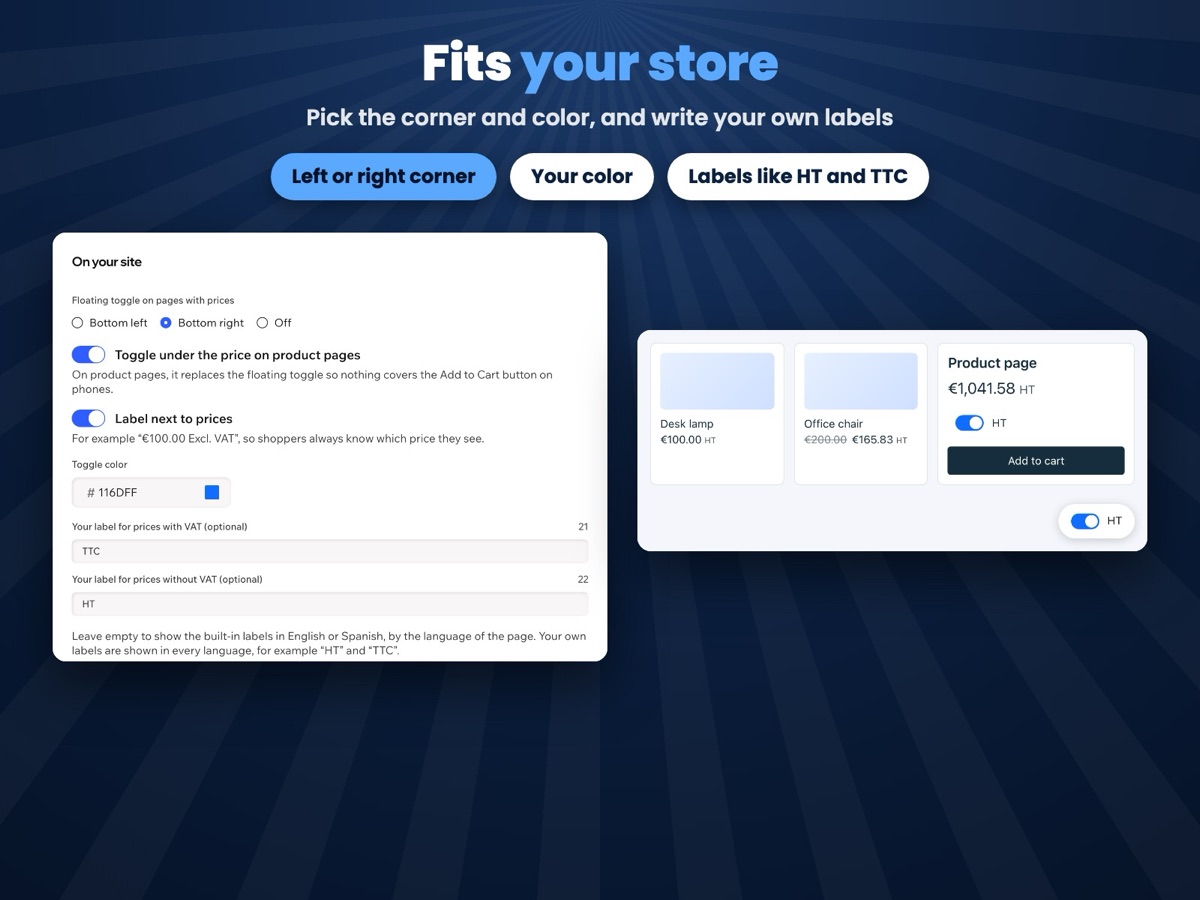
A floating switch in the corner of pages with prices, and one right under the price on product pages, so nothing covers Add to Cart on phones.
A shopper’s choice stays as they browse and on their next visit from the same device.
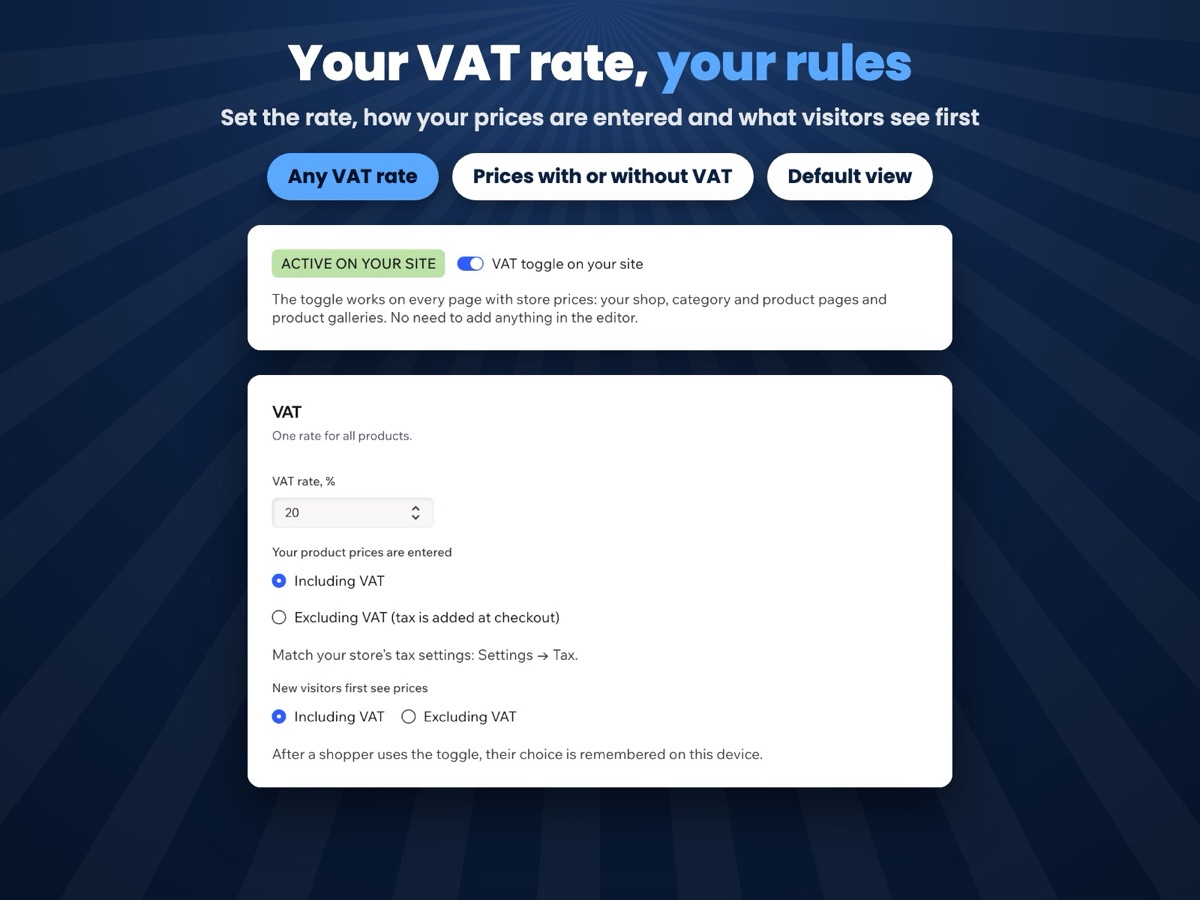
One VAT rate for all products, prices entered with or without VAT, and what new visitors see first.
Pick the corner and color of the switch, and write your own labels, such as HT and TTC.
Labels follow your site language, and the dashboard speaks both. Aria, the Wix AI assistant, can read your settings.
What you see
Set your VAT rate, choose the look and watch a live preview before you save. No need to add anything in the editor.
Pricing
$3.99/month
or $2.99/month billed yearly · 7-day free trial
Set up everything before the trial starts: shoppers see the switch while your trial or plan is active. Prices shown in USD.
No. The switch changes only how prices are shown on store pages. The cart and checkout show your real store prices, and shoppers pay them with tax as set up in your store.
Yes. Tell the app how your product prices are entered, with or without VAT, and it adds or removes VAT with your rate.
No. The app uses one VAT rate for all products.
On pages with store prices: your shop, category and product pages and product galleries, in Wix Stores with the old or the new catalog. There is no switch on the cart and checkout pages.
Nothing. You can set everything up first; the switch appears on your live site while your free trial or Pro plan is active.
Only your settings, in a data collection on your own site. A shopper’s choice stays in their own browser. Nothing about shoppers is collected.