Up to 5 tiers
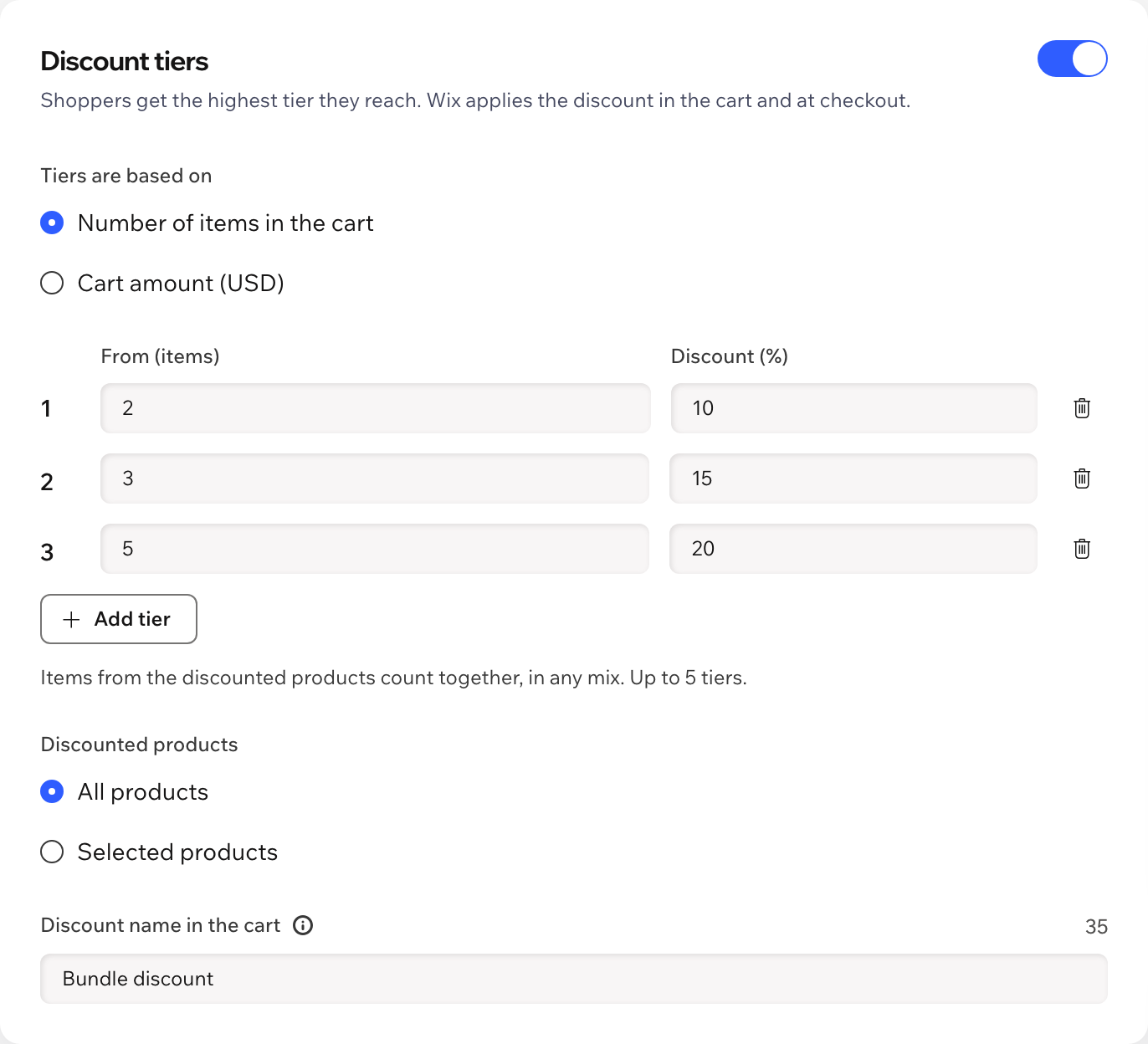
For example 10% off from 2 items, 15% from 3 and 20% from 5. The highest tier the shopper reaches applies.
 Tiered Discounts: Progress Bar Get the app
For Wix Stores · Supported in Aria
Set up to five discount tiers by items or cart amount. A small window in the corner of every page shows shoppers what they already have and how little is left to the next tier.
Try the live demo View on App Market7-day free trial, then $4.99/month or $3.99/month billed yearly.
Live demo
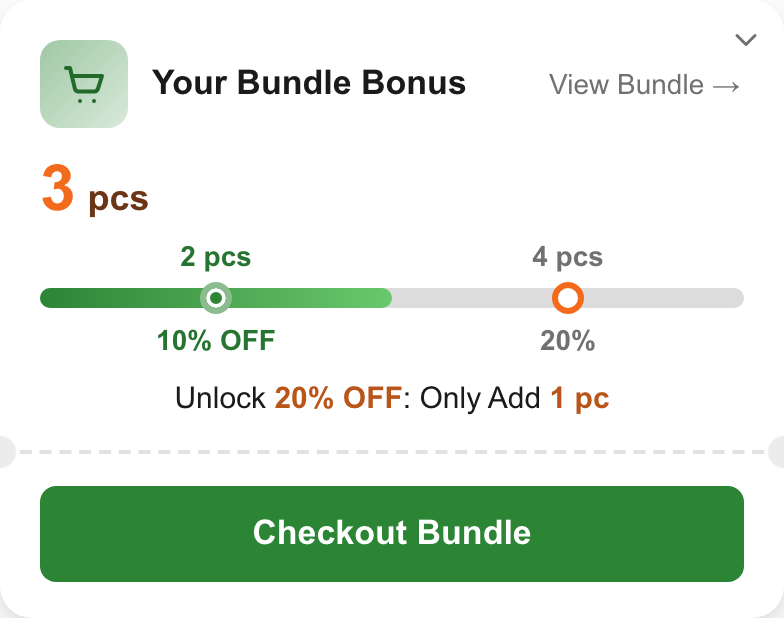
The window in the corner runs the same code merchants install: it reads the cart, moves along the tiers and says how many more items unlock the next discount. Nothing is saved or sent: reload to start over.
Try this: add one figure — the window appears. Add two more and watch the tiers fill up, then click Checkout Bundle. The store is an illustration; in your store the discount itself comes from the automatic discounts the app creates.
What you get
For example 10% off from 2 items, 15% from 3 and 20% from 5. The highest tier the shopper reaches applies.
Count the number of items or the cart amount, for all products or only the ones you choose.
Appears after the first product, updates with the cart and folds into a small button. Hidden on checkout and the thank-you page.
Checkout Bundle takes the shopper straight to checkout, or to the cart page if you prefer.
The app creates automatic discounts in your store, so the cart and checkout show the tier discount as usual.
Place the same block inside your cart page from the editor; the corner window steps aside there.
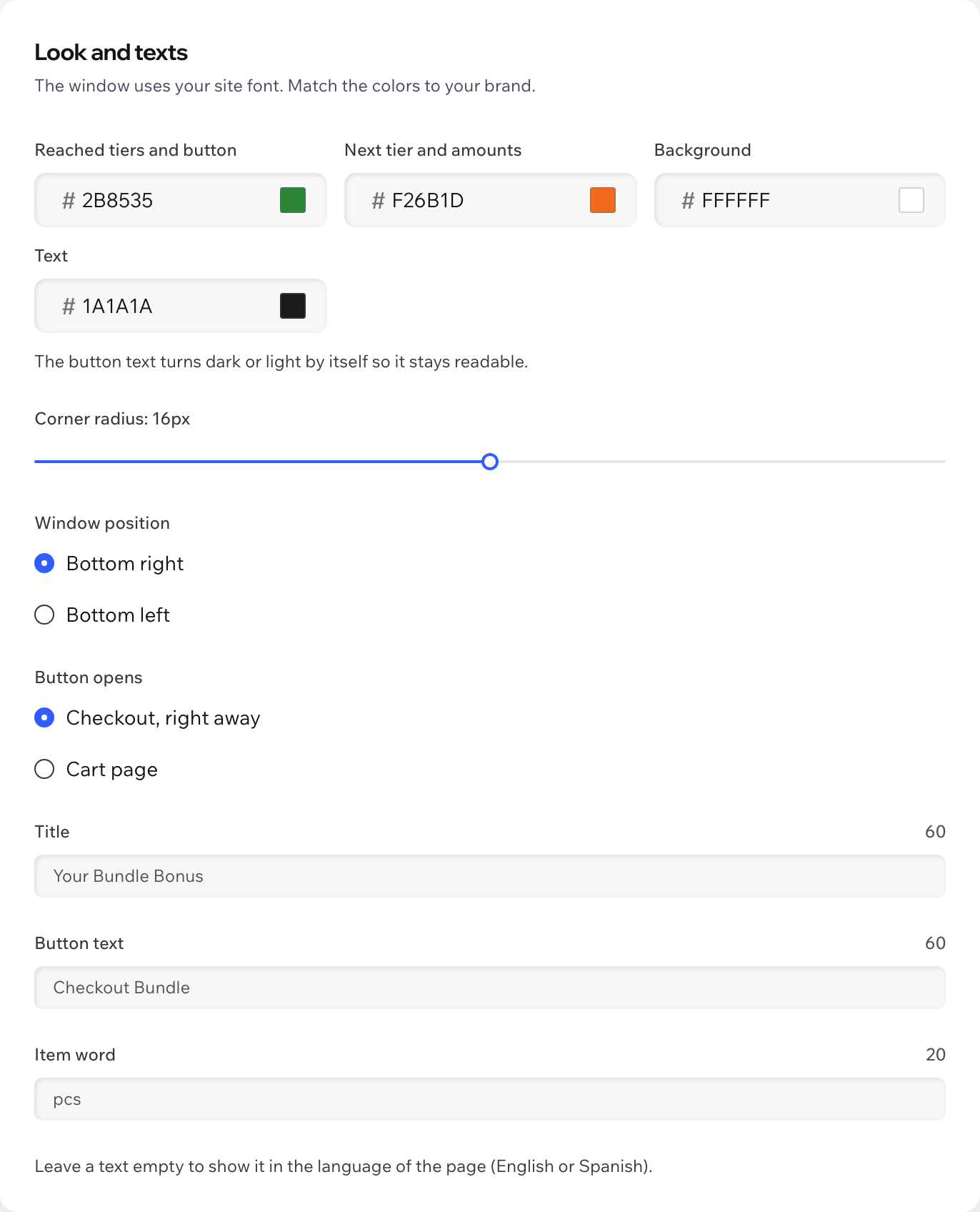
The window uses your site font. Pick colors, corner radius, position, title, button text and item word.
Texts follow the page language. Aria, the Wix AI assistant, can describe your tiers, read-only.
What you see
Tiers, products and the look in one dashboard page, with a live preview. Real screens of the app.
Pricing
$4.99/month
or $3.99/month billed yearly · 7-day free trial
Set up the tiers before the trial starts: shoppers see the window and get the discounts while your trial or plan is active. Prices shown in USD.
Wix Stores. The tiers can cover all your products or only the ones you choose.
No. The window appears on its own after you save the tiers. For the full cart page, open the Cart page in the editor, click Add Elements, then App Widgets, add Bundle Bonus under the cart and publish.
The highest one their cart reaches. Items from the discounted products count together, in any mix.
Your store applies the bigger discount to the same item, as it does with any automatic discounts.
Nothing. You can set everything up first; the window and the discounts work while your free trial or Pro plan is active.
The discounts stop applying: each tier depends on the app. Switch the discounts off and save before removing the app to also delete the tier rules from Automatic Discounts.
Only your tier settings and plan status, in a data collection on your own site. The app doesn't store anything about shoppers.