Pick your networks
Choose from 18 networks or add your own, such as a newsletter. Up to 12 rows, in your order.
 Social Media Card Get the app
For creators, shops and blogs · Supported in Aria
Link every profile from one widget and show your follower counts if you like. Pick from 9 layouts and 6 themes, and put the card in a sidebar, a footer or on your About page.
Try the live demo View on App MarketFree. Every layout and theme, no paid plans.
Live demo
The card and the checks run the same code you install. Numbers are made up and links go to example.com. Nothing is saved or sent: reload to start over.
What you get
Choose from 18 networks or add your own, such as a newsletter. Up to 12 rows, in your order.
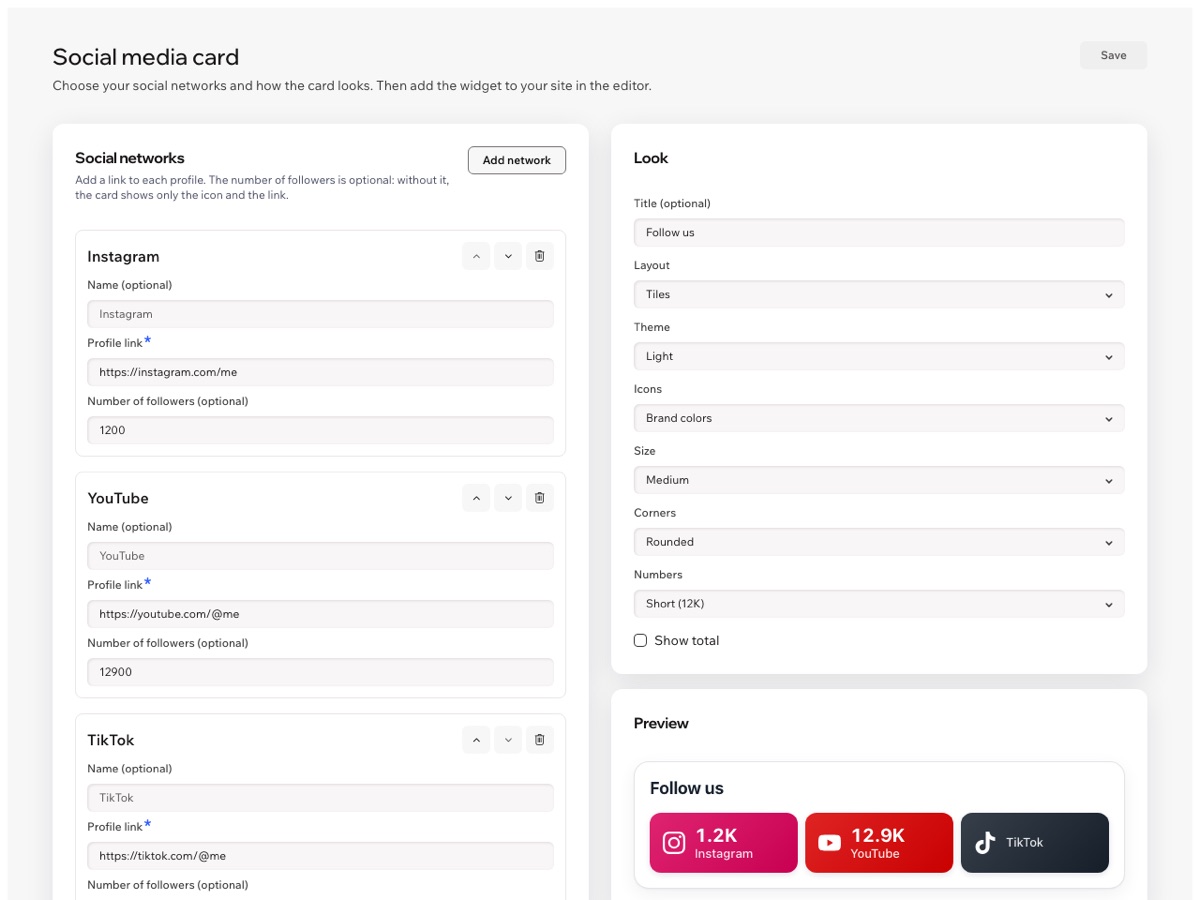
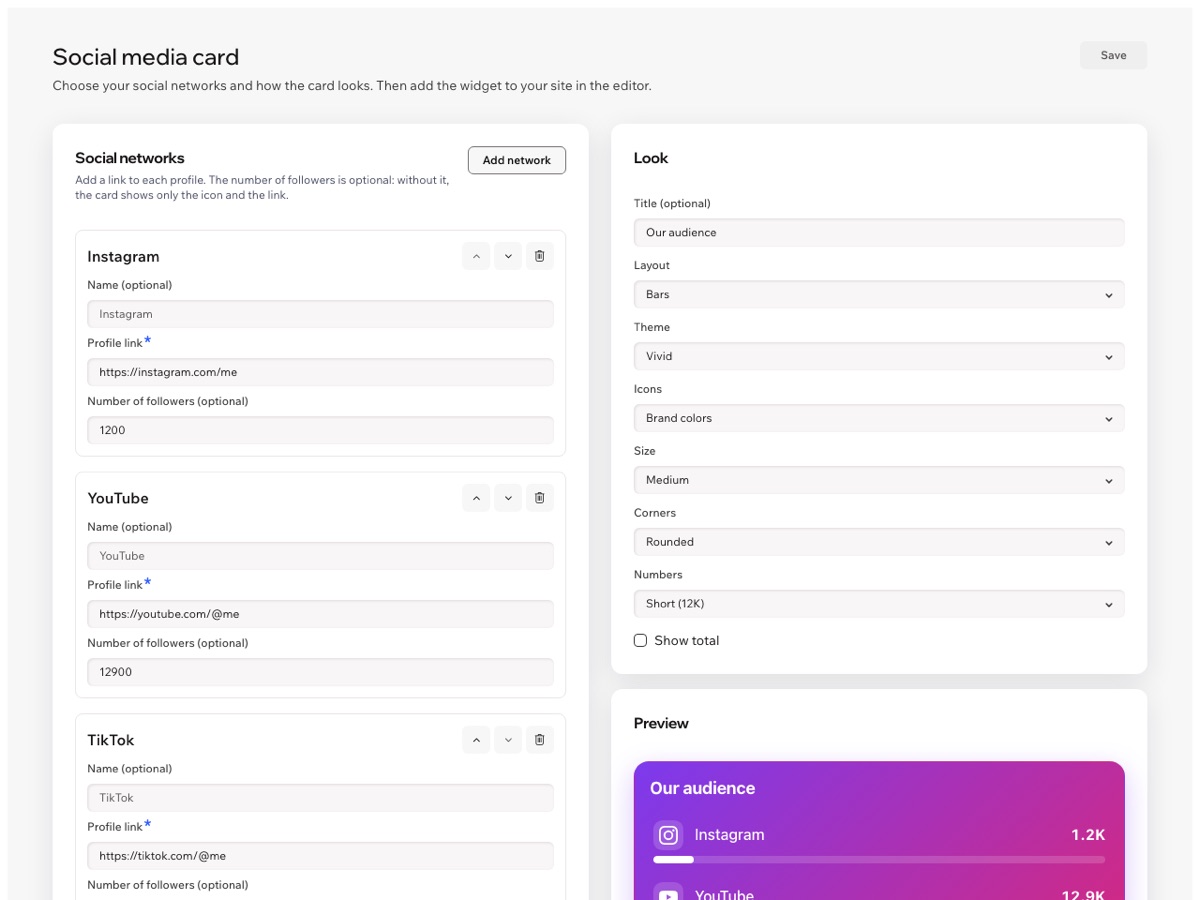
List, buttons, grid, tiles, bars, badges, a compact strip, icons only or a big total.
Light, dark, soft, vivid, glass for photo backgrounds, or no background at all.
Three sizes, rounded or sharp corners, and brand-colored, filled or single-color icons.
Type a follower count to show it, or leave it empty: the row shows the icon and the link.
Place the card twice and give each one its own layout, theme and size in the editor.
Aria can tell you what the card shows and which links it opens, read-only.
Numbers and labels follow your site language, right-to-left included. The dashboard is in 9 languages.
How you set it up
Add your profiles on the left and watch the preview on the right. Then add the Social Media Card widget to any page in the editor.
Pricing
$0
No. You type the numbers in the dashboard, so the card never breaks because a network changed its rules. Update them whenever you like, or leave them empty.
No. Without a number, the row shows the network icon, its name and the link to your profile. The total counts only rows with a number.
No. The app does not connect to social networks and does not read any data from them. It only stores the links and numbers you type.
Yes. Set the main look in the dashboard, then change the layout, theme or size of any single widget in its settings in the editor.
Build the card in the app dashboard, then add the Social Media Card widget from Add Elements in the editor and publish your site.