Checkout really closes
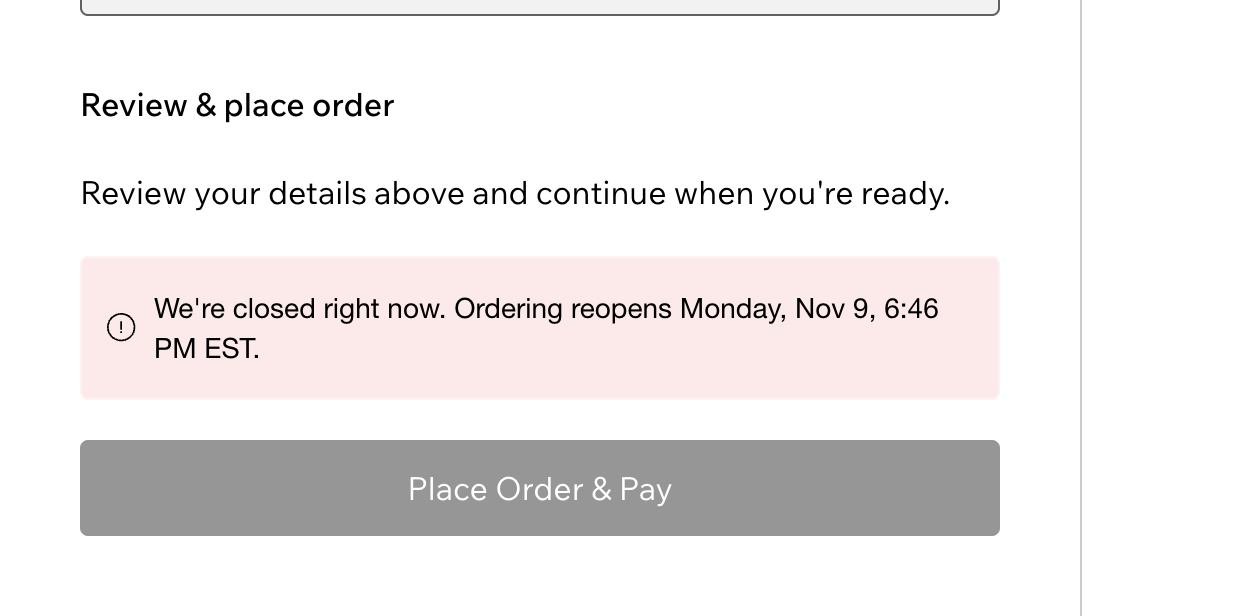
During a closing the cart and checkout show that the store is closed, and orders can't be placed, even in a checkout opened earlier.
 Shabbat & Holiday Closing Get the app
For online stores · Supported in Aria
Shabbat & Holiday Closing closes your checkout at candle lighting and reopens it after Havdalah, every week and on the Jewish holidays you keep. Shoppers see when ordering reopens and can keep browsing.
Try the live demo View on App Market7-day free trial, then $4.99/month or $3.99/month billed yearly.
Live demo
The times and the notice below come from the same code you install, calculated in your browser. Nothing is saved or sent.
Shabbat and the holidays the store owner keeps, with the Israel schedule for Israeli cities. Times are rounded so the store closes earlier and opens later.
The store around the notice is an illustration. On your site the notice shows on every page, and the cart and checkout don't let shoppers place an order until you reopen.
What you get
During a closing the cart and checkout show that the store is closed, and orders can't be placed, even in a checkout opened earlier.
Candle lighting and Havdalah are calculated for your city every week. Pick from 3,200+ cities or enter coordinates.
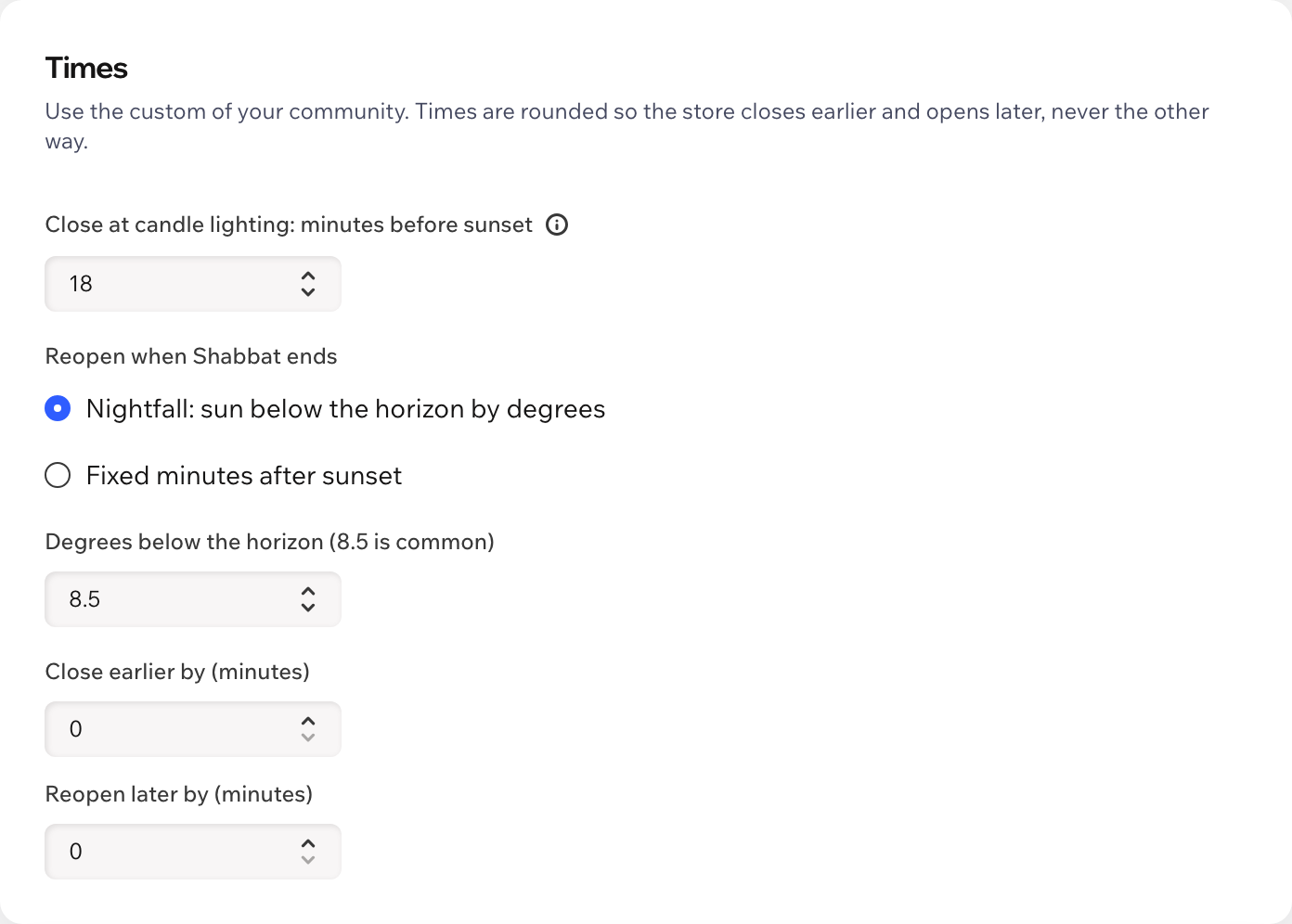
Choose the minutes before sunset and how Shabbat ends: nightfall by degrees or fixed minutes after sunset.
Rosh Hashanah, Yom Kippur, Sukkot, Shemini Atzeret, Passover and Shavuot, with the Israel or diaspora schedule. Next to Shabbat they become one closing.
Shoppers see exactly when ordering reopens, in your store's time zone, and can keep browsing your products.
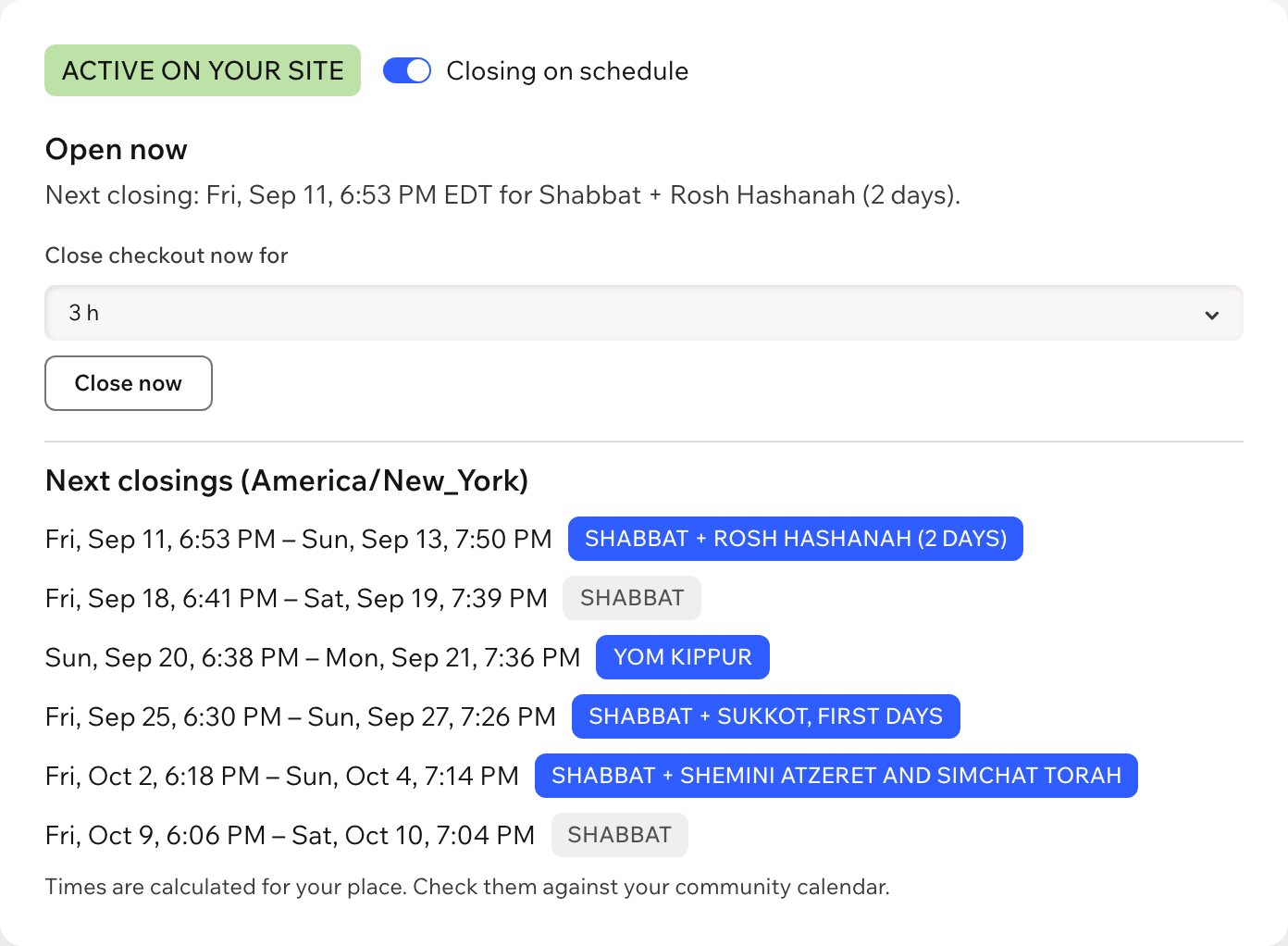
Close now, reopen until the current closing ends, or add your own closings for a vacation. The schedule takes over again by itself.
The notice follows the language of your site, right-to-left included. The dashboard is in English and Hebrew.
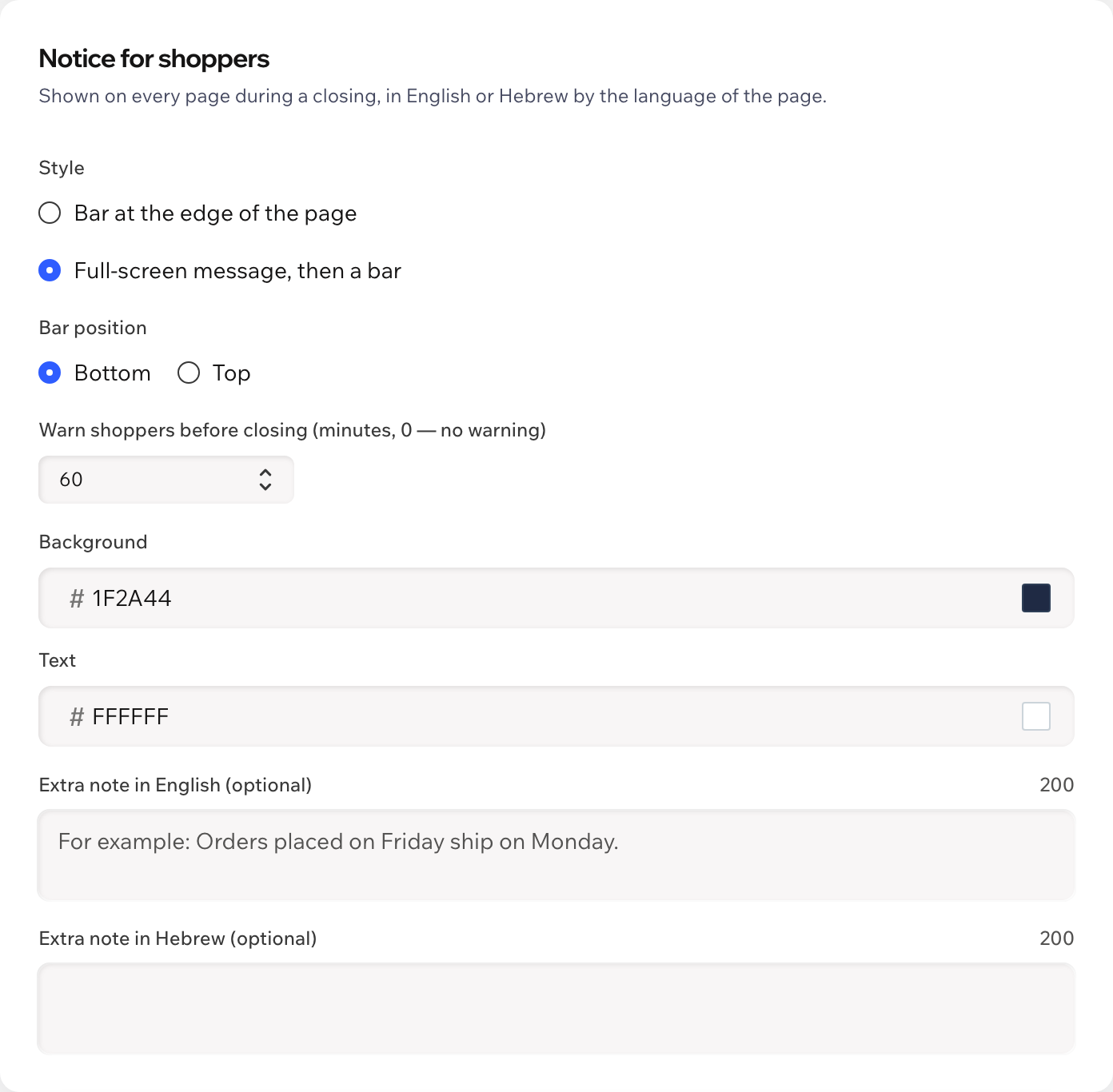
A bar at the top or bottom of every page, or a full-screen message first. Your colors, an optional warning before closing and your own note.
Ask Aria, the Wix AI assistant, whether the store is closed and when it next closes. Aria only reads: you make changes in the app dashboard.
What you see
Choose your city, check the next closings and save. The dashboard shows whether the store is open now and lets you close or reopen it in one click.
Pricing
$4.99/month
or $3.99/month billed yearly · 7-day free trial
Set everything up before the trial starts: the notice and the checkout block work while your trial or plan is active. Prices shown in USD.
From the sunset and nightfall for your city, every week, with standard astronomical formulas, so there's nothing to update each year. Closing starts the number of minutes before sunset you choose (18 is common; Jerusalem 40, Haifa 30) and ends at nightfall by degrees (8.5° is common) or a fixed number of minutes after sunset. Times are rounded so the store closes earlier and opens later.
Shabbat is always included. You choose from Rosh Hashanah, Yom Kippur, Sukkot, Shemini Atzeret and Simchat Torah, and the first and last days of Passover and Shavuot, with the Israel or diaspora schedule. A holiday next to Shabbat becomes one continuous closing.
Yes, on your site's online checkout: during a closing the cart and checkout show that the store is closed and the order button is disabled, even in a checkout opened before the closing began. Orders you create yourself, point of sale and subscription renewals are not blocked. You can also choose to show only the notice.
Close checkout now for a few hours, reopen it until the current closing ends, or add your own closings for a vacation. When they end, the schedule takes over again.
No. The app applies the place and times you choose. Check the next closings against your community calendar.
Nothing. You can set everything up first; the notice and the checkout block work while your free trial or Pro plan is active.
Only your settings, in a data collection on your own site. Nothing about shoppers is stored.