Always your current menu
Dishes, sections, prices, sizes and sold-out items come from Wix Restaurants Menus. Change a price there, and guests see it on their next visit.
 QR Menu & Allergens Get the app
For Wix Restaurants Menus
Guests scan the QR code on the table and get your menus on their phone: prices, sizes and sold-out dishes straight from your restaurant menus, always current.
Get the app Try the live demo7-day free trial. Guests don't install anything, and the menu opens even with a weak connection.
Live demo
The real guest menu, with made-up restaurants. Switch tabs, search, hide dishes with an allergen, change the language or try dark mode. Nothing is saved or sent.
Open the menu on its own page to save it to your phone.
What you get
Dishes, sections, prices, sizes and sold-out items come from Wix Restaurants Menus. Change a price there, and guests see it on their next visit.
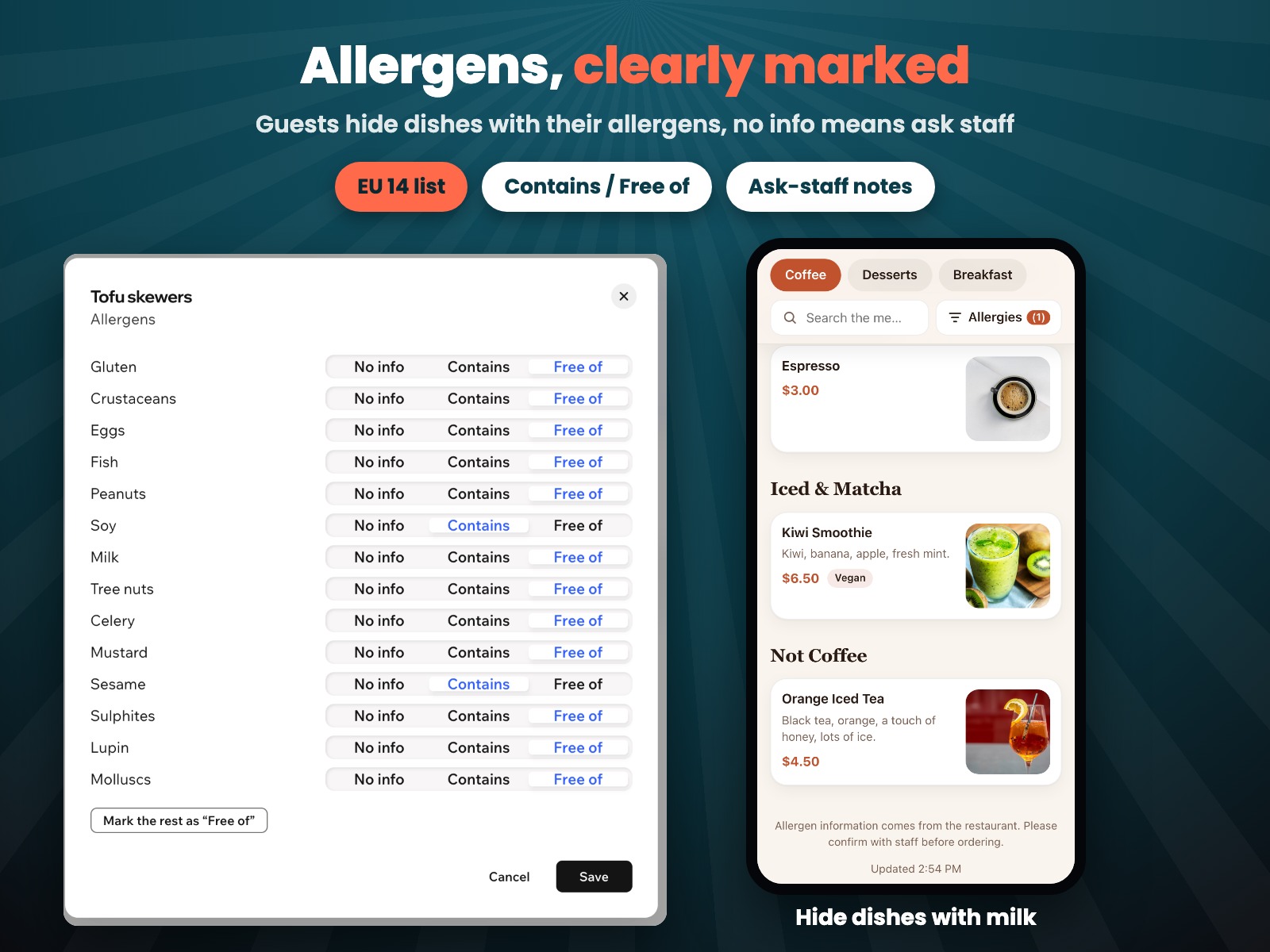
Mark the 14 EU allergens a dish contains or is free of. Guests hide dishes with their allergens, and a dish without info says to ask staff.
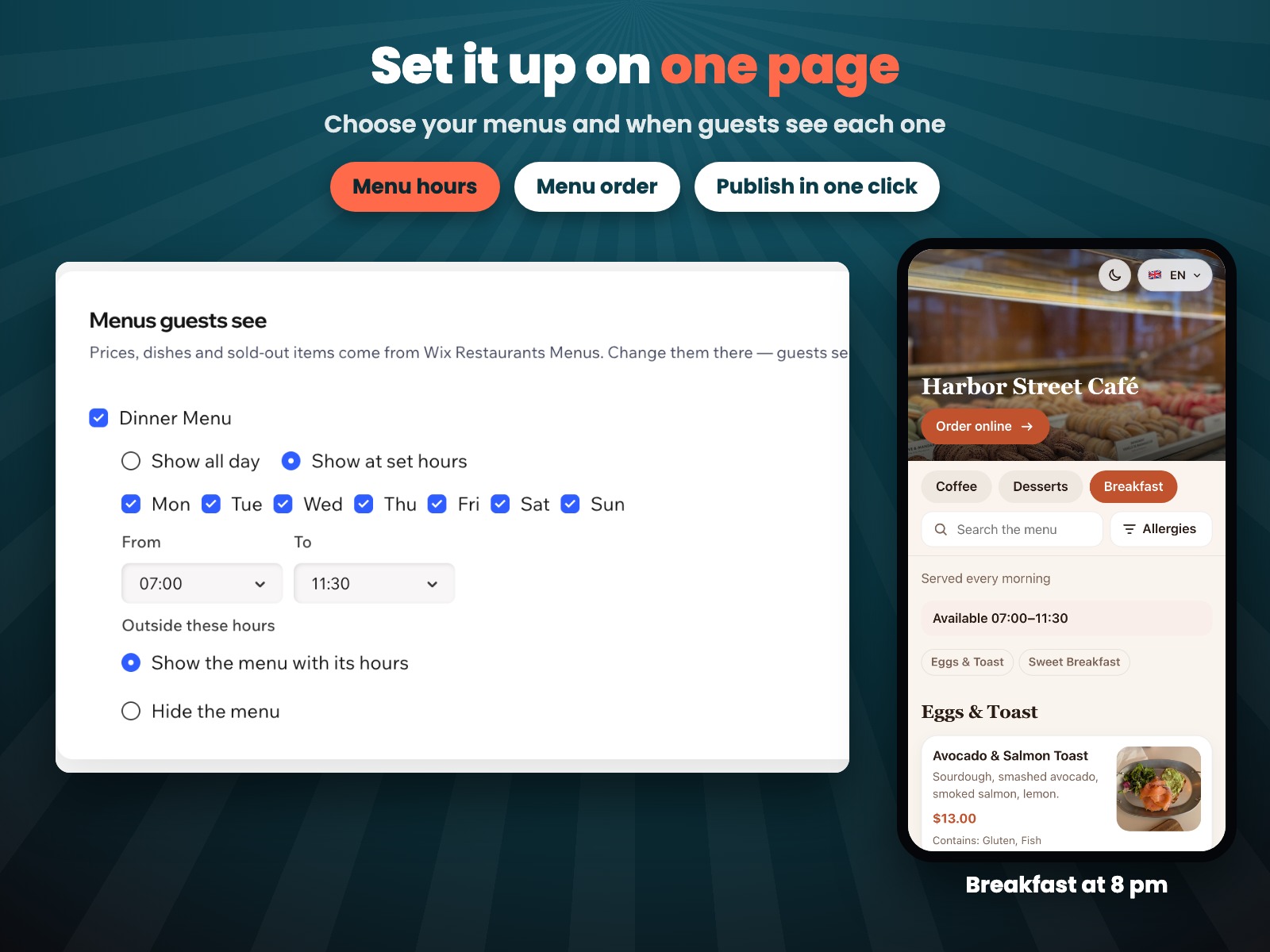
Breakfast in the morning, a lunch set on weekdays, a late-night menu at weekends. Outside its hours a menu is hidden or shows when it's served.
Pick a theme or your own colors and a photo of your food or place. Guests can switch between light and dark.
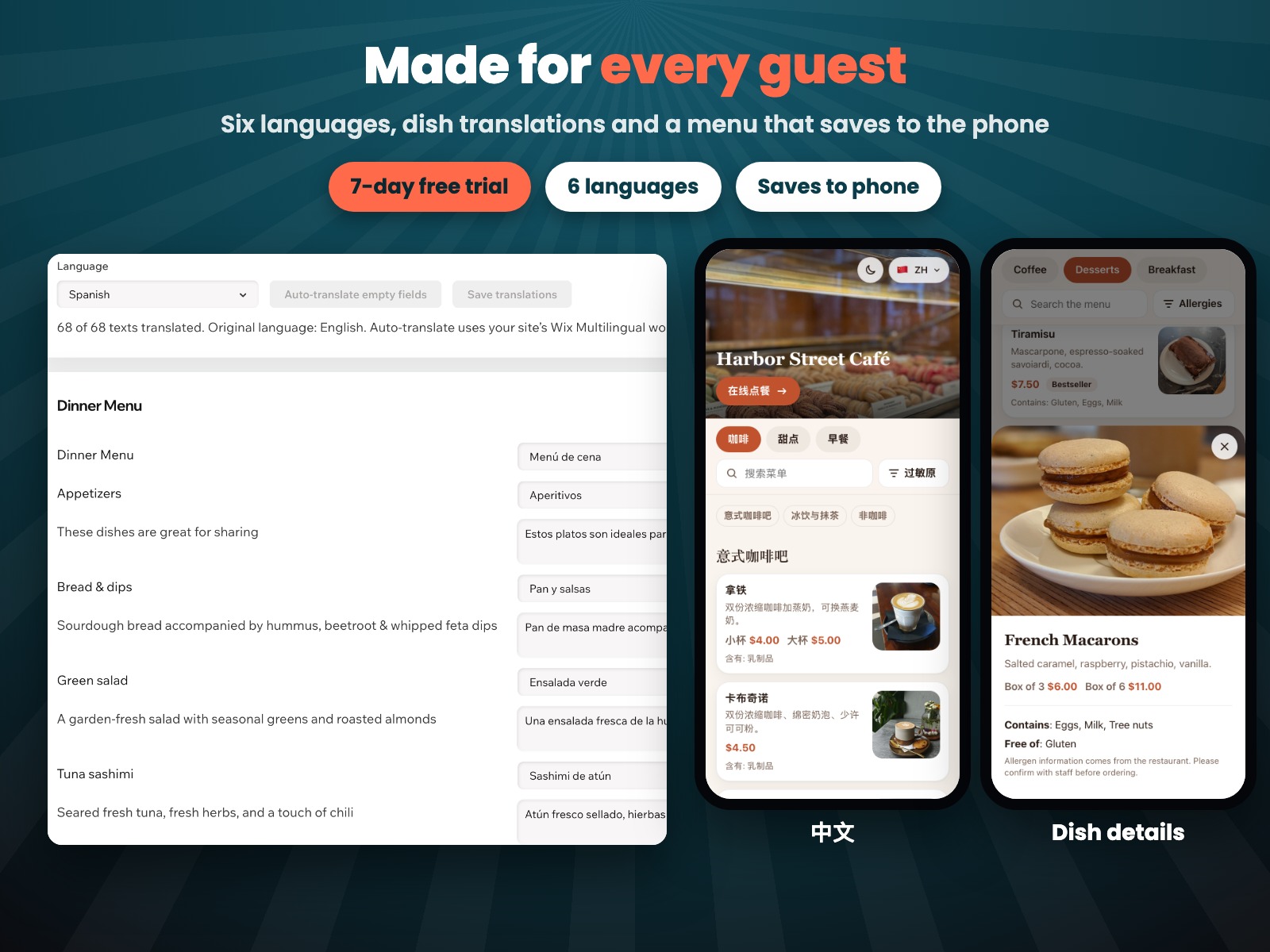
English, Spanish, French, German, Russian and Chinese. Buttons and allergens are translated for you; translate dishes yourself or automatically.
One link that never changes, a QR code, printable table cards and a block for your site. Guests can save the menu to their phone.
For the owner
Choose your menus and their hours, mark allergens dish by dish and translate the texts. Then publish and print the QR codes.
Pricing
$7.99/month
or $5.99/month billed yearly
Prices shown in USD. Pro starts with a 7-day free trial. You can set everything up before the trial; guests see the menu once it starts. See current plans in the App Market.
Wix Restaurants Menus with at least one menu. The app reads your menus and never changes them.
No. The menu opens in the phone's browser. Guests can also save it to their home screen like an app.
After the first visit the phone keeps a copy, so the menu opens even with a weak or no connection. It then says that prices and allergens may have changed.
You type them in the Translations tab or press Auto-translate. Auto-translate needs the free Wix Multilingual app on your site and uses its word credits; the first 3,000 words are free. Check short names after it: a machine can't always tell what "Mains" means.
It comes from you. Guests see a note to confirm with staff, and a dish without allergen info says to ask staff.
No. The link stays the same, so printed table cards keep working.