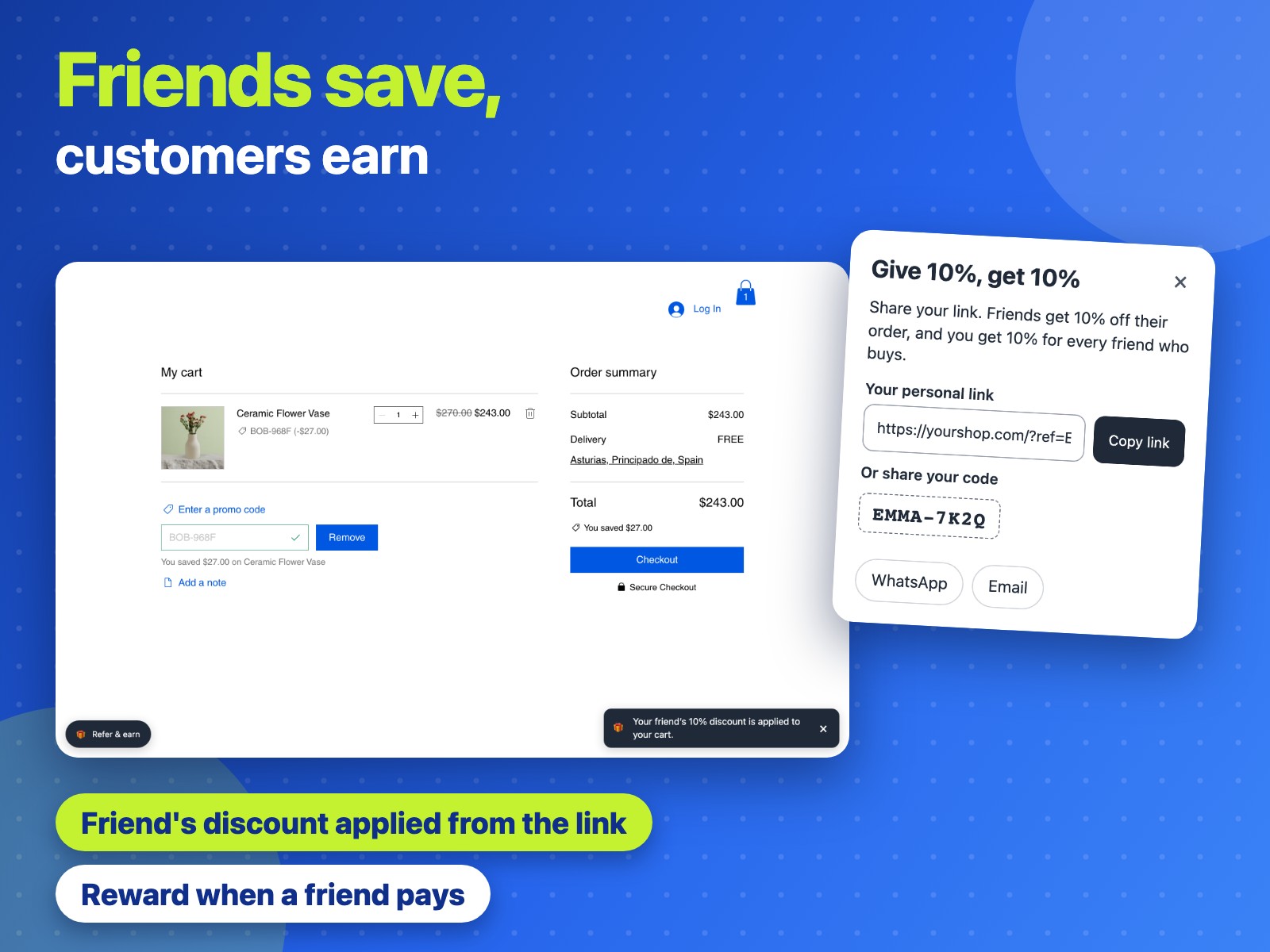
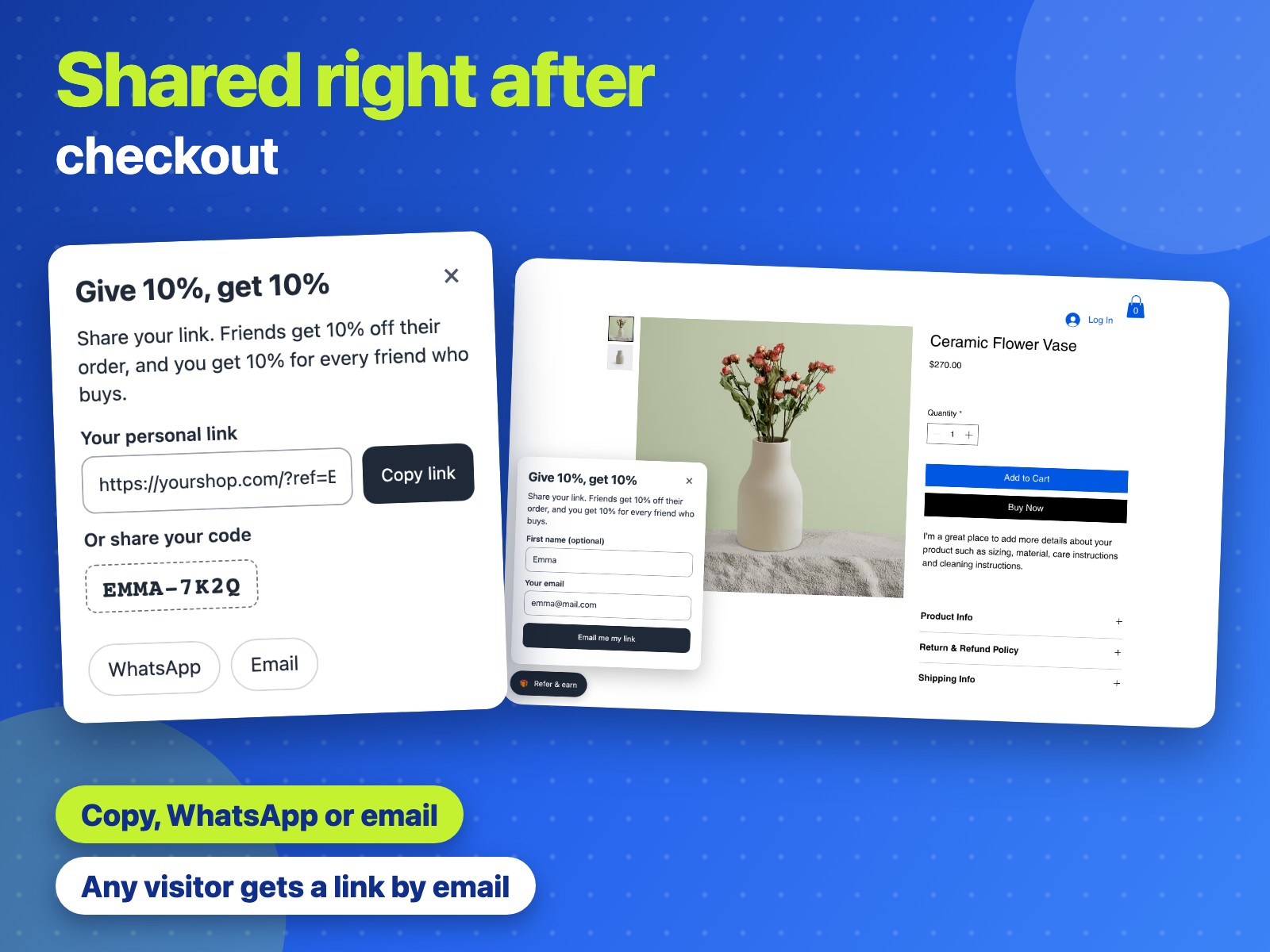
Share this link with friends. They get 10% off on their order, and you get 10% off for every friend who buys.
https://fernandclay.example/?ref=EMMA-7K2Q
Friends can also enter your code at checkout:
EMMA-7K2Q
 Refer a Friend: Referral Codes Get the app
For Wix Stores · Supported in Aria
Turn happy buyers into promoters. Right after checkout, customers get a personal link and code to share. Friends who open the link find the discount already in their cart, and the customer who sent them gets a reward coupon by email once they pay.
Try the live demo View on App Market7-day free trial, then $7.99/month or $6.39/month billed yearly.
Live demo
The store below runs the same script merchants install: the window with the personal link, the Refer & earn button and the friend's discount in the cart. Nothing is saved or sent: switch the scene to start over.
Illustration: the emails the app sends. In this demo nothing is sent.
Share this link with friends. They get 10% off on their order, and you get 10% off for every friend who buys.
https://fernandclay.example/?ref=EMMA-7K2Q
Friends can also enter your code at checkout:
EMMA-7K2Q
A friend you referred just placed an order. Thank you! Here is your reward: 10% off on your next order.
Enter this code at checkout:
THANKS-8F3KQ2MZ
Valid until February 15, 2027.
What you get
On the thank-you page customers see their personal link and code, with Copy, WhatsApp and Email buttons.
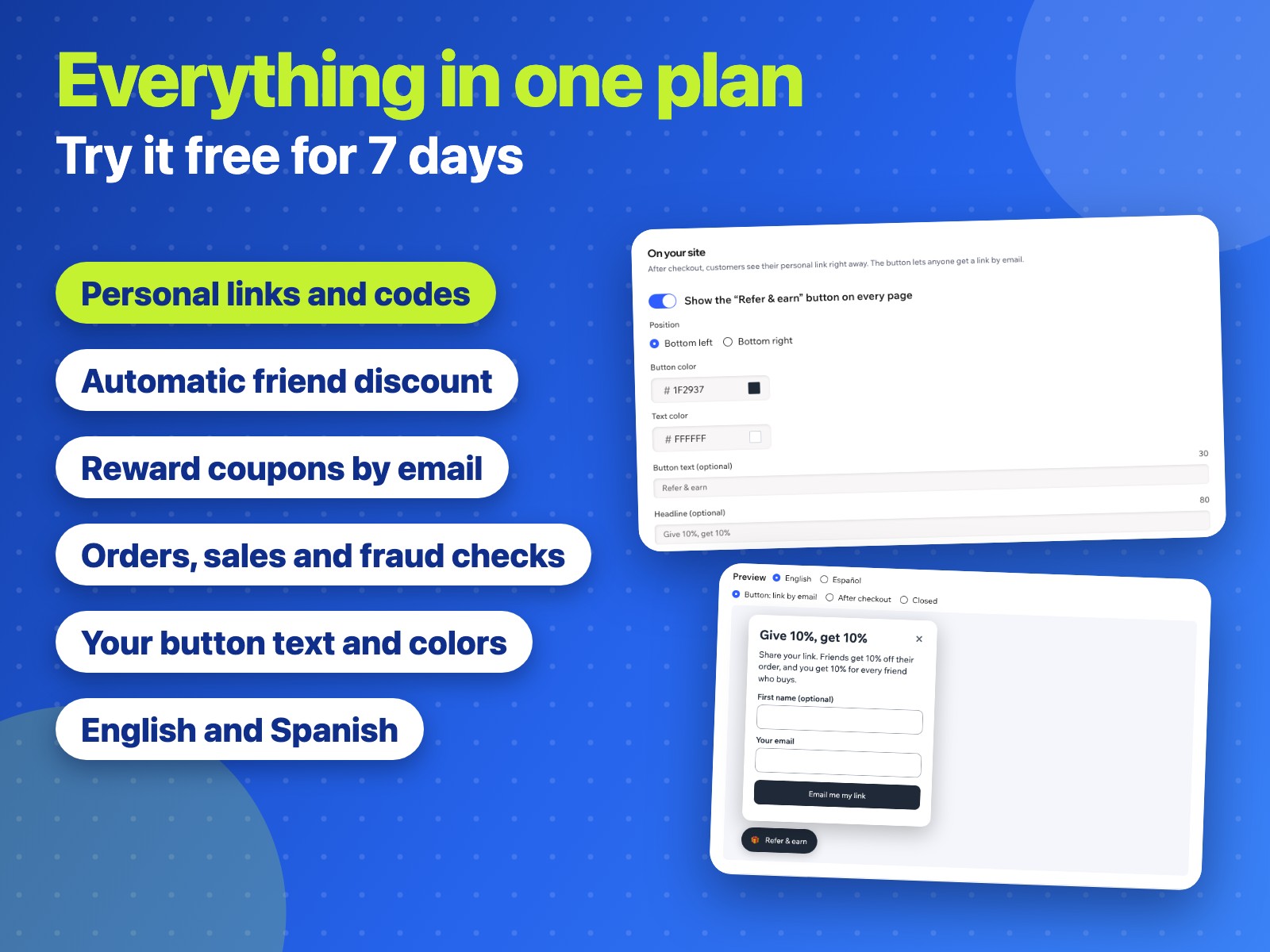
Any visitor can ask for a link. It arrives by email only, so nobody collects discounts with made-up addresses.
A friend who opens the link finds the discount in the cart. The code is remembered on their device for 7 days.
Every personal code is a regular Wix coupon, so a friend can also type it at checkout and guest orders count.
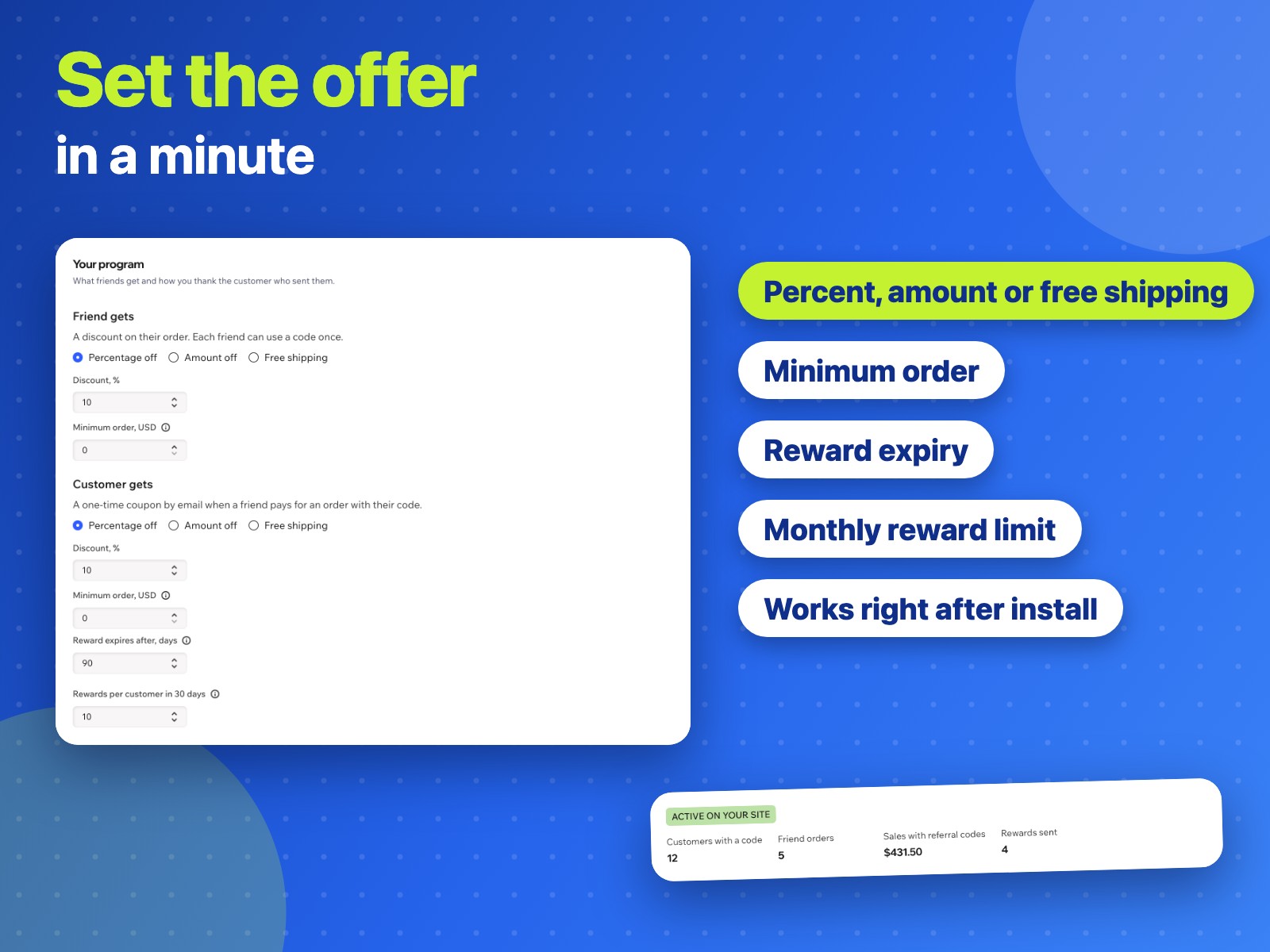
When a friend pays, the customer who sent them gets a one-time reward coupon. Percent, amount or free shipping, with an expiry.
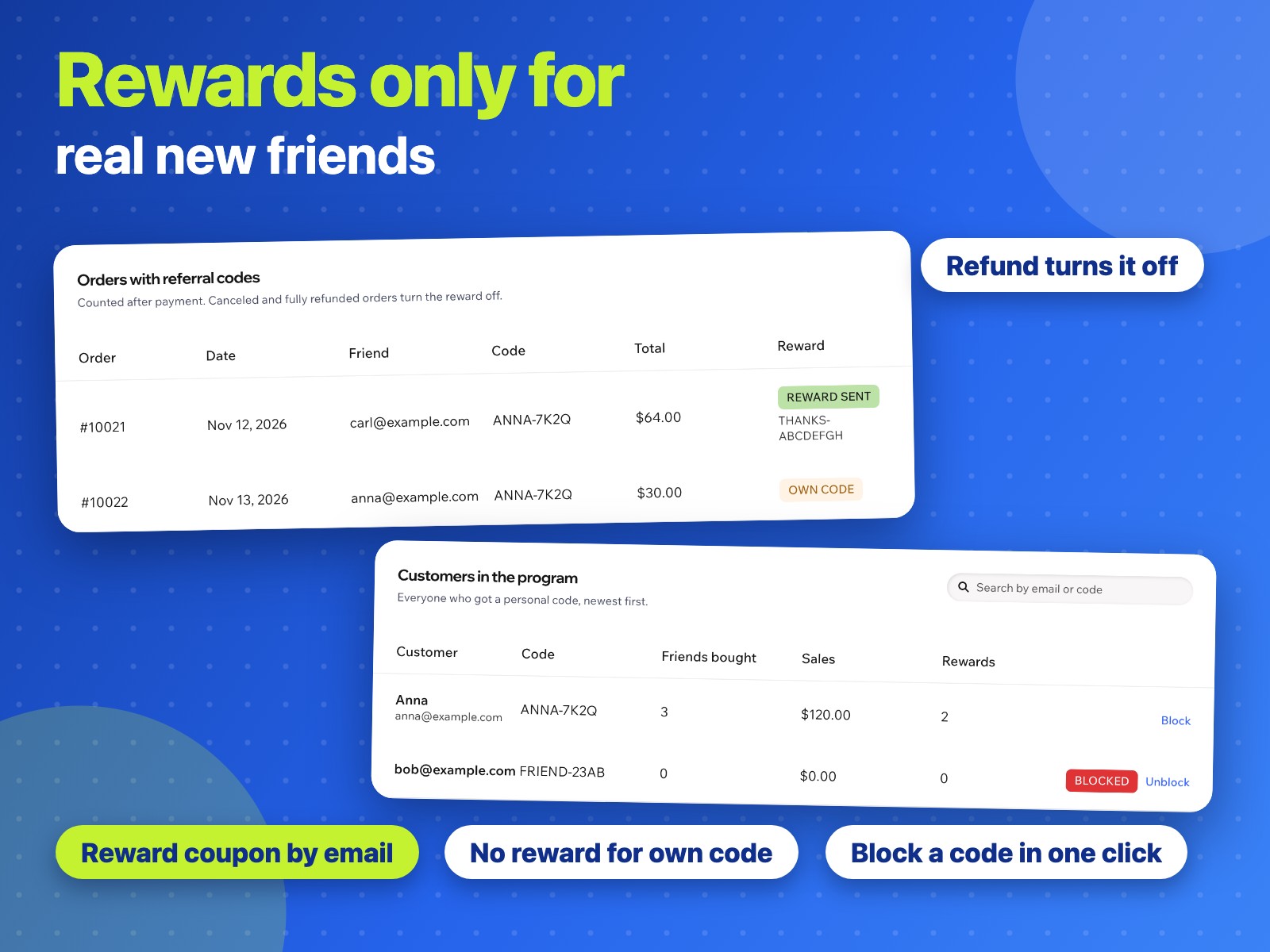
No reward for a customer's own code, for a repeat friend or above your monthly limit. A canceled or refunded order turns the reward off.
See who is in the program, every friend order with the reason behind its reward, and block any code in one click.
Texts follow the page language. Aria, the Wix AI assistant, can read your program settings and totals.
What you see
Program terms, the button on your site, customers in the program and the order log are on one dashboard page.
Pricing
$7.99/month
or $6.39/month billed yearly · 7-day free trial
Set up your program before the trial starts: the button, links and rewards work while your trial or Pro plan is active. Prices shown in USD. Current pricing is on the App Market listing.
A Wix site with an online store (Wix Stores). Friend discounts and rewards are regular Wix coupons, and friend orders are counted from your store orders.
No. The button and the window after checkout appear on their own once the app is active. Just installed? Publish your site once so the button and links start working.
Right after checkout, in a window on the thank-you page. Anyone else can click Refer & earn and get the link by email.
When the friend's order is paid. The customer who sent them gets a one-time coupon by email. A canceled or fully refunded order turns the unused reward off.
There is no reward for a customer's own code, for a friend who already bought with a code, or above the monthly limit you set. You can block any code in one click: its discount stops working.
That works too, also for guest orders. The link only saves the friend from typing it.
Yes. Choose a percentage, a fixed amount or free shipping, with an optional minimum order, and existing codes follow your new terms.
Your settings, the customers who joined the program with their email and code, and orders made with referral codes (order number, friend's email, total and reward), in data collections on your own site. On a shopper's device it remembers only the friend's code, for 7 days, and the last order the window was shown for.