Trivia and tests
Each question has one right answer. Visitors see their score and the result for their score range.
 Quiz & Assessment Builder Get the app
For any page of your site · Supported in Aria
Quiz & Assessment Builder adds trivia quizzes with scores and personality quizzes with results to any page. Each result can have a button to a page, a product or an offer, and you can ask for a name and email before it.
Try the live demo View on App MarketFree plan: your first quiz with up to 5 questions. Pro: $4.99/month or $3.99/month billed yearly, 7-day free trial.
Live demo
The quiz below runs the same code merchants install, with the ready templates from the app. Nothing is saved or sent: reload to start over.
The page around the quiz is an illustration. In this demo contact details are not saved and result buttons don't leave the page: on your site contacts go to your dashboard and the button opens the page you chose.
What you get
Each question has one right answer. Visitors see their score and the result for their score range.
Every answer points to a result, such as a product, a service or a style. The most chosen result wins.
Send visitors to a page, a product or an offer with your own text on the button.
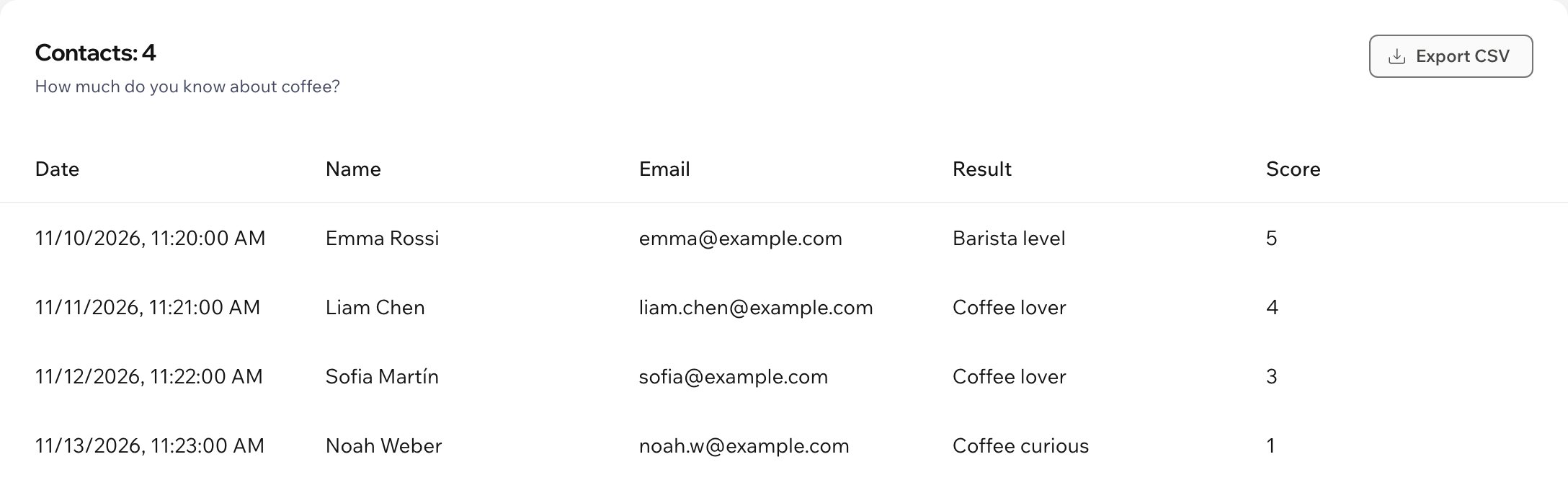
Ask for contact details before the result, with an optional consent checkbox. Keep them in your dashboard or export them to CSV.
Start from a trivia or personality template and change the texts to your own.
Play your quiz in the dashboard, on a computer or a phone, before visitors see it.
Fonts come from your site theme. Choose the card color, accent color and rounded corners.
The quiz follows your site language, and the dashboard speaks both. Aria, the Wix AI assistant, can list your quizzes, read-only.
What you see
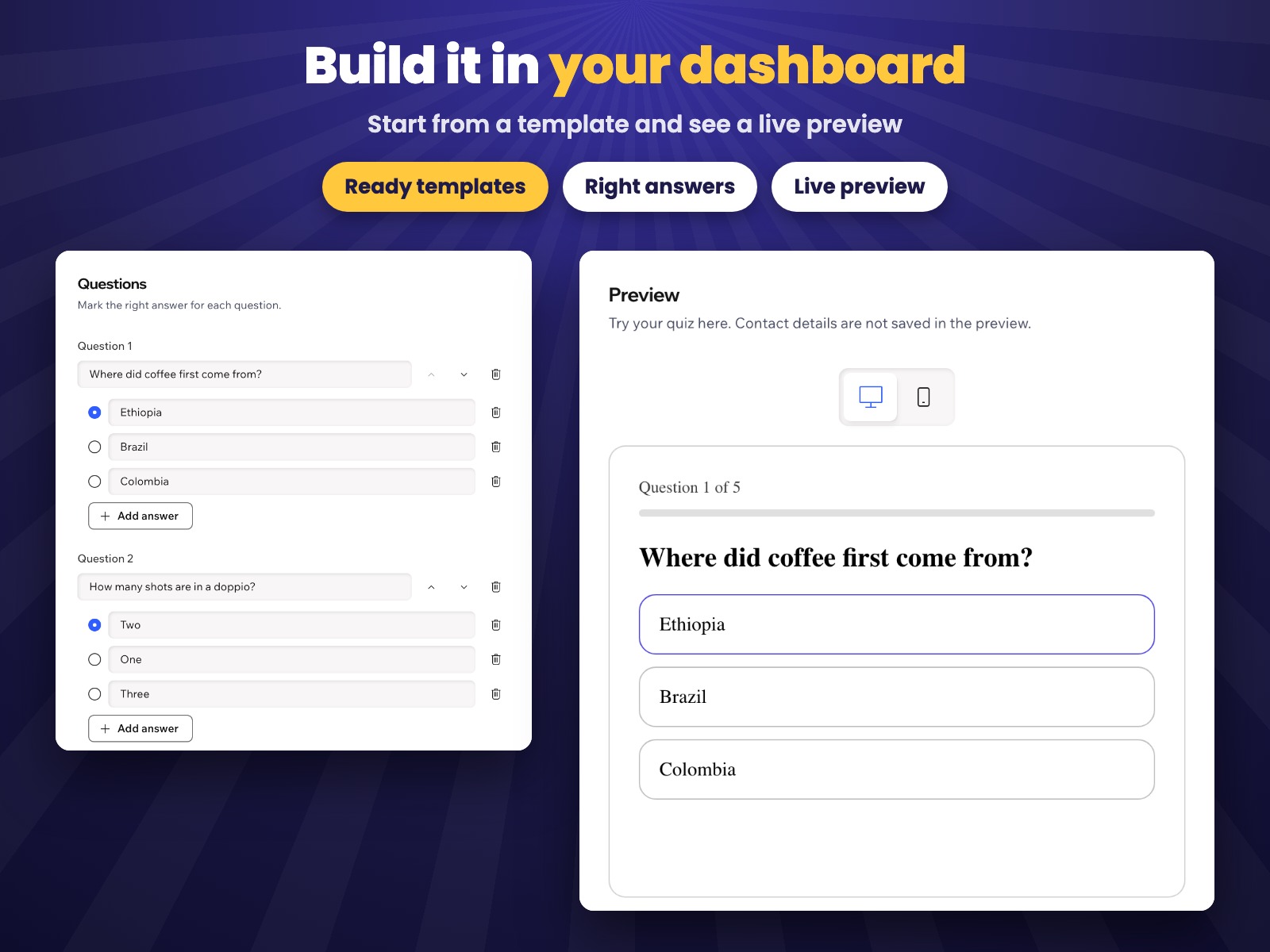
Questions, right answers, results and contacts on one page, with a live preview next to them.
Pricing
$0
$4.99/month
or $3.99/month billed yearly · 7-day free trial
Prices shown in USD. Current plans and pricing are on the App Market listing.
Create a quiz in the app dashboard, then in your editor click Add Elements → App Widgets → Quiz and publish your site. With several quizzes, pick the one for each block in the widget settings.
In trivia each question has one right answer, and the result depends on the score. In a personality quiz each answer points to a result, and the result chosen most often wins.
Your first quiz with up to 5 questions, both quiz types, results with a button and your colors. Pro removes the limits and collects names and emails.
In a data collection on your own site that only your dashboard can read. You can export them to CSV, and deleting a quiz deletes its contacts.
Yes. The quiz adapts to small screens and works with the keyboard.