Each button, its own products
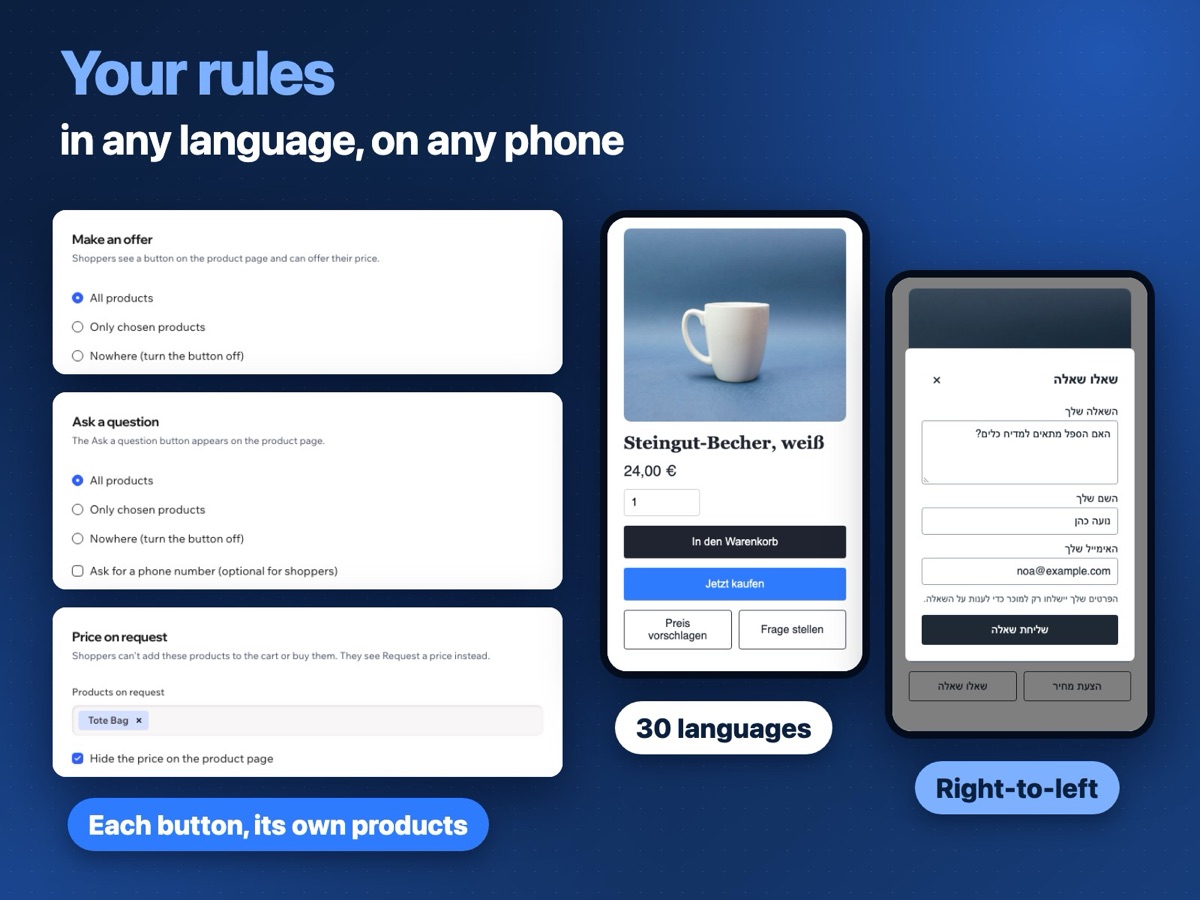
Show Make an offer, Ask a question and Request a price on all products, only on the ones you choose, or nowhere.
 Product Enquiry Buttons Get the app
For Wix Stores · Supported in Aria
Product Enquiry Buttons adds three buttons to your product pages: Make an offer, Ask a question and Request a price. You choose where each one appears, and every offer, question and request comes to you by email and in your dashboard.
Try the live demo View on App MarketOne Pro plan with a 7-day free trial. Replaces Make Offer Button, Price on Request and Ask Seller Button.
Live demo
The buttons, the forms and their checks run the same code you install. Nothing is saved or sent: offers, questions and requests in this demo go nowhere, so you can type any email address.

your-store.com/product-page/white-stoneware-mug
Twin diesel engines, 640 hours, one owner. Viewing by appointment.
Color: White
Size
This is a demo store, so nothing is added or sold.
What you see
An illustration of the next step: in the app, every offer, question and request comes to you by email and as a dashboard and phone notification, and waits in the app dashboard.
Send an offer, a question or a price request above and it appears here.
What you get
Show Make an offer, Ask a question and Request a price on all products, only on the ones you choose, or nowhere.
On the products you sell on request, the price, quantity, Add to Cart and Buy Now are replaced by Request a price. The cart and checkout don't accept them either.
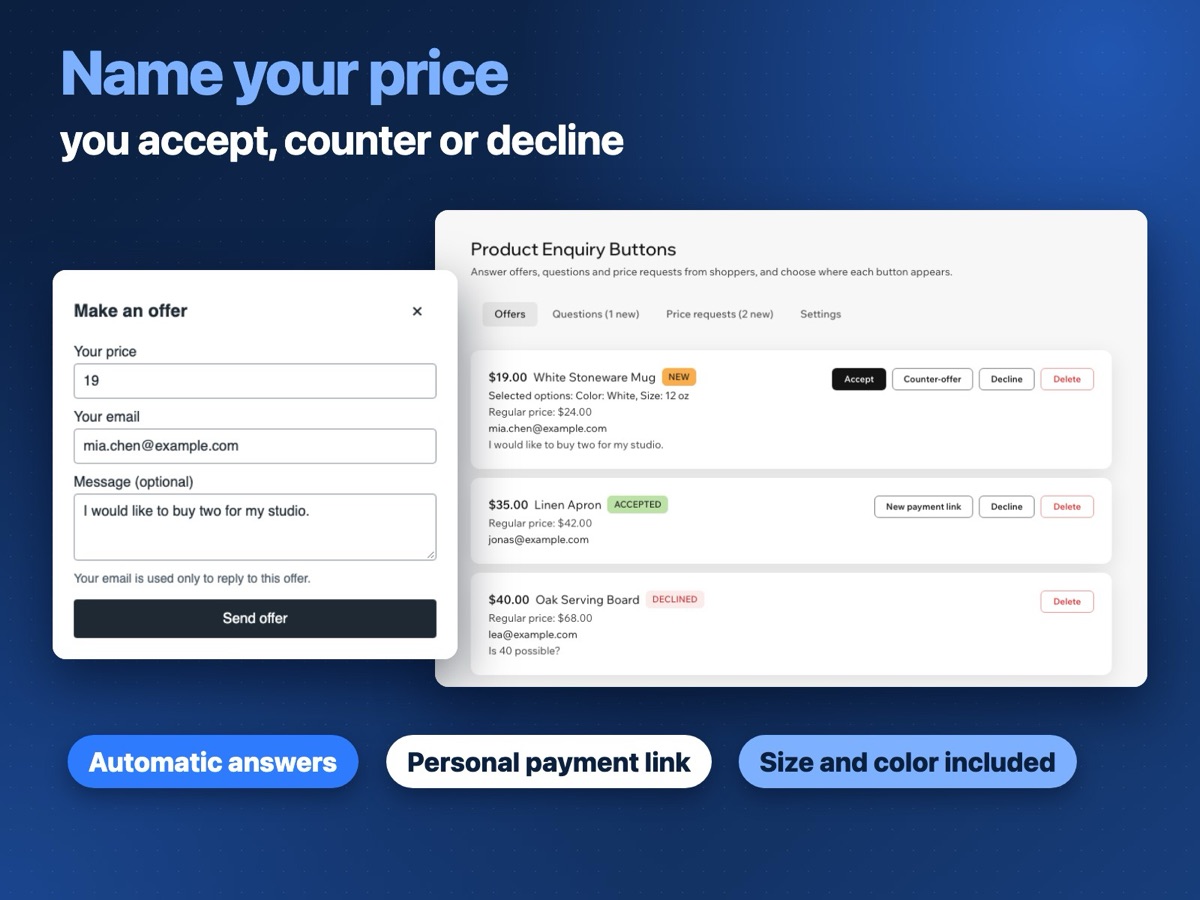
Accept, decline or send a counter-offer. Set minimum prices and automatic answers by a percentage of the price.
An accepted offer comes with a personal link to checkout, for one item at the agreed price and for a limited time.
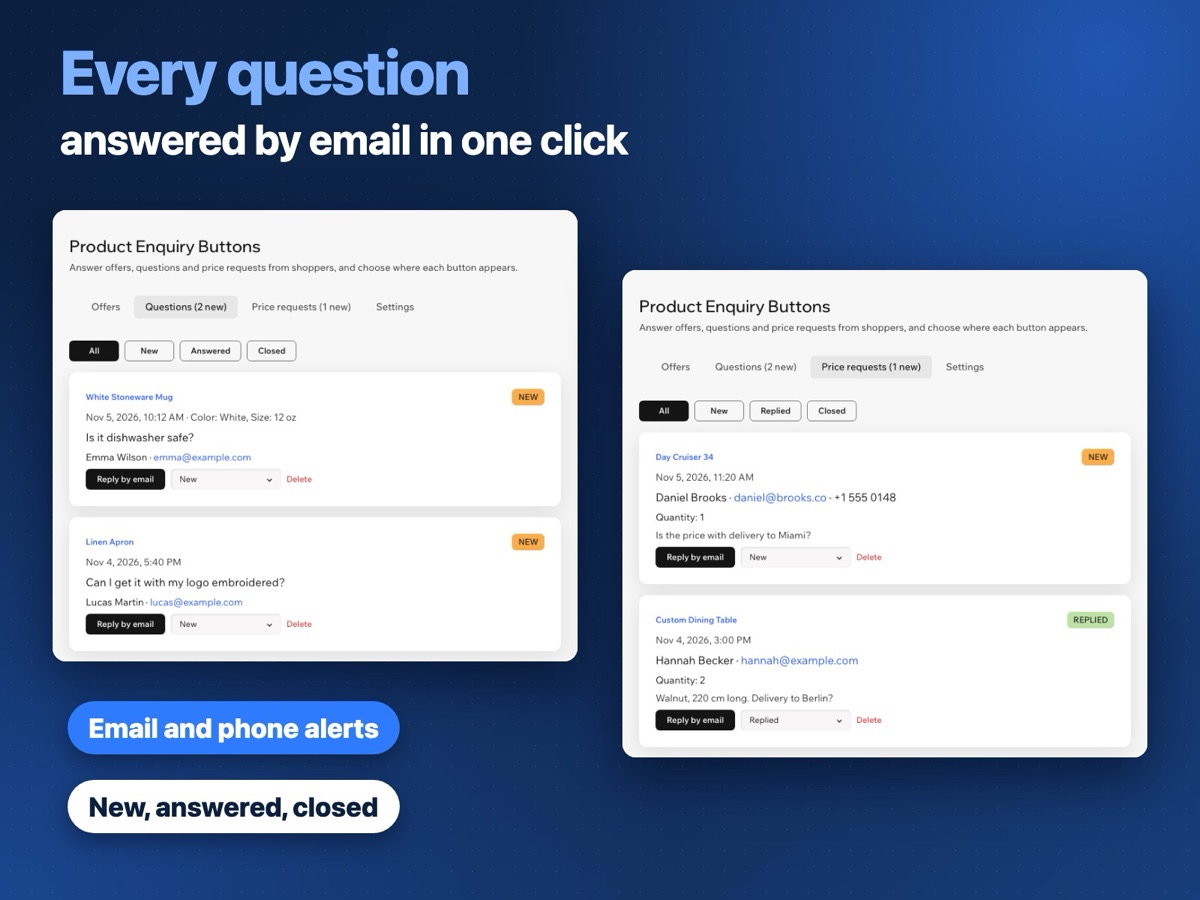
An email and a dashboard and phone notification for every offer, question and request. Turn email and app alerts on or off.
The size, color or other options the shopper picked go with the question and the offer. Reply to questions by email in one click.
Set the color, style, size, corners and width in the editor, or keep the look of your Add to Cart button. 30 shopper languages, right-to-left included.
Ask the Wix AI assistant how many new offers, questions and price requests you have and which buttons are on. Read-only, without shoppers' names, emails or messages.
In your dashboard
Answer under Offers, Questions and Price requests, and choose where each button appears under Settings.
Pricing
$8.99/month
or $6.99/month billed yearly · 7-day free trial
Set up your buttons before the trial starts: shoppers see them while your trial or plan is active. Prices shown in USD. Current pricing will be on the App Market listing.
Remove them first — Product Enquiry Buttons replaces all three and uses the same place on the product page. If one of them is still there when you add this app, Wix may ask which plugin to replace.
Install the app, choose where each button appears in the app dashboard and publish your site. The buttons are added to your product pages on their own. If you don't see them, click Add to product page in the app dashboard.
On Wix Studio, new buttons and app updates show on your live site only after you publish the site. Open the editor and click Publish.
Nothing: no buttons, and products on request keep their price and buy buttons. You can set up everything in the dashboard first. In the editor you see sample buttons, so you can check where they sit.
The agreed price, for one item, through a personal checkout link. Shipping and tax are added at checkout as usual. Your automatic discounts also apply at offer checkout, so a shopper can pay less than the agreed price; to avoid this, limit those discounts to other products.
No. Its buy buttons are hidden, and if it gets into the cart another way, the cart and checkout don't let the order through. You can keep the price visible and hide only the buttons.
Reply to the question email: the reply goes to the shopper. Or click Reply by email in the dashboard: your mail app opens with the shopper's address and the product. Offers are answered in the dashboard, and the shopper gets an email.
The buttons and forms follow the language of your site, in 30 languages, right-to-left included. The app dashboard is in 9 languages.
In data collections on your own site. Only you and your site collaborators see them in the app dashboard, and you can delete any of them.