Always up to date
Names, prices, billing periods, free trials and benefits come straight from your pricing plans. Change a price there and the table shows the new one.
 Pricing Plans Table Get the app
For Wix Pricing Plans · Supported in Aria
Pricing Plans Table turns the plans you sell into a clear pricing section on any page: a monthly/yearly switch with the saving on every card, a Most popular badge, price on request and a comparison of benefits. Checkout stays with Wix.
Try the live demo View on App Market7-day free trial, then $4.99/month or $3.99/month billed yearly.
Live demo
The widget below runs the same code merchants install, with the plans of our test site. Nothing is saved or sent: reload to start over.
The page around the table is an illustration. In this demo the buttons don't buy anything: on your site they open the Wix checkout for the plan, and the price on request button opens your contact page, email or phone.
What you get
Names, prices, billing periods, free trials and benefits come straight from your pricing plans. Change a price there and the table shows the new one.
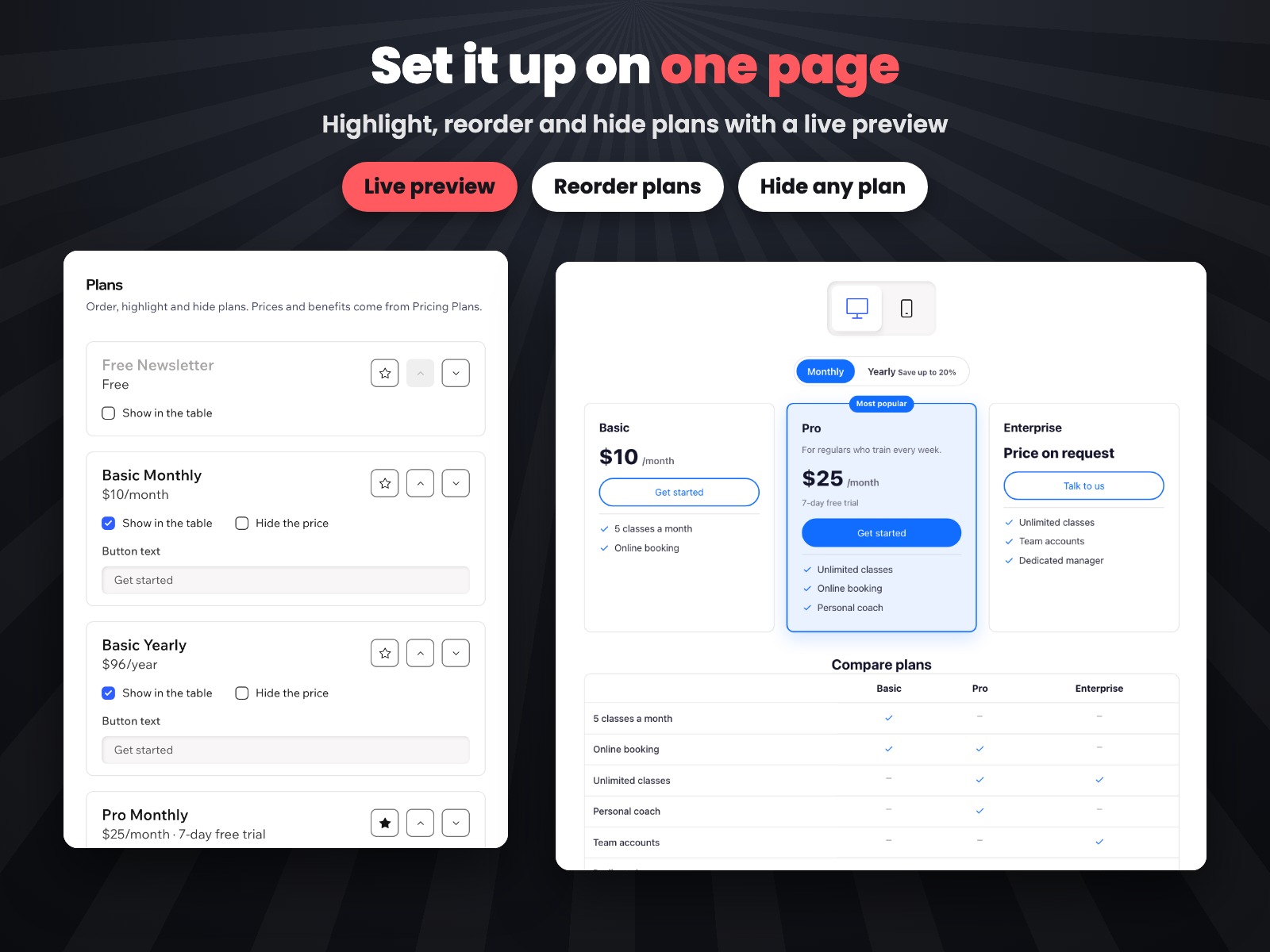
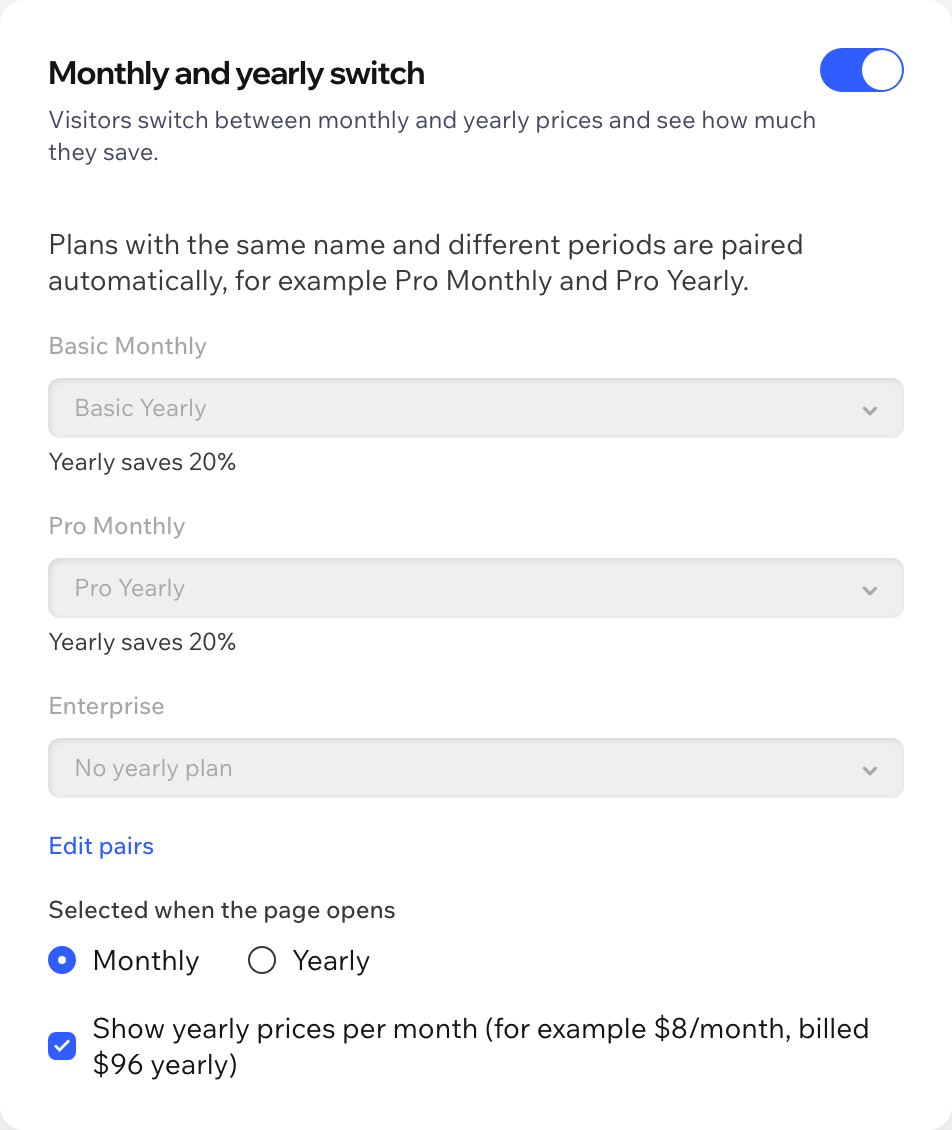
Plans with the same name and different periods pair up automatically. Yearly cards show the price per month, the yearly total and the saving.
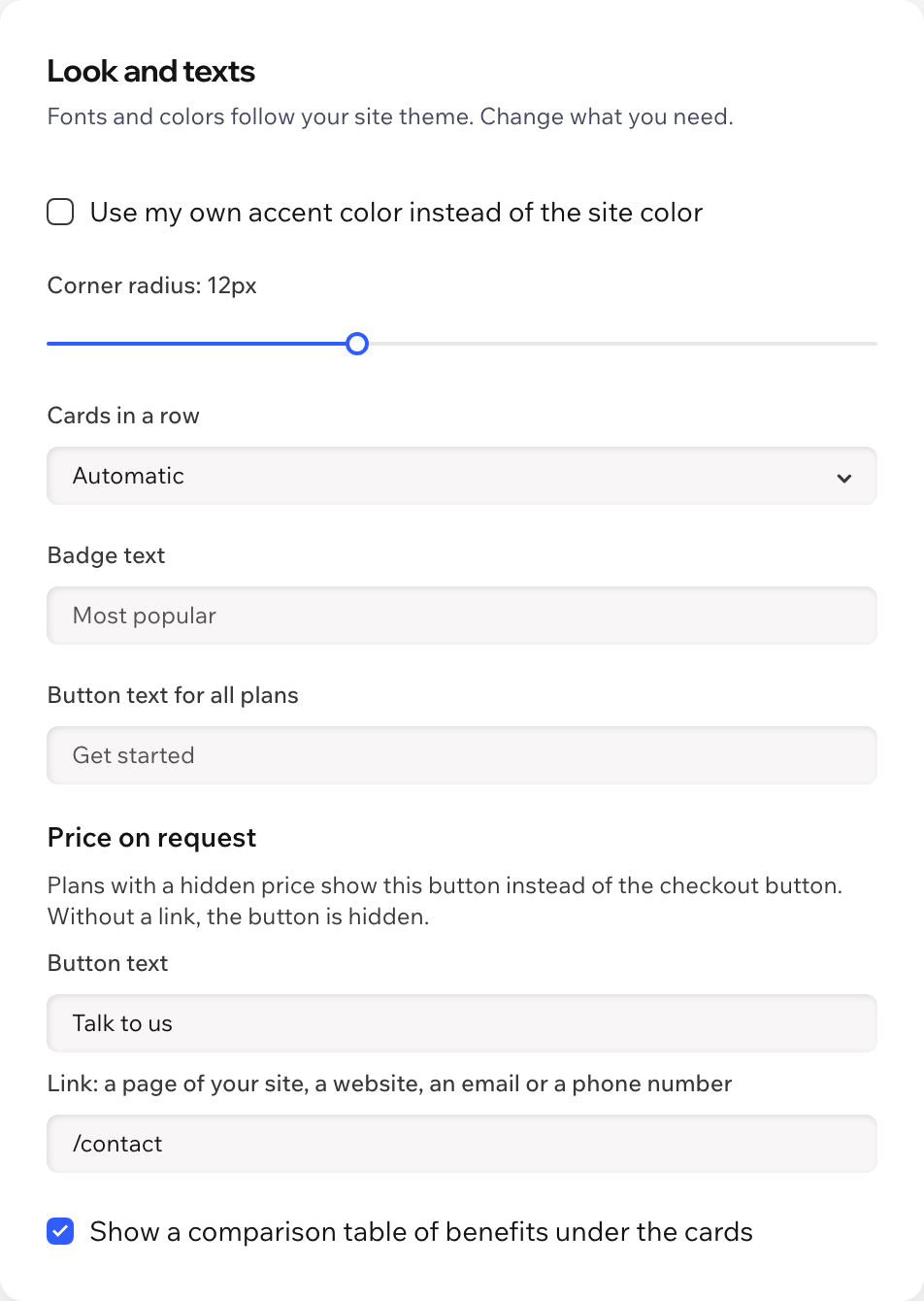
Highlight one plan with a badge and your own text, so visitors know where to start.
Hide the price of any plan and show a button to your contact page, email or phone instead of checkout. The hidden price never reaches the visitor's browser.
Every other button opens the regular checkout for that plan, so payments, members and renewals work as before.
An optional table under the cards lists all benefits with checkmarks, so visitors see the difference at a glance.
Fonts and colors come from your site theme. Set your own button color, corner radius and cards per row. Adapts to phones.
The table follows your site language, and the dashboard speaks both. Aria, the Wix AI assistant, can describe your table, read-only.
What you see
Reorder, highlight and hide plans, check the pairs and see a live preview, desktop or phone, before you publish.
Pricing
$4.99/month
or $3.99/month billed yearly · 7-day free trial
Set up the table before the trial starts: in the editor you see it with a preview note, and visitors see it while your trial or plan is active. Prices shown in USD.
Wix Pricing Plans with at least one public plan. Add the widget to any page from Add Elements in the editor and set it up in the app dashboard.
Plans with the same name and different periods, like Pro Monthly and Pro Yearly, are paired automatically. You can change the pairs in the dashboard or turn the switch off.
Wix, as it does today. The button opens the regular checkout for that plan, so payments, members and renewals work as before.
Yes. For a plan with price on request, the amount is removed on the server and never reaches the visitor's browser. The button leads to your contact page, email or phone instead of checkout.
No. Only public plans appear, and you can hide any of them from the table.
Nothing. You can set everything up first; the table appears on your live site while your free trial or Pro plan is active.
Only your table settings, in a data collection on your own site. Nothing about visitors is stored.