Only the products you choose
Pick products by name. Every other product keeps its price and buy buttons.
 Price on Request Get the app
For boats, custom work, large orders and luxury items · Supported in Aria
On the products you choose, Price on Request hides the price and the buy buttons and shows a Request a price button. Shoppers send their details, and you answer by email.
Try the live demo View on App MarketFree. No paid plans.
Live demo
The button, the form and its checks run the same code you install. Nothing is saved or sent: requests in this demo go nowhere.

Twin diesel engines, 640 hours, one owner. Berthed in Šibenik, Croatia. Viewing by appointment.
Changing a setting reloads the demo, as publishing would on your site.
What you get
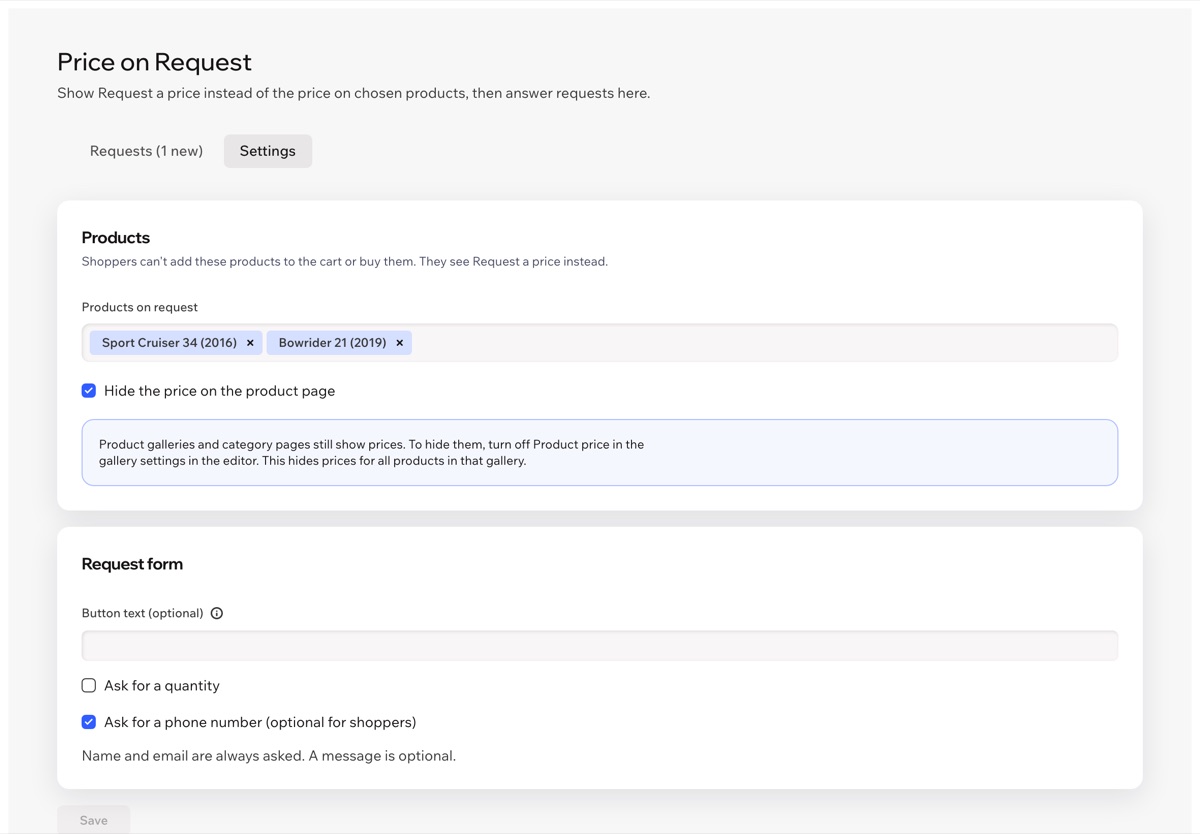
Pick products by name. Every other product keeps its price and buy buttons.
On those product pages the price, quantity, Add to Cart and Buy Now disappear. Or keep the price and hide only the buttons.
Even if one of these products gets into the cart another way, the cart and checkout don't accept it.
Name and email, plus a quantity, a phone number and a message if you want them.
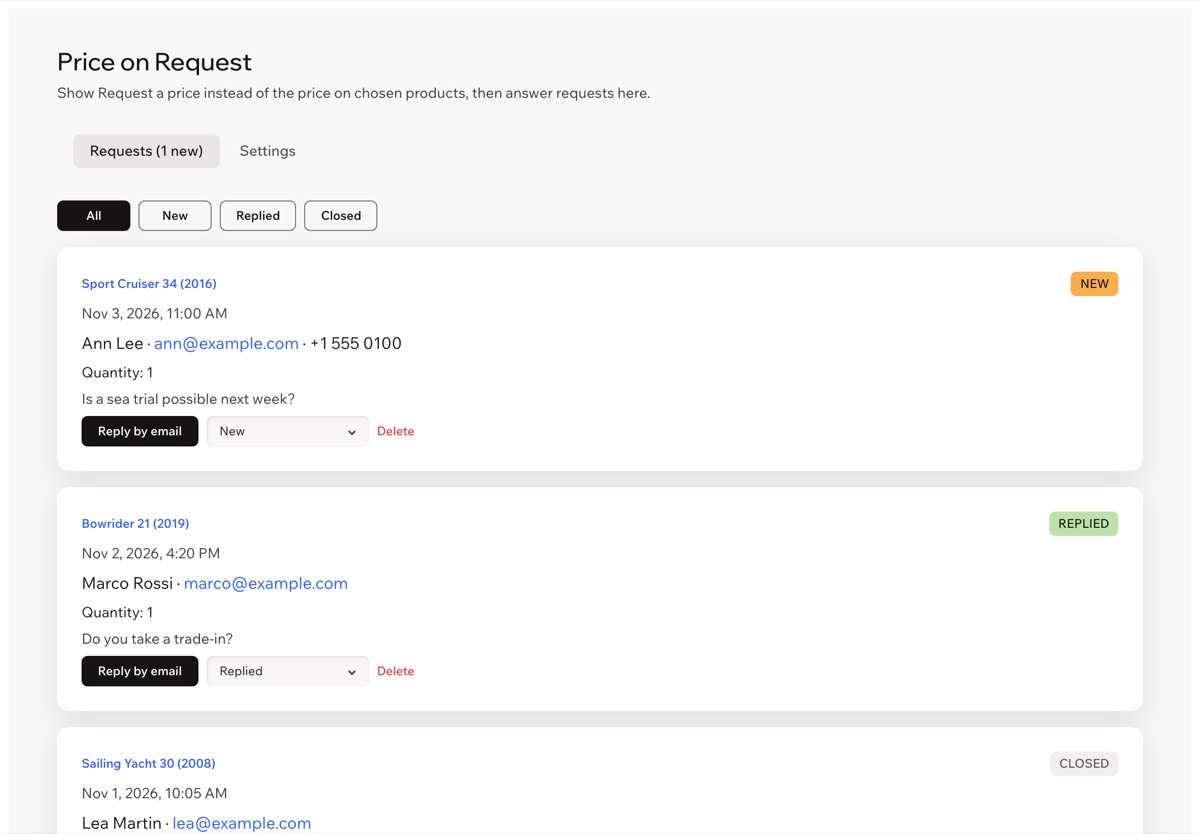
See the product, contact details, quantity and message. Mark requests as New, Replied or Closed.
Reply by email opens your mail app with the shopper's address and the product in the subject.
A hidden trap field and limits per email and per hour keep bots out without a captcha.
The button and the form follow your site language, right-to-left included. The dashboard is in 9 languages.
How you set it up
Choose products and form fields under Settings, then answer requests under Requests. The button is added to your product page on its own.
Pricing
$0
No. Galleries and category pages can hide prices only for all products at once: turn off Product price in the gallery settings in the editor. The app hides the price on the product page of the products you choose.
No. The buy buttons are hidden, and if a product on request gets into the cart another way, the cart and checkout show an error and don't let the order through.
No. You reply yourself: Reply by email opens your mail app with the shopper's address and the product name.
In a data collection on your own site. Only you and your site collaborators see them in the app dashboard, and you can delete any request.
Install the app, choose products in its dashboard and publish your site. The button appears on those product pages on its own.