Custom Banner
From $2.50 per square foot
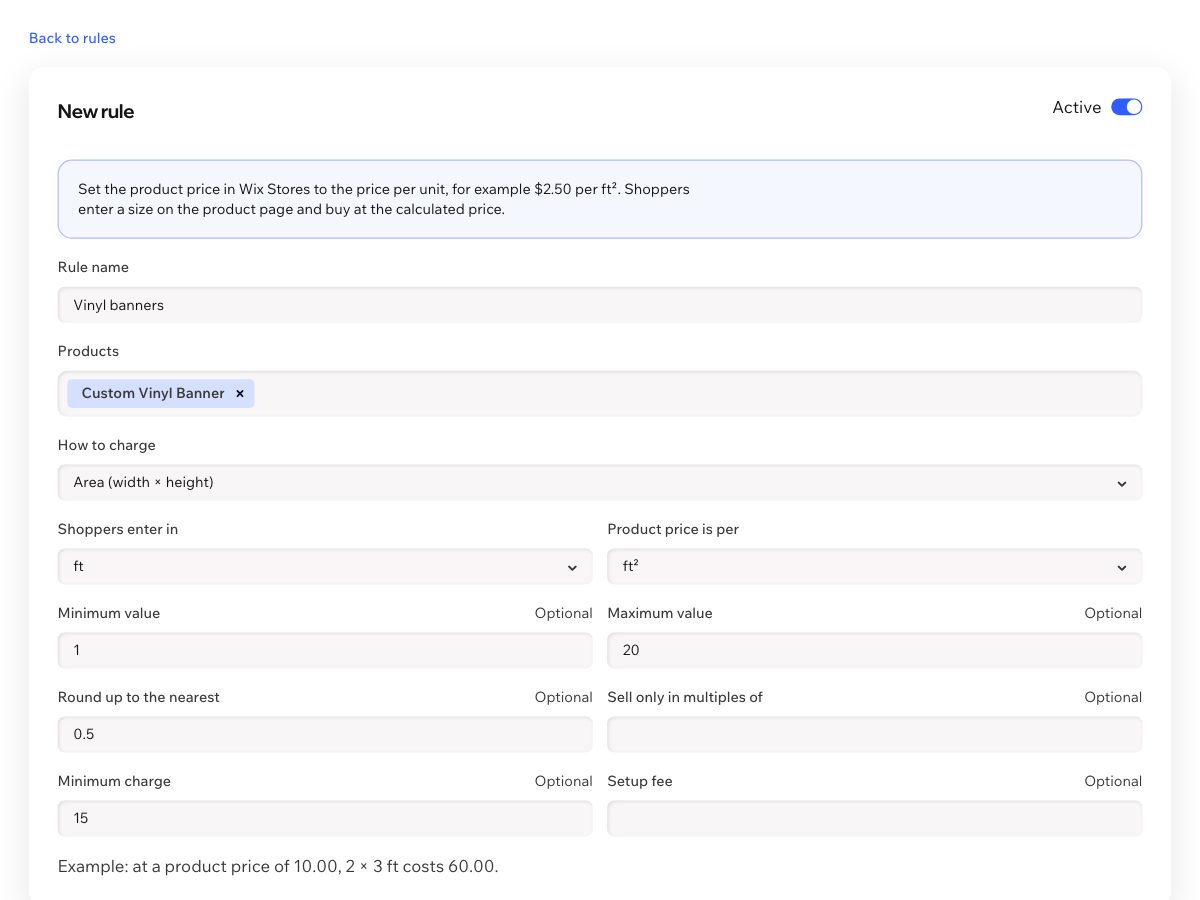
Try this: Enter 4 × 2.5, then switch to Mesh. Try 1 × 1: the $15 minimum charge applies. Try a width of 25: the limit is 20 ft.
 Price by Size Get the app
For Wix Stores · Supported in Aria
Set your product price per square foot, yard, kilogram or letter. Shoppers enter their size, see the total as they type and add the item to the regular cart.
Free plan with 1 active rule and up to 3 products. Pro includes a 14-day trial.
Live demo
The form, the limits and the price calculation run the same code merchants install. Nothing is saved or sold here.
From $2.50 per square foot
Try this: Enter 4 × 2.5, then switch to Mesh. Try 1 × 1: the $15 minimum charge applies. Try a width of 25: the limit is 20 ft.
$14 per yard
Try this: Enter 1.2: the length rounds up to 1.5 yards, as this rule sells in half yards.
$32 per kilogram
Try this: Enter 0.6: the weight rounds up to 0.75 kg. Rates and entry units can differ, such as grams sold per kilogram.
$6 per letter, plus a $10 setup fee
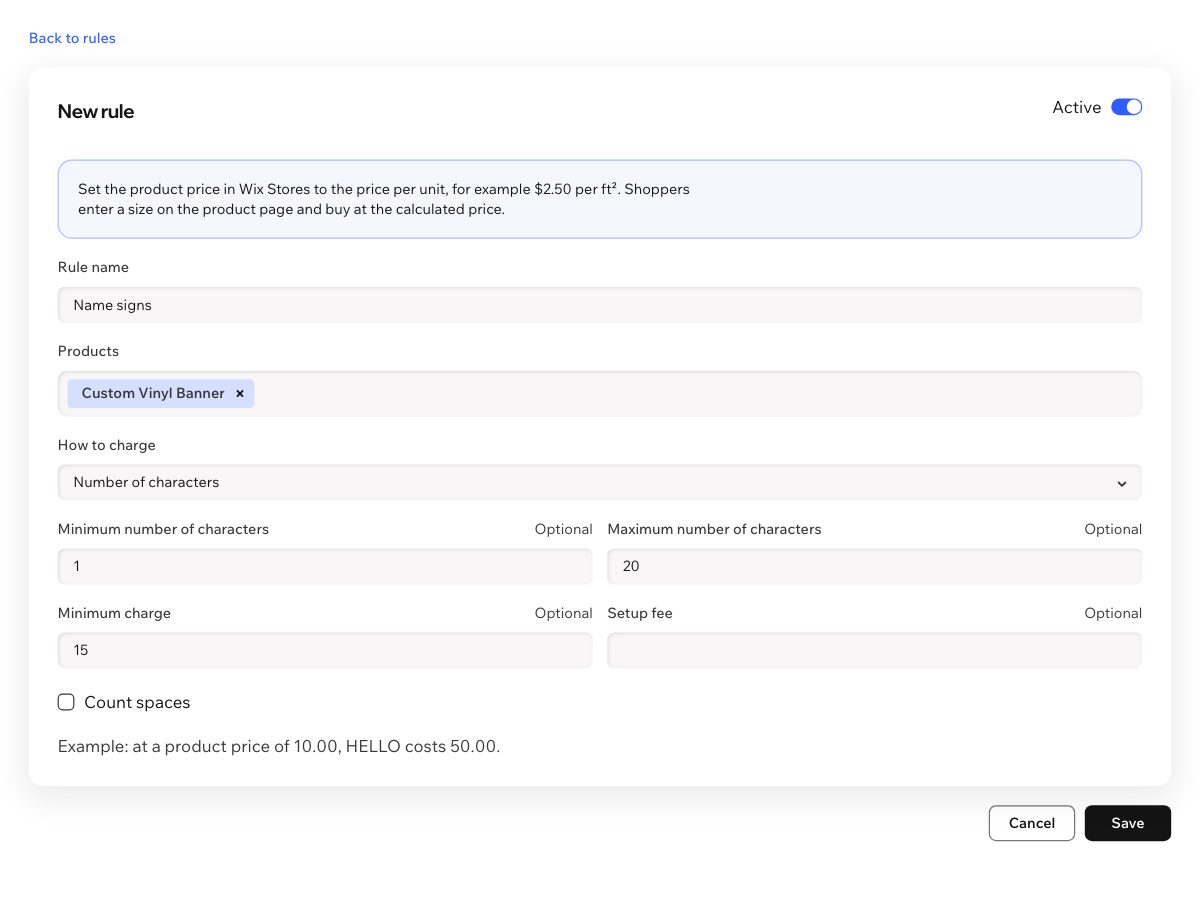
Try this: Type a name: spaces are free in this rule, and the limit is 20 letters.
What happens next
These lines come from the app's own code. In your store they appear in the cart and on the order you fulfill. Shipping, taxes and payment stay in your normal checkout.
Add an item above and it appears here.
Everything a made-to-measure product needs
By area, length, weight or number of characters, in the units your customers use.
Shoppers see the price update as they type, with clear messages for sizes you don't sell.
Set a minimum and maximum, round up to a step, and sell in pack sizes.
Small orders stay worth making: set a lowest price per item, or add a setup fee to each item.
Use your existing variants for materials, each with its own rate.
The exact size appears on the cart line and on the order you fulfill.
The calculator comes in English, Spanish, French, German, Italian, Portuguese, Russian, Chinese and Hebrew.
Ask the Wix AI assistant which rules are on, how one charges, or why a product has no calculator. Read-only.
In your dashboard
Pricing
$0
$9.99/month
or $7.99/month billed yearly
Prices shown in USD. Current plans and pricing are on the App Market listing.
Wix Stores. Set the product price as the price per unit, choose the products in a rule, and publish your site if the calculator doesn't appear right away.
On products with a rule, the calculator replaces the Add to Cart button and the quantity field. Other products keep them.
Products over the limit show the regular button again and sell at their normal price, so sales don't stop.
The app calculates the price again on the server when the item is added, and the cart uses that price.