
Stoneware mug
$34.00
Try this: pre-order 1 mug. It takes the last free unit of the second batch, so the badge moves to the third batch. Then make a batch late on the board.
 Preorder Delays: Ship Dates Get the app
For Wix Stores · Supported in Aria
Enter your incoming batches, and the app lines up pre-orders first come, first served. New shoppers see “Pre-order · Ships by …” on the product page, and you see exactly which buyers to tell when a batch moves.
Try the live demo View on App Market7-day free trial, then $14.99/month or $11.99/month billed yearly. Without a plan you can set up one product and see its queue for free.
Live demo
Change a batch or place a pre-order, and watch the date for the next shopper follow. The badge runs the same code stores install, and the date comes from the app's own queue rules.
This is a demonstration with a sample product, batches and orders. Everything runs in your browser. Nothing is saved, ordered or emailed.
$34.00
Try this: pre-order 1 mug. It takes the last free unit of the second batch, so the badge moves to the third batch. Then make a batch late on the board.
How the app dashboard sees this product. Edit a batch and the badge updates.
Ship date for new buyers
Ordered
Incoming
Status
| Arrives on | Units | Note |
|---|
Oldest orders first. Earlier orders get earlier batches.
| # | Order | Buyer | Units | Ships by |
|---|
The store around the badge and the board panel are illustrations. In the app, the board lives in your Wix dashboard, where you also email buyers their dates and download the queue as CSV.
What you get
New shoppers see “Pre-order · Ships by …” next to the price, taken from the next batch that still has free units. No free units, no promise: the badge stays hidden.
Enter up to 12 incoming batches per product with their arrival date, units and a note. Move a batch or add one, and the date follows.
Earlier orders get earlier batches, and a small late order never jumps a big early one. Shipped units count against the earliest batches.
The queue shows each order's place, its batch date and whether the buyer was told. When a batch moves, buyers get a Date changed flag.
Pick the buyers whose date is new or has moved. Each gets their own date from your template, in English or Spanish by the language of their order. New buyers can get their date automatically.
When pre-orders outrun the units on the way, you get an email and a dashboard notification. One alert, until batches cover orders again.
Download the queue with buyers, units and dates, for your own records or to email buyers yourself.
The dashboard, the badge and the emails are in English and Spanish. On sites in other languages, the badge is in English.
Ask Aria, the Wix AI assistant, which products are short or when the next batch arrives. Aria only reads your board, without buyer names or emails.
What you see
Add pre-order products, enter the batches you expect, and the app sorts out who gets which batch. Shoppers see the date on your product pages.
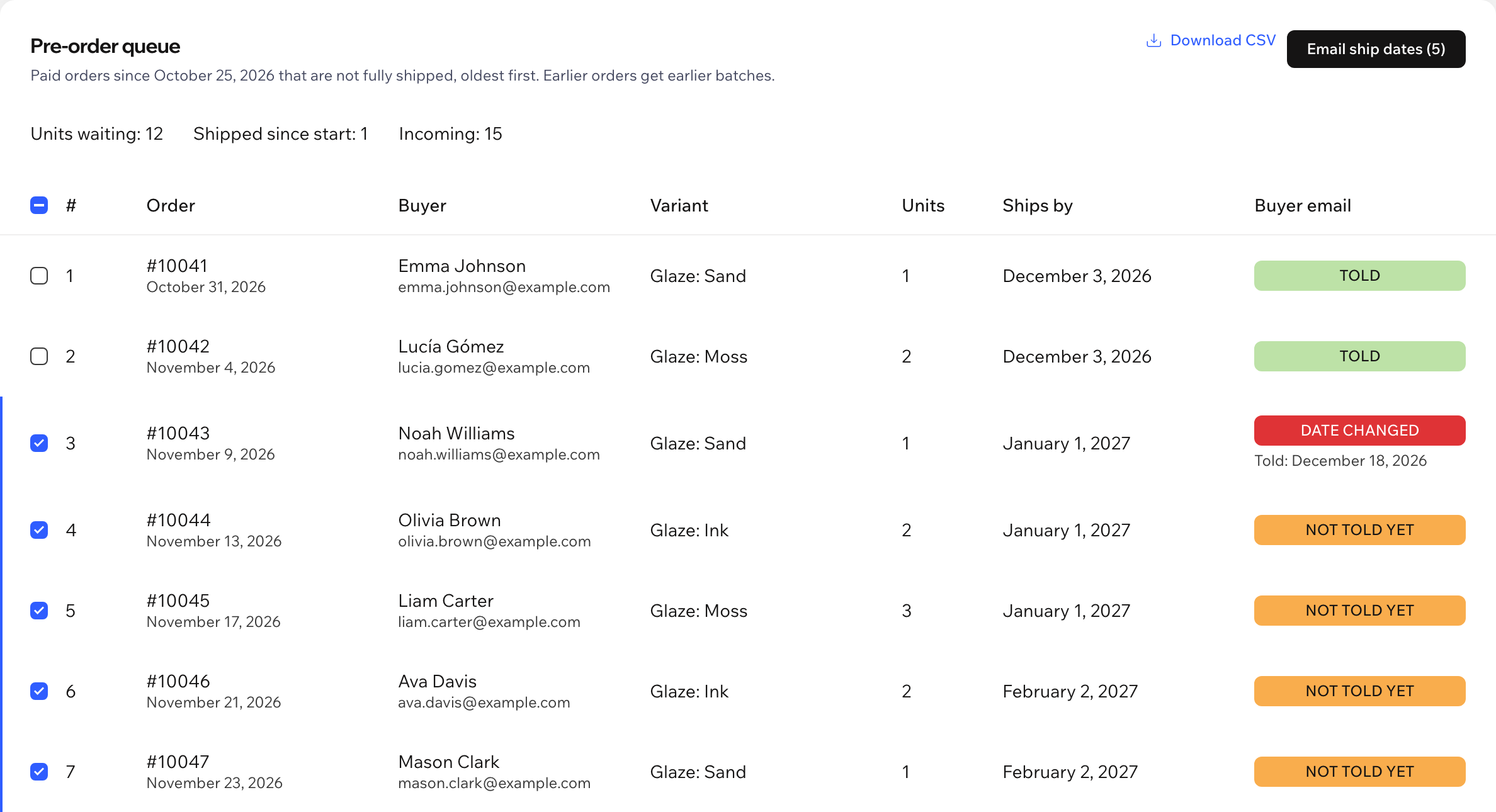
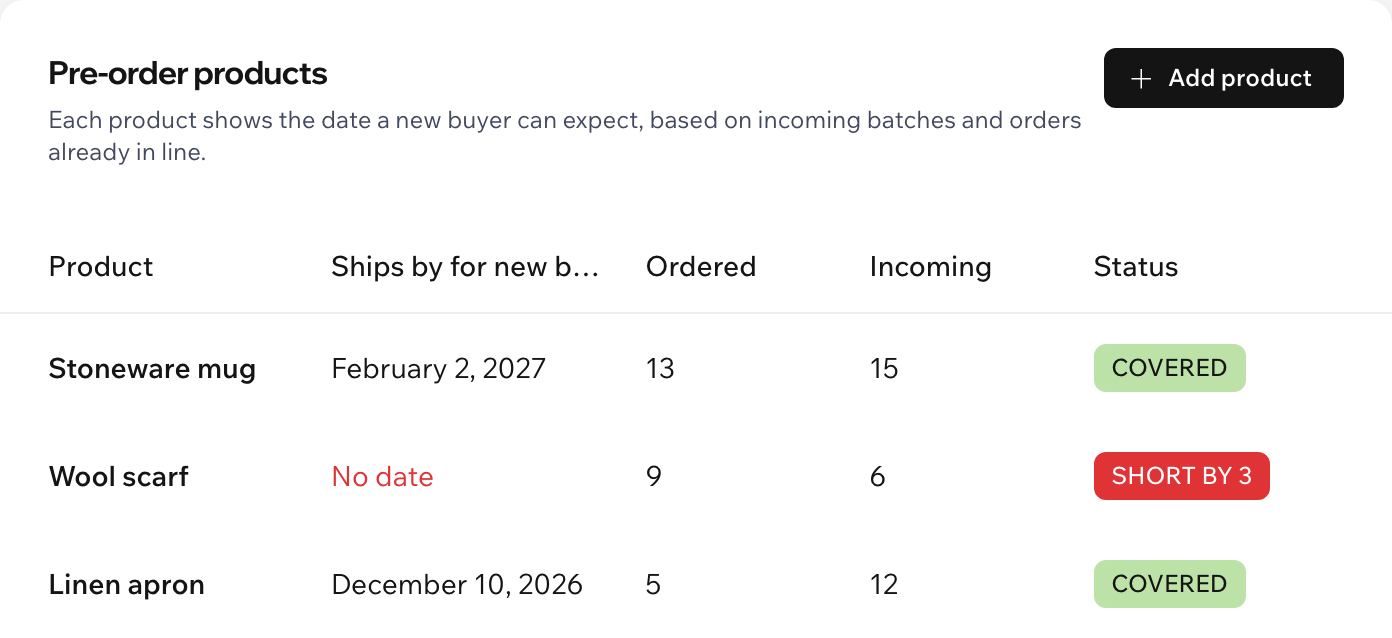
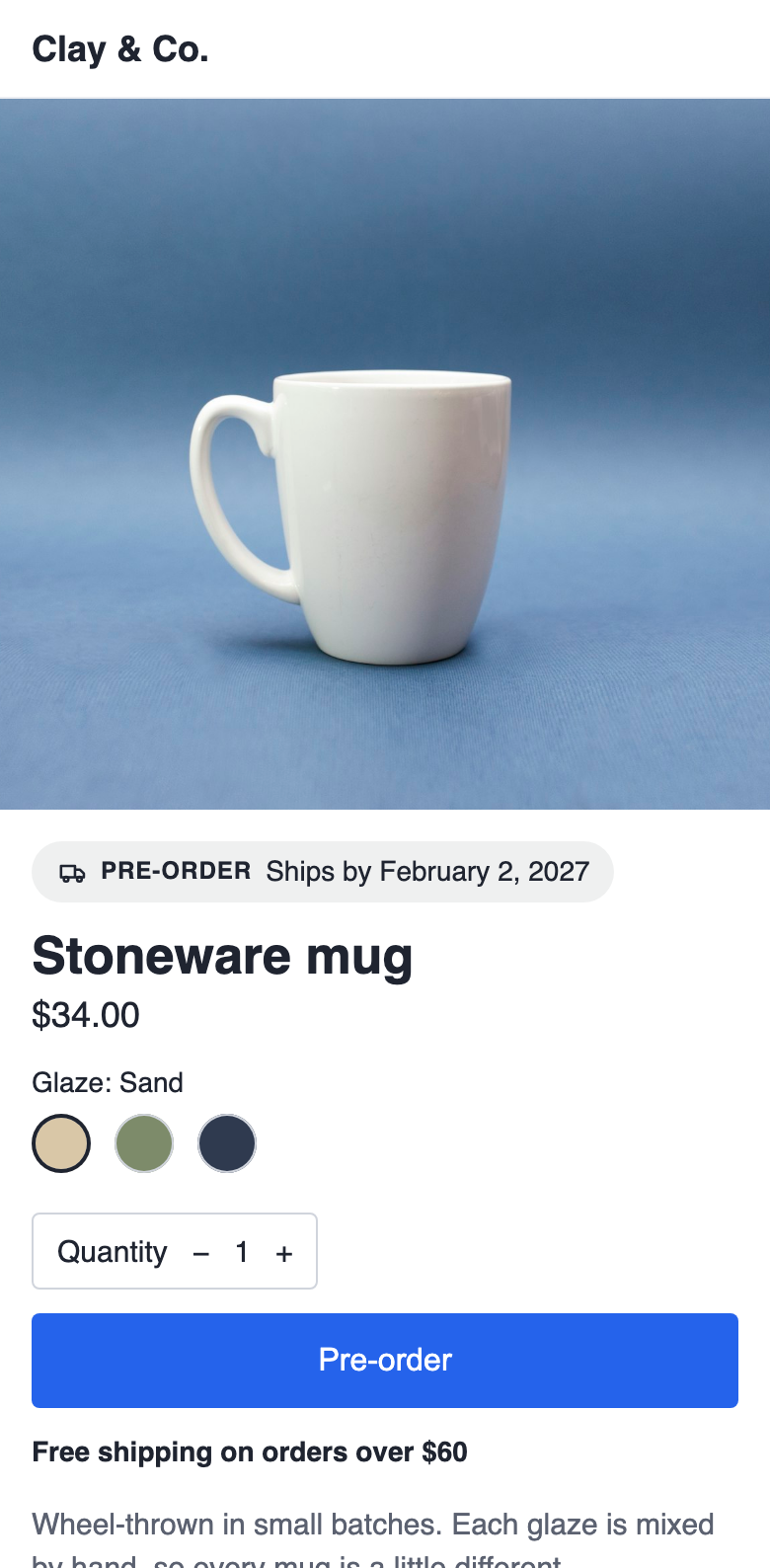
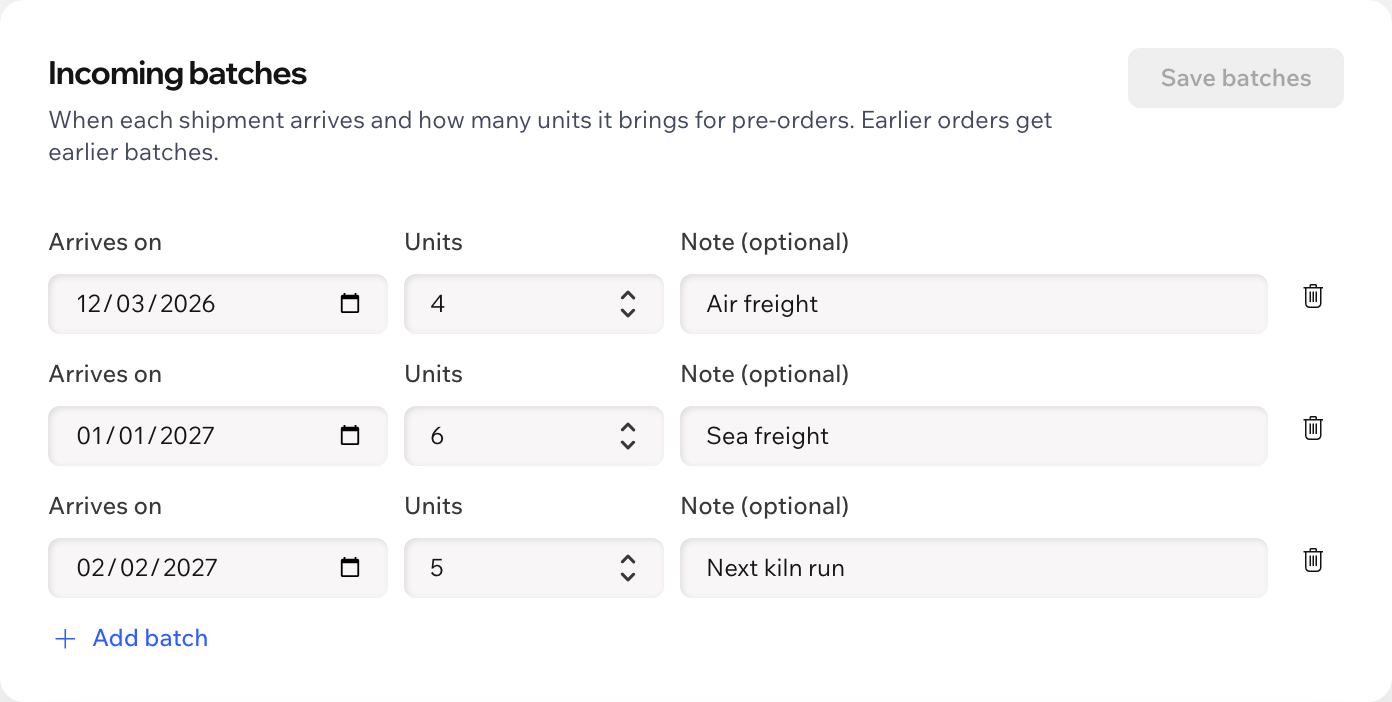
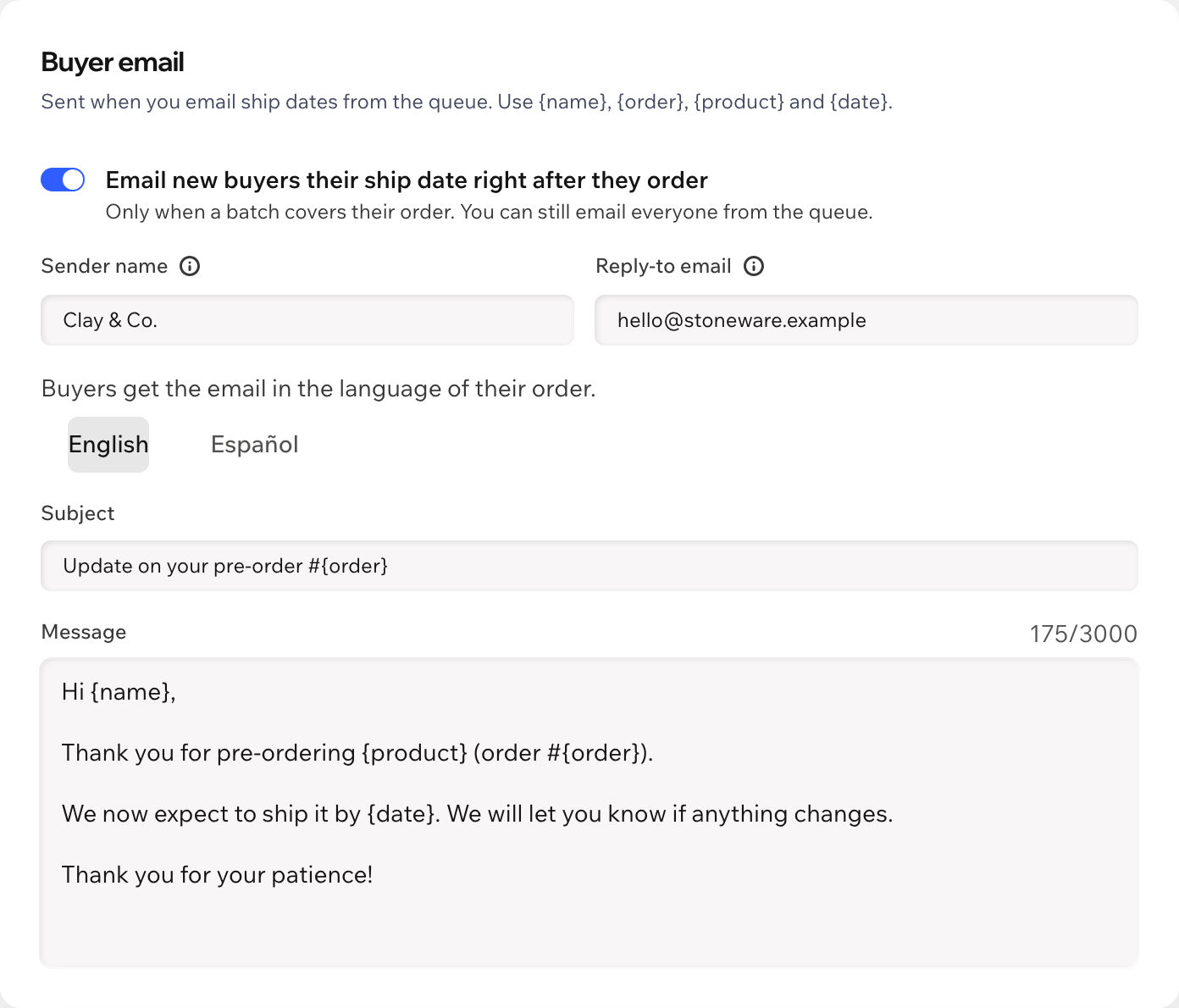
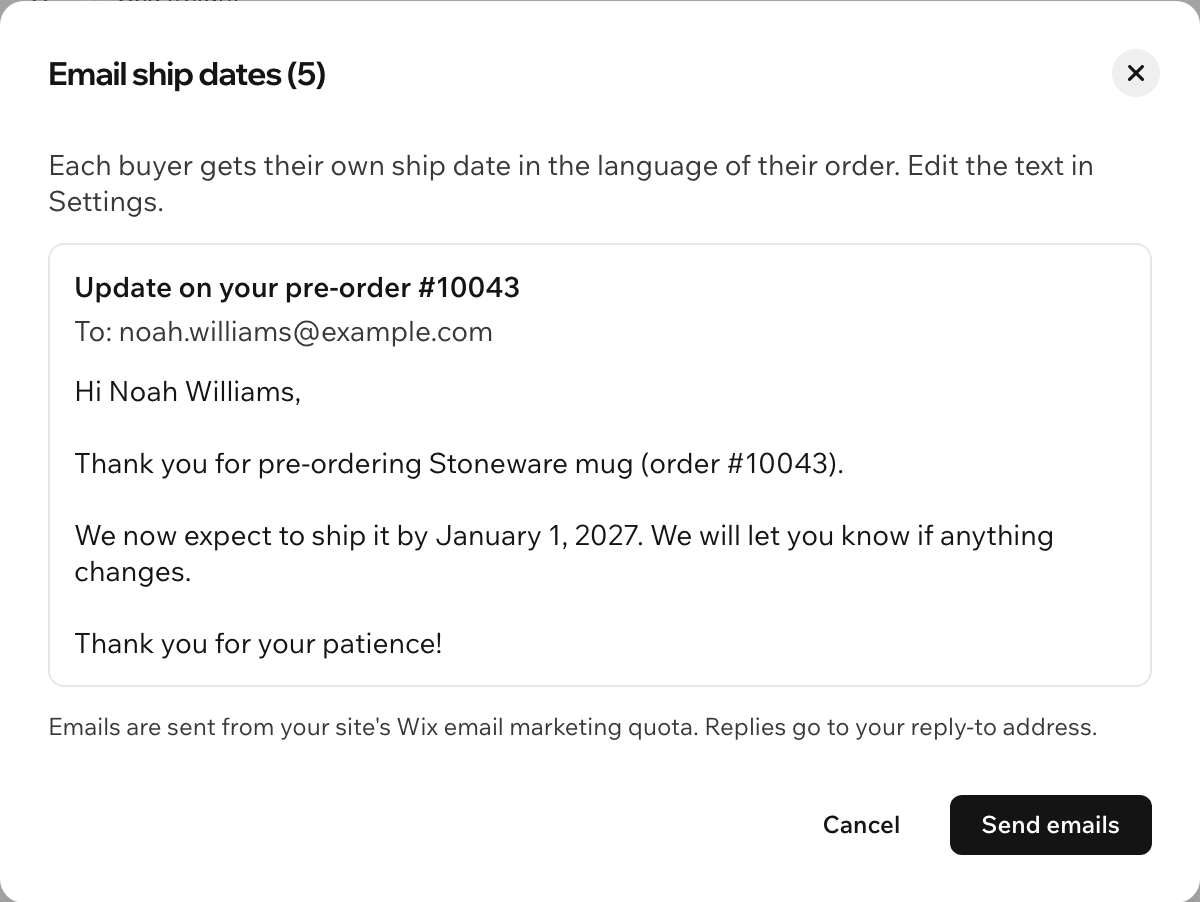
Screenshots of the app with a made-up store, products and buyers.
Pricing
$14.99/month
or $11.99/month billed yearly · 7-day free trial
No plan yet? Put one product on the board, enter its batches, see its queue and download it as CSV for free. The badge, buyer emails and alerts start with the free trial. Prices shown in USD.
Orders placed on or after the pre-order start date you set for each product. By default it is 30 days before you add the product to the board. Earlier orders were sold from stock and are left out.
It is the first batch arriving today or later that still has a free unit after every order already in line. Batches with a past date still serve the queue but are never promised to new shoppers. If no batch has a free unit, the product page shows no date.
Change its date on the board. Buyers whose date moved get a Date changed flag in the queue, and you email them their new dates in one go.
Through Wix, from your site's email marketing quota, with replies going to your reply-to address. If the quota runs out, download the CSV and email the remaining buyers yourself.
It is added to your product page automatically, next to the price. If you don't see it, click Add to product page in the app dashboard, then publish your site.
Wix Stores. The board works with products from your store's catalog.