Members switch by themselves
Add the Change Plan block to a members page. A member sees their plan and every other plan they can move to, with the price of each.
 Pricing Plan Upgrade & Switch Get the app
Pricing Plans · Memberships · Upgrades · Supported in Aria
Members switch to another plan by themselves, any time. The unused days of their current plan come off the first payment of the new one, and the old plan ends on its own. No double subscriptions, no refunds by hand.
Try the live demo View on App Market7-day free trial, then $6.99/month or $5.59/month billed yearly.
Live demo
The block below runs the same code merchants install, including the credit calculation. Pick a plan to see the credit and get a code: nothing is bought, saved or sent, reload to start over.
The page around the block, the plans and the member are an illustration. The member is 10 days into a 30-day period (120 days into a year on the yearly plan). The code comes from the app's own code generator, but here no coupon is created and no checkout opens.
What you get
Add the Change Plan block to a members page. A member sees their plan and every other plan they can move to, with the price of each.
The unused part of the paid period is counted as credit. The block shows the credit and the first payment of the new plan before the member decides.
Members pay in the usual Pricing Plans checkout with a one-time code. It works once, only for the chosen plan, and expires in 6 hours.
As soon as the new plan is bought, the old one ends. Nobody keeps two subscriptions, and you do nothing by hand.
Choose the plans that belong together, up to 20. Hidden plans work too, so you can offer an upgrade that is not on your pricing page.
When a member buys another plan from your list without credit, choose if the old plan ends right away or at the end of the paid period.
See recent switches in the dashboard: from which plan to which, when, and how much credit the member got.
Fonts and colors follow your site theme, or pick your own button color. Texts show in English or Spanish, and Aria can tell you how switching is set up.
What you see
Tick the plans members can switch between, choose the rules and save. The dashboard shows a preview of the block and a log of recent switches.
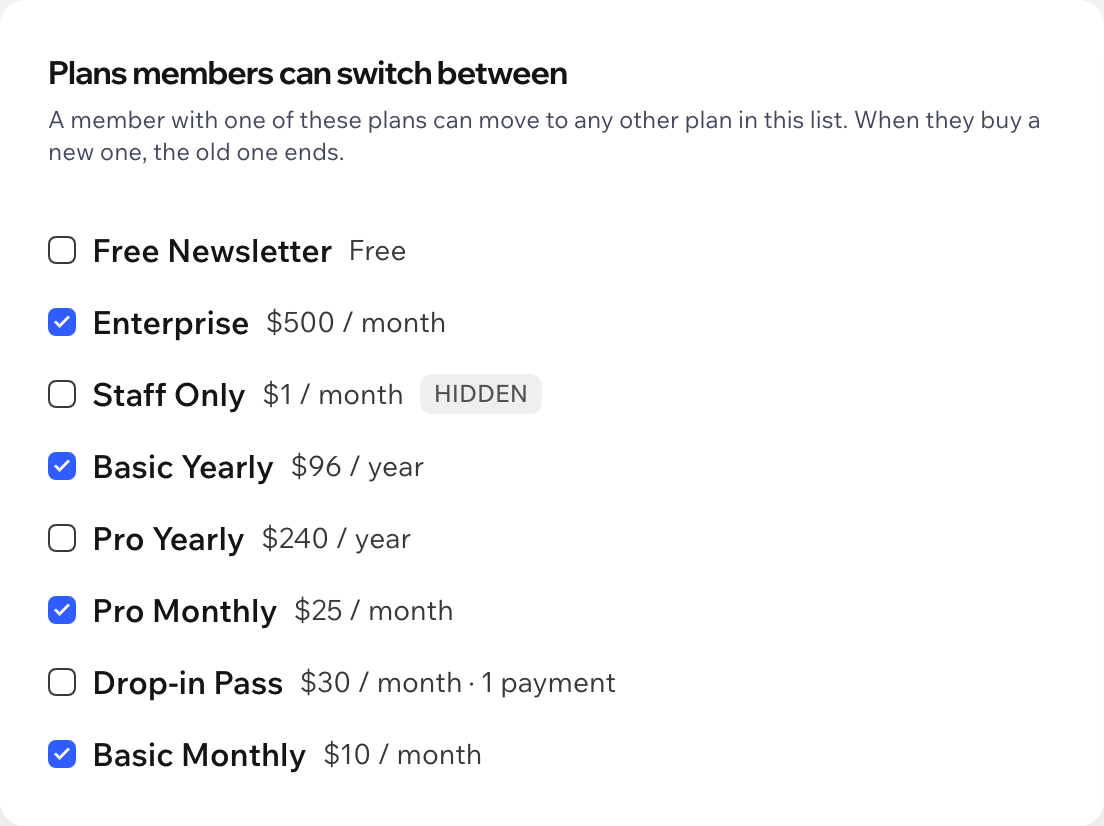
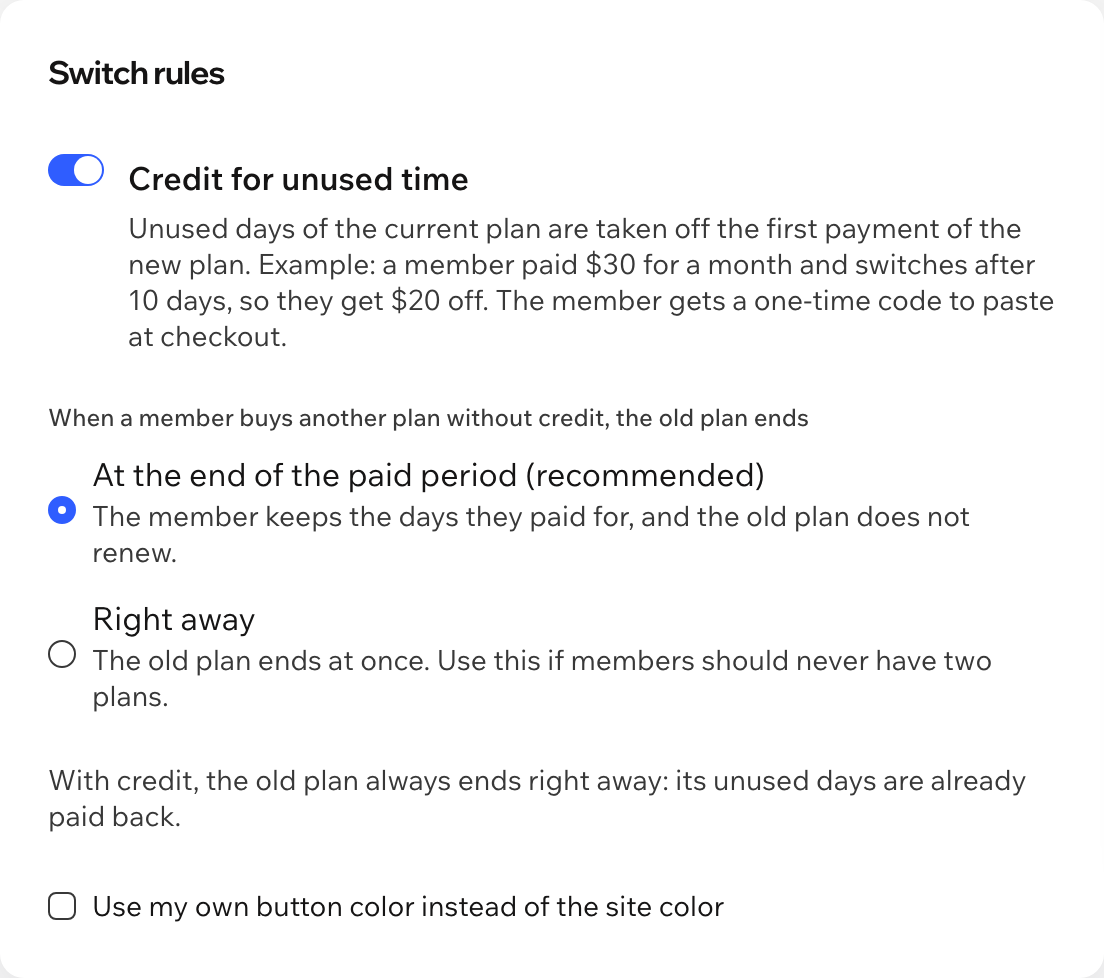
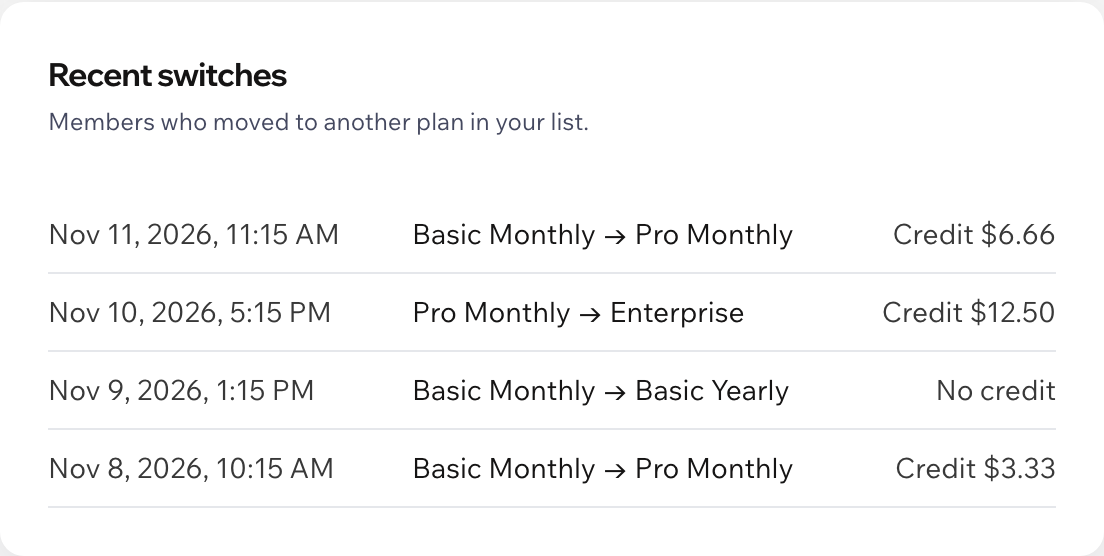
Screenshots of the app dashboard with sample plans.
Pricing
$6.99/month
or $5.59/month billed yearly · 7-day free trial
There is no free plan. Set everything up before the trial starts: in the editor you see a sample block with a note, and members see the block while your trial or plan is active. Prices shown in USD.
The Wix Pricing Plans app with at least two plans, and a page members can open, for example My Account. In your editor, click Add Elements, then App Widgets, and drag Change Plan onto that page. Publish your site and choose the plans in the app dashboard.
The app takes what the member paid for the current period, without tax added on top, and counts the share of the period that is still left. Paid $30 for a month and switching after 10 days gives $20. Amounts are rounded down to the cent. Free trials, free plans and offline orders that are not paid yet give no credit, and credit only applies to a plan in the same currency.
Members pay in the usual Pricing Plans checkout, and an app cannot fill in the coupon field for them. So the block gives a one-time code for the coupon field: it takes the credit off the first payment of the chosen plan, works once and expires in 6 hours. A member can get up to 5 codes a day.
With credit, it ends as soon as the new plan is bought: its unused days are already paid back. Without credit, you choose: it stays active until the end of the paid period and does not renew, or it ends right away. A one-time plan that never expires always ends right away.
The first payment of the new plan is free, and the rest of the credit is not carried over. A setup fee of the new plan is still paid.
If both plans are in your list, the old plan still ends by your rule, just without credit. Plans outside your list are never touched.
Nothing. You can set everything up first; the block appears on your live site while your free trial or Pro plan is active.
Your settings and a log of switches, in data collections on your own site: the member id, order and plan ids, the credit and the code. No names or emails are stored.