Flip or scroll
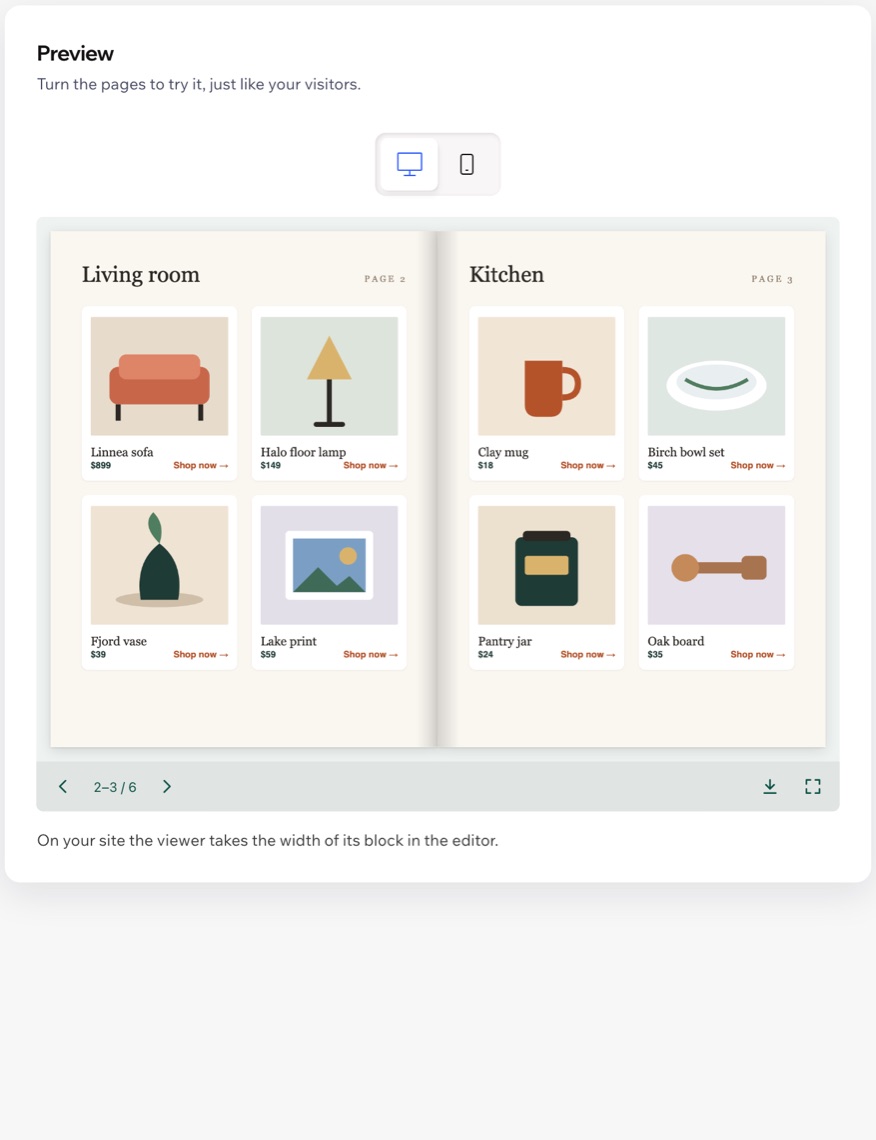
Two pages side by side on wide screens, like an open book, with the cover on its own. Or one page under another, like a long document.
 PDF Viewer Get the app
For any Wix site · Supported in Aria
PDF Viewer: Flipbook & Scroll shows menus, catalogs, price lists, brochures and magazines on your page, so visitors read them without downloading a file. Page by page like a real book, or one page under another like a long document.
Try the live demoFree for one PDF. Pro shows up to 50: $4.99/month or $3.99/month billed yearly, with a 7-day free trial. No watermark on any plan.
Live demo
The block below runs the same code merchants install, with a real PDF. Click, swipe or use the arrow keys, open full screen, tap a “Shop now” link. Nothing is saved or sent.
Browse the new collection. The store around the viewer is an illustration.
The catalog is a sample PDF made for this demo. Links open example.com.
What you get
Two pages side by side on wide screens, like an open book, with the cover on its own. Or one page under another, like a long document.
One page at a time, swipe or tap to turn it, full screen in one tap. The page around the viewer still scrolls normally.
Web, email and phone links in your PDF stay clickable, so a catalog can send visitors straight to a product.
The viewer loads only when visitors scroll to it, and only the pages near the screen are drawn, even in long documents.
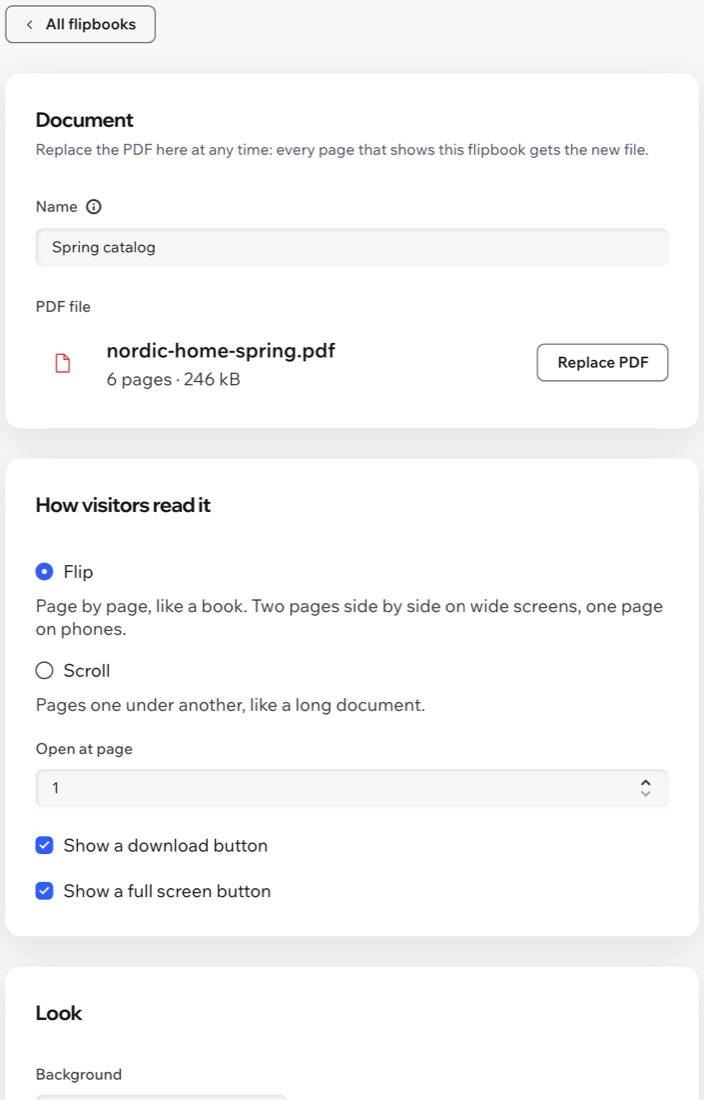
Choose any PDF from your site media or upload a new one there. Replace it later in one step: every page that shows it gets the new file.
Background, button color, corners, shadow, the page it opens at, and whether visitors see download and full screen buttons.
Up to 50 PDFs in one dashboard; choose which one each block shows in its settings in the editor.
Buttons follow your site language, the dashboard speaks both, and Aria, the Wix AI assistant, can read your PDFs list.
What you see
Pick the file from your site media, choose how visitors read it and turn the pages in the preview before you save.
Pricing
$0
Your first PDF on your site
$4.99/month
or $3.99/month billed yearly · 7-day free trial
On the free plan visitors see your first PDF; with Pro they see all of them. If Pro ends, your first PDF stays on your site. Prices shown in USD.
Any PDF from your site media: menus, catalogs, price lists, brochures, magazines, reports. Password-protected PDFs need to be saved without a password first.
Yes. Add up to 50 in the dashboard and place the widget on as many pages as you like; each block shows the PDF you choose in its settings.
Choose the new file in the dashboard and save. Every page that shows this flipbook gets the new file; you don't need to touch the editor.
Yes. Phones show one page at a time; visitors swipe or tap to turn pages and can open full screen with one tap.
You choose whether they see a download button. The file itself stays public in your site media, so hiding the button does not protect it.
Your first PDF in the dashboard shows on your site with every look setting and no watermark. Pro shows up to 50 PDFs; blocks with the other PDFs stay empty for visitors until you start the free trial.
Only your flipbook settings, in a data collection on your own site. Your PDFs stay in your site media. Nothing about visitors is stored.