How profit is calculated
Payment fee: enter a percent from 0 to 100.
Fixed fee: enter an amount from 0 to 1,000,000,000.
Packaging: enter an amount from 0 to 1,000,000,000.
 Order Profit Get the app
For Wix Stores · Supported in Aria
Sales reports show revenue, but not what an order earned. Order Profit: Margin Tracker takes product cost, the carrier bill, payment fees, packaging and refunds out of every paid order, marks the orders that lost money and shows where the money went.
Try the live demo View on App Market7-day free trial, then $9.99/month or $7.99/month billed yearly. Without a plan you see the summary of the last 30 days and the profit of the first 5 orders.
Live demo
Ten sample orders with coupons, an automatic discount, a refund and a product without a cost. The app's own calculation recounts the profit of every order as you change the settings.
This is a demonstration with made-up orders, products and costs. The calculation is the same code the dashboard uses, and it runs in your browser. Nothing is saved or sent.
Payment fee: enter a percent from 0 to 100.
Fixed fee: enter an amount from 0 to 1,000,000,000.
Packaging: enter an amount from 0 to 1,000,000,000.
Costs come from your store catalog. Add a cost here for products that have none.
Gift Box: enter an amount from 0 to 1,000,000,000.
Loading the calculation…
An order with two promotions is counted in both rows. Compare the average profit per order with orders without a discount.
What you get
Net profit and margin of every paid order after product cost, shipping, payment fees, packaging, discounts and refunds. Orders that lost money are marked.
Upload the CSV from your carrier or shipping app. Each charge is matched to its order by order number or tracking number.
Each coupon and automatic discount next to orders without one: orders, revenue, discount, profit and margin.
Products without a cost are listed. Add the cost right in the app, without changing your catalog.
Set your payment fee, fixed fee per order and packaging cost once. They apply to every order in every period.
Export the order table to CSV for your accountant, or ask Aria about your latest profit report.
What you see
Everything is in your Wix dashboard. The app reads your orders and products, never changes them and adds nothing to your site pages.
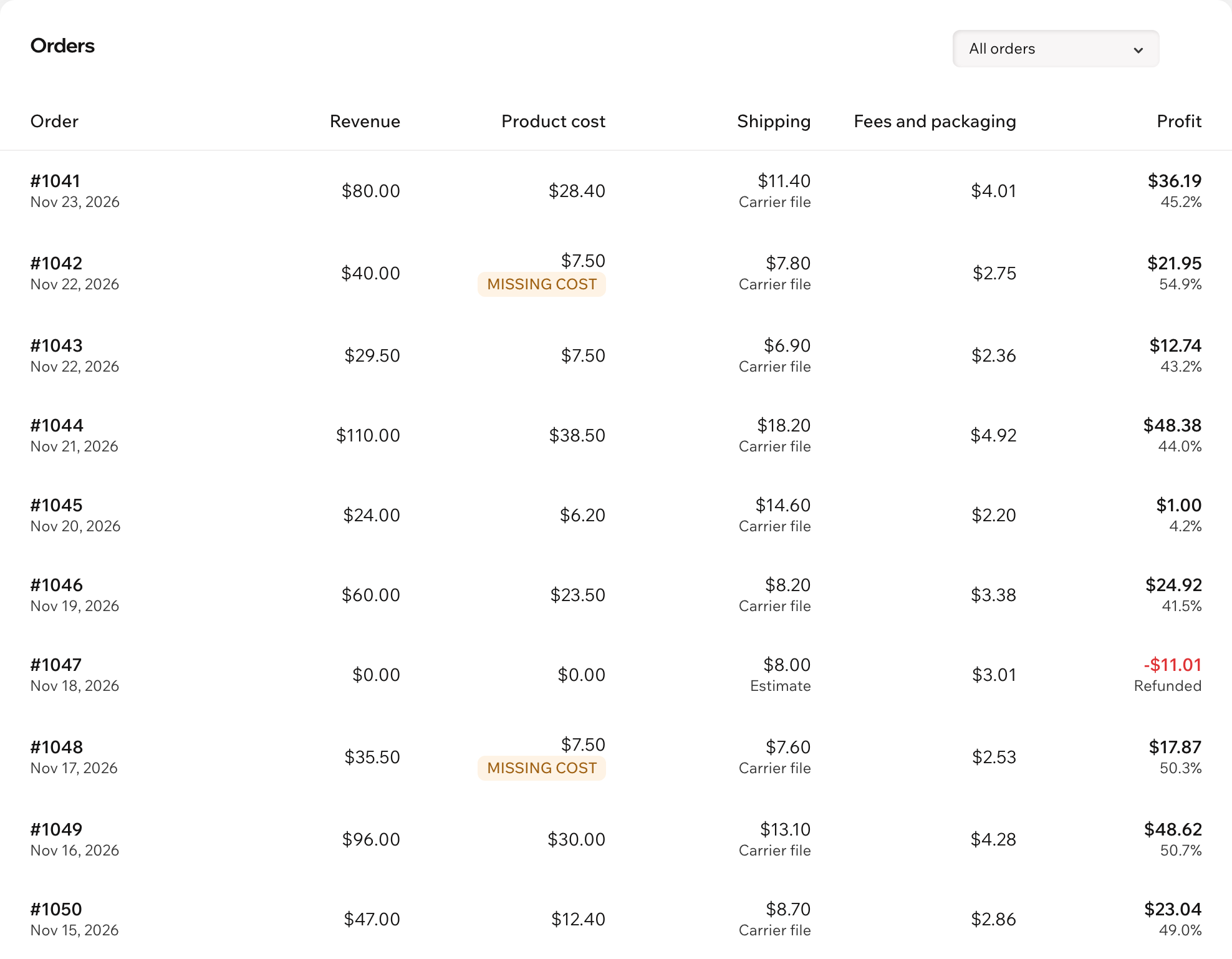
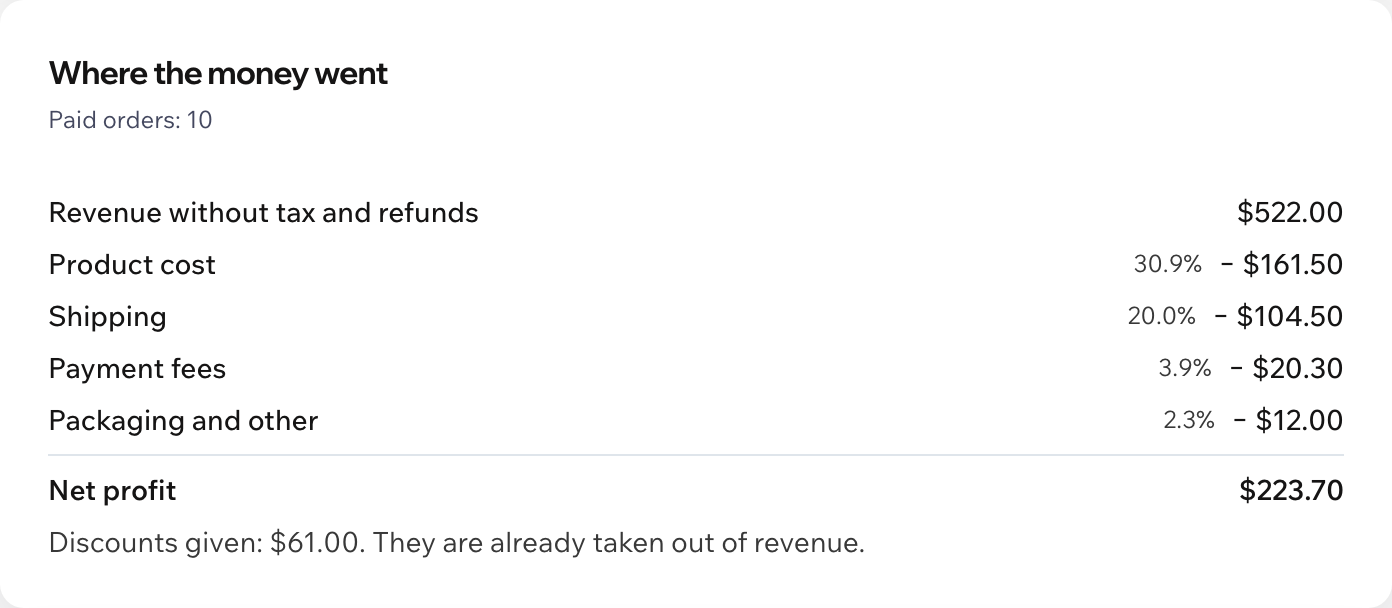
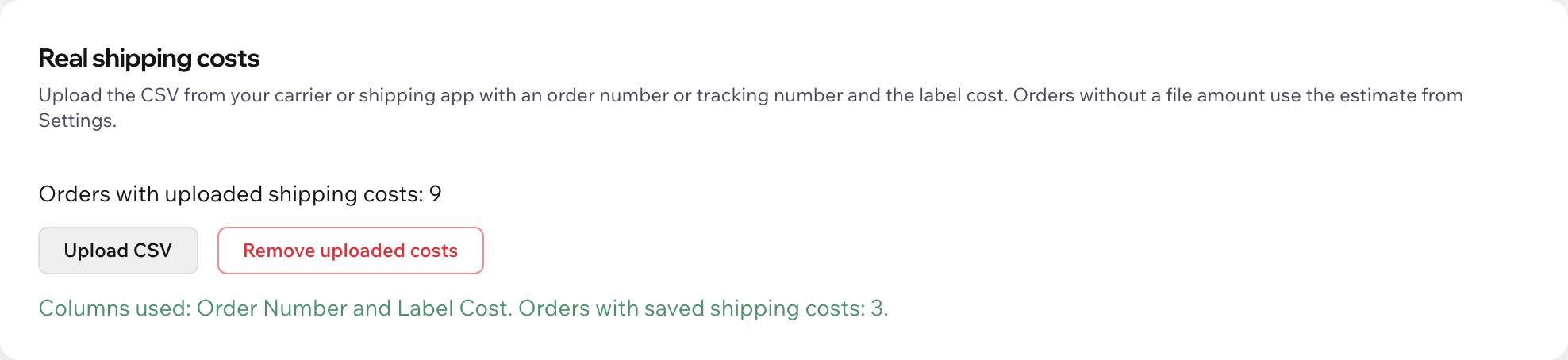
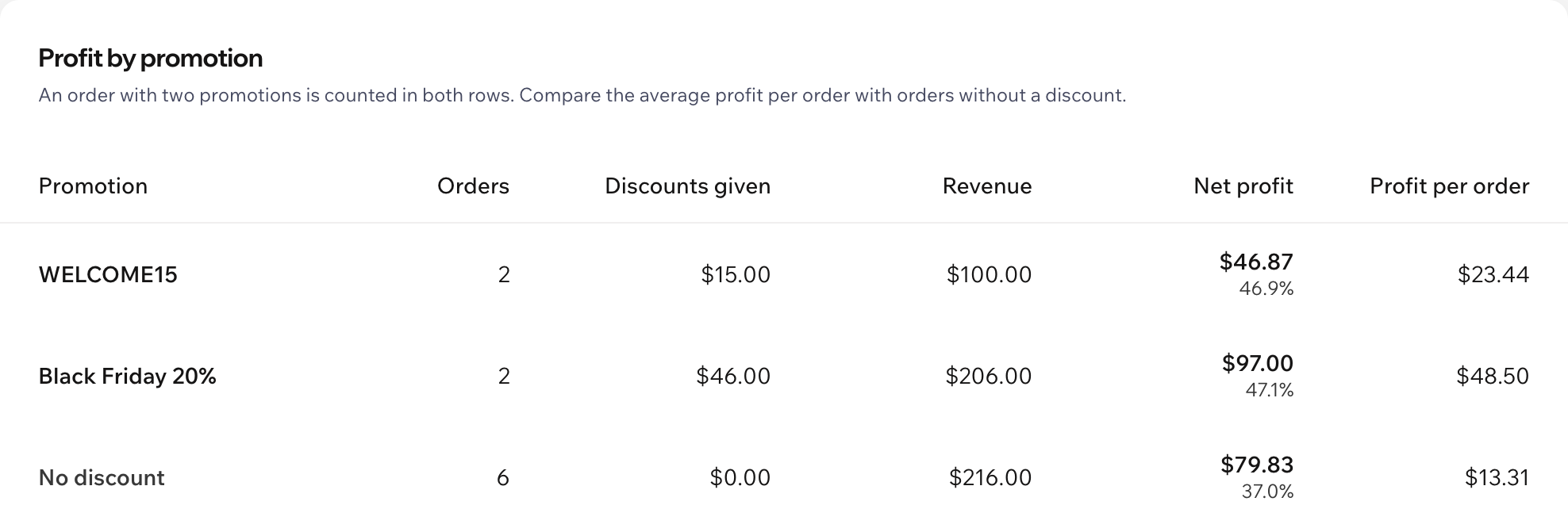
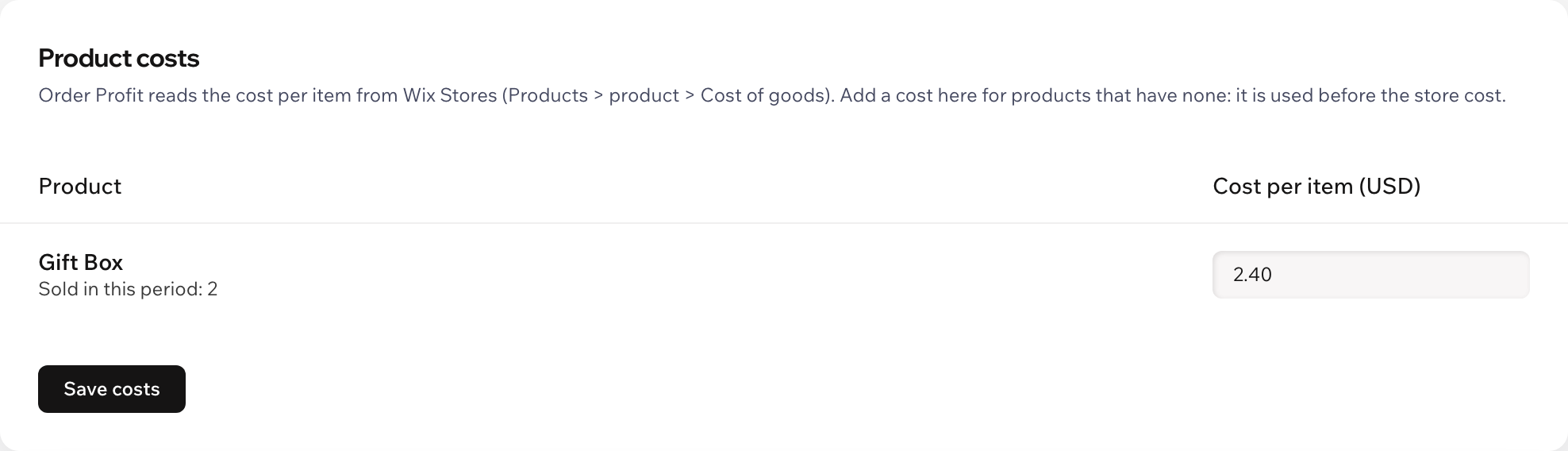
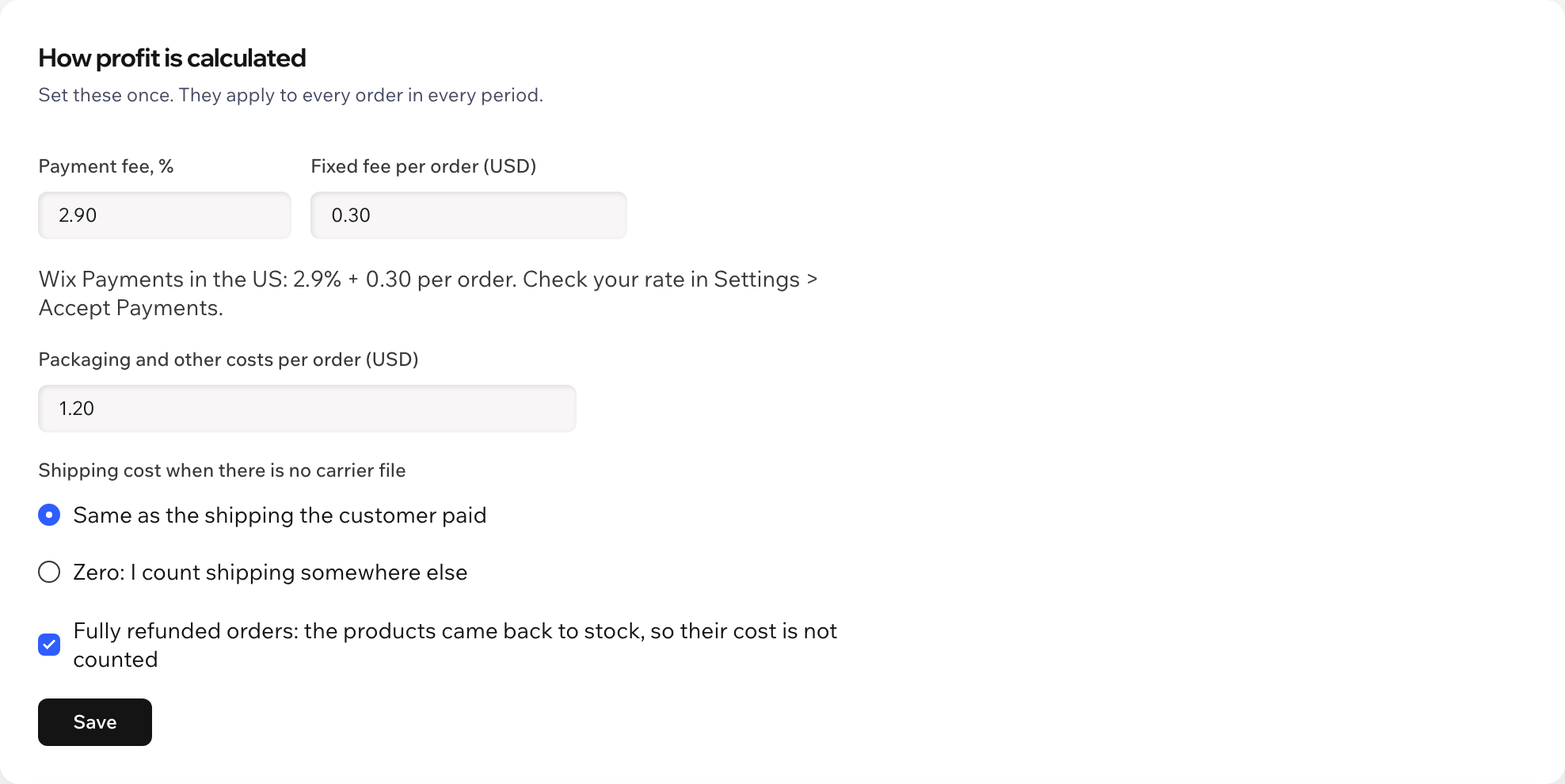
Screenshots of the app's dashboard with made-up orders and products.
Pricing
$9.99/month
or $7.99/month billed yearly · 7-day free trial
No plan yet? Set your fees and see the summary of the last 30 days, the profit of the first 5 orders and how many orders have products without a cost. Prices shown in USD.
What the customer paid, minus tax and refunds, minus product cost, shipping cost, payment fees and packaging. Discounts are already taken out of what the customer paid.
Approved orders that are paid, partly refunded or fully refunded, in your site currency. Unpaid and canceled orders are not counted. A period can have up to 2,000 orders; for more, choose a shorter period.
From the "Cost of goods" field of each product in Wix Stores. If a product has no cost there, add it in the app. Profit uses the current product cost.
Upload the CSV from your carrier or shipping app with an order number or tracking number column and a cost column, such as "Label cost" or "Shipping cost". Each charge is matched to its order. Without a file, shipping cost is what the customer paid for shipping, or zero.
Yes. Aria can read the latest report from the Order Profit dashboard: net profit, margin, orders at a loss and products without a cost. The report is recalculated when you open the dashboard.
No. It reads orders and products and never changes them. It saves only your settings and the costs you add in the app. The dashboard is in English and Spanish.