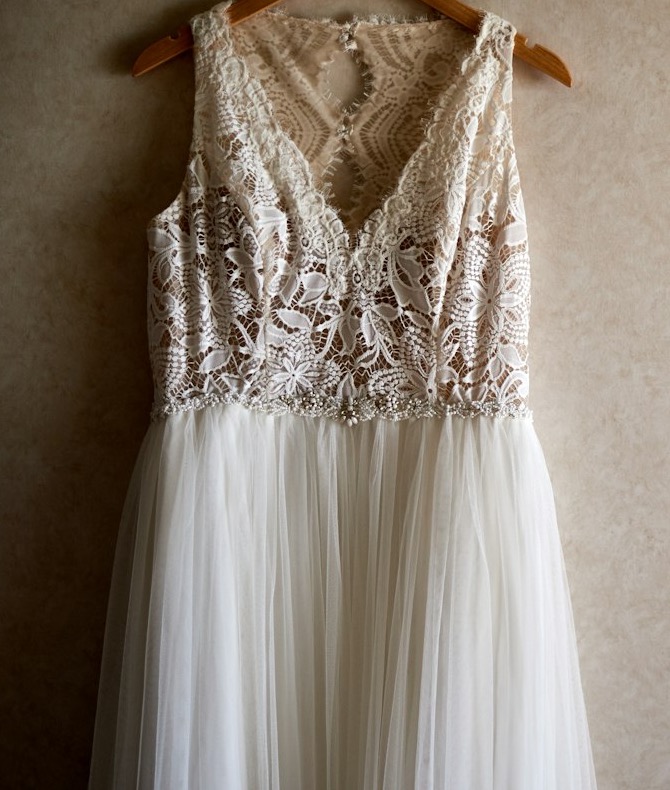
Lace & Tulle Midi Dress
$148
Try this: offer $120. Then try $150: an offer has to be lower than the price.
 Make Offer Button Get the app
For Wix Stores · Supported in Aria
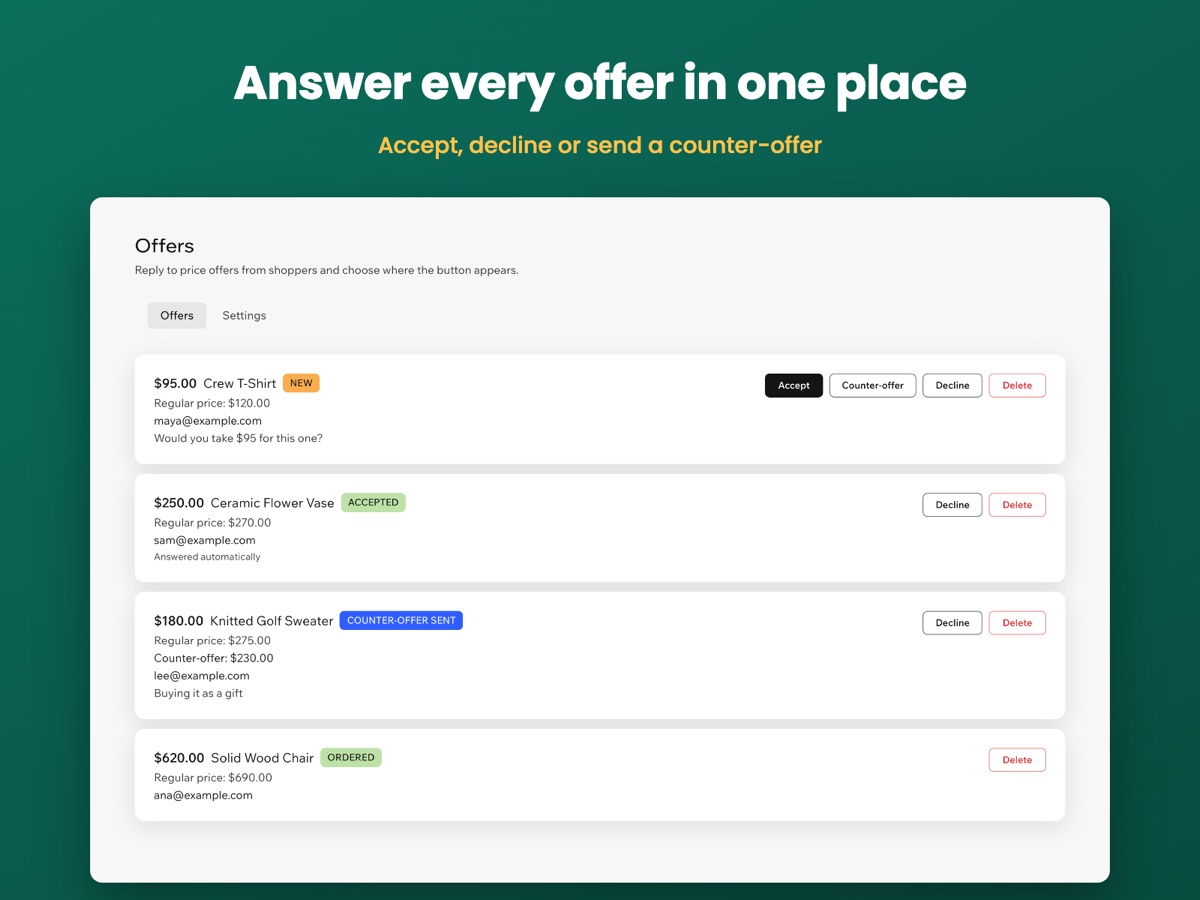
Make Offer Button adds a button to your product pages. Shoppers name a price, you answer from your dashboard, and an accepted offer becomes a personal checkout link.
Free plan with 3 products and 10 offers a month. Pro includes a 7-day trial.
Live demo
The button, the form and the price check run the same code merchants install. Nothing is saved or sent here, so you can type any email address.
$148
Try this: offer $120. Then try $150: an offer has to be lower than the price.

$189
Try this: switch the shopper language above, then open the form again.
This is a demo store, so nothing is added or sold.
What happens next
An illustration of the next steps: in the app you answer in your dashboard, and the shopper gets an email.
Send an offer above and it appears here.
Offer: · Price:
Everything an offer needs
Show the button on the products you choose. On Pro it can appear on all of them.
See every offer in your dashboard, then accept or decline. Counter-offers are part of Pro.
An accepted offer is paid by a personal link, for one item at the agreed price and for a limited time.
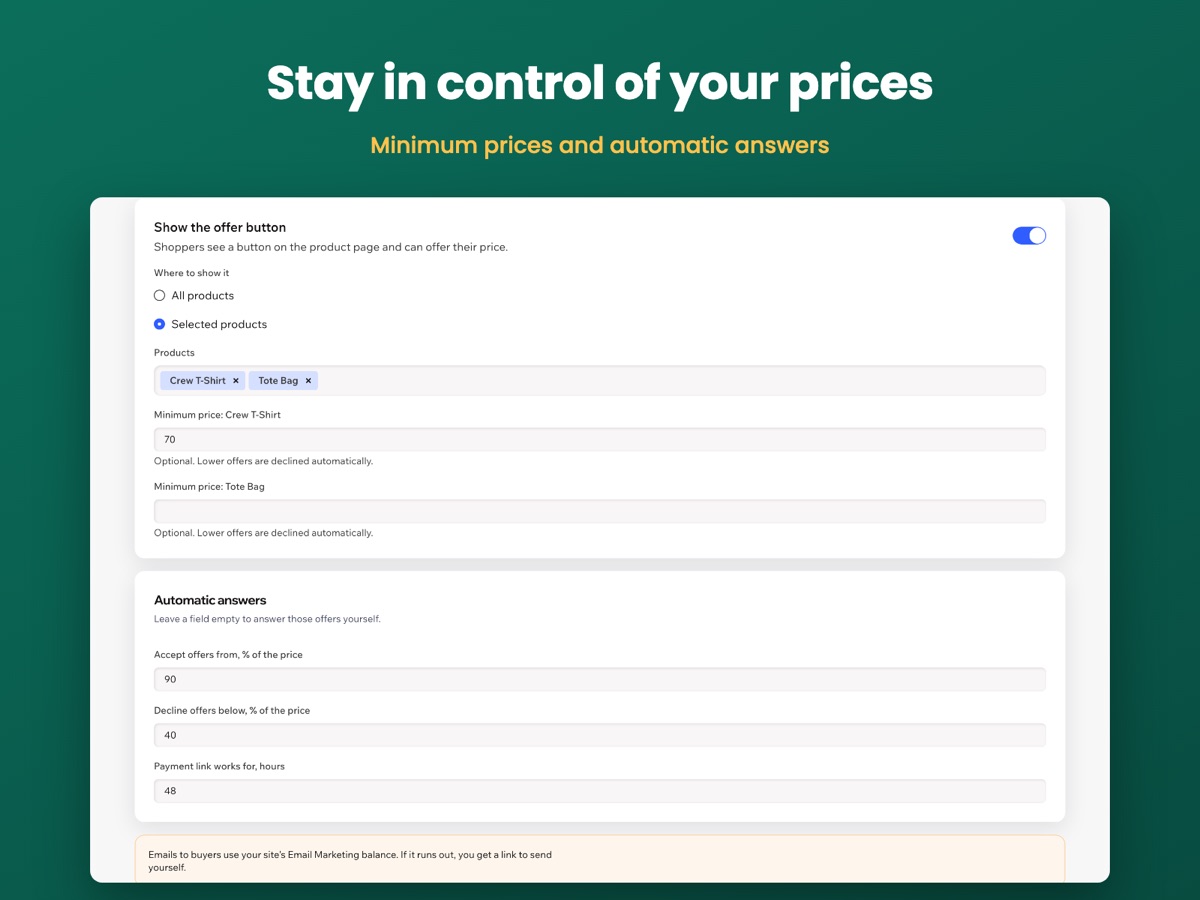
Lower offers are declined automatically, and shoppers never see your minimum.
On Pro, accept or decline offers by a percentage of the price, without opening the dashboard.
Paid offers become normal Wix Stores orders, and stock is updated as usual.
The button, form and emails follow your site language in 30 languages.
Ask the Wix AI assistant how many offers are waiting or how much of your plan is used, right from your dashboard. Read-only, and without shopper emails.
In your dashboard
Pricing
$0
$7.99/month
or $6.99/month billed yearly
Prices shown in USD. Current plans and pricing are on the App Market listing.
Wix Stores. After you add the app, open the editor and publish your site so the button appears on product pages.
The agreed price, for one item. Shipping and tax are added at checkout as usual. Your automatic discounts also apply at offer checkout, so a shopper can pay less than the agreed price. To avoid this, limit those discounts to other products.
By email, using your site's Email Marketing balance. If it runs out, you get a personal link to send yourself.
No. An offer covers one item, and the checkout blocks a higher quantity.