Message, emoji, photo
Guests write their name and a message and can pick an emoji and add a photo. Photos are made smaller in the browser before upload.
 Guestbook & Message Wall Get the app
Weddings · Memorials · Events · Cafes · Supported in Aria
Guests leave their name, a message, an emoji and a photo. You approve what appears, spam waits for you, and the book takes your site's fonts and colors.
Try the live demo View on App Market7-day free trial, then $4.99/month or $3.99/month billed yearly.
Live demo
The widget below runs the same code merchants install. Your entry stays in this browser tab only: nothing is saved or sent, reload to start over.
The page around the guestbook is an illustration, and the party picture is a drawing made for this demo. With approval on, a new entry waits in your dashboard instead of appearing here; entries with links or photos always wait.
What you get
Guests write their name and a message and can pick an emoji and add a photo. Photos are made smaller in the browser before upload.
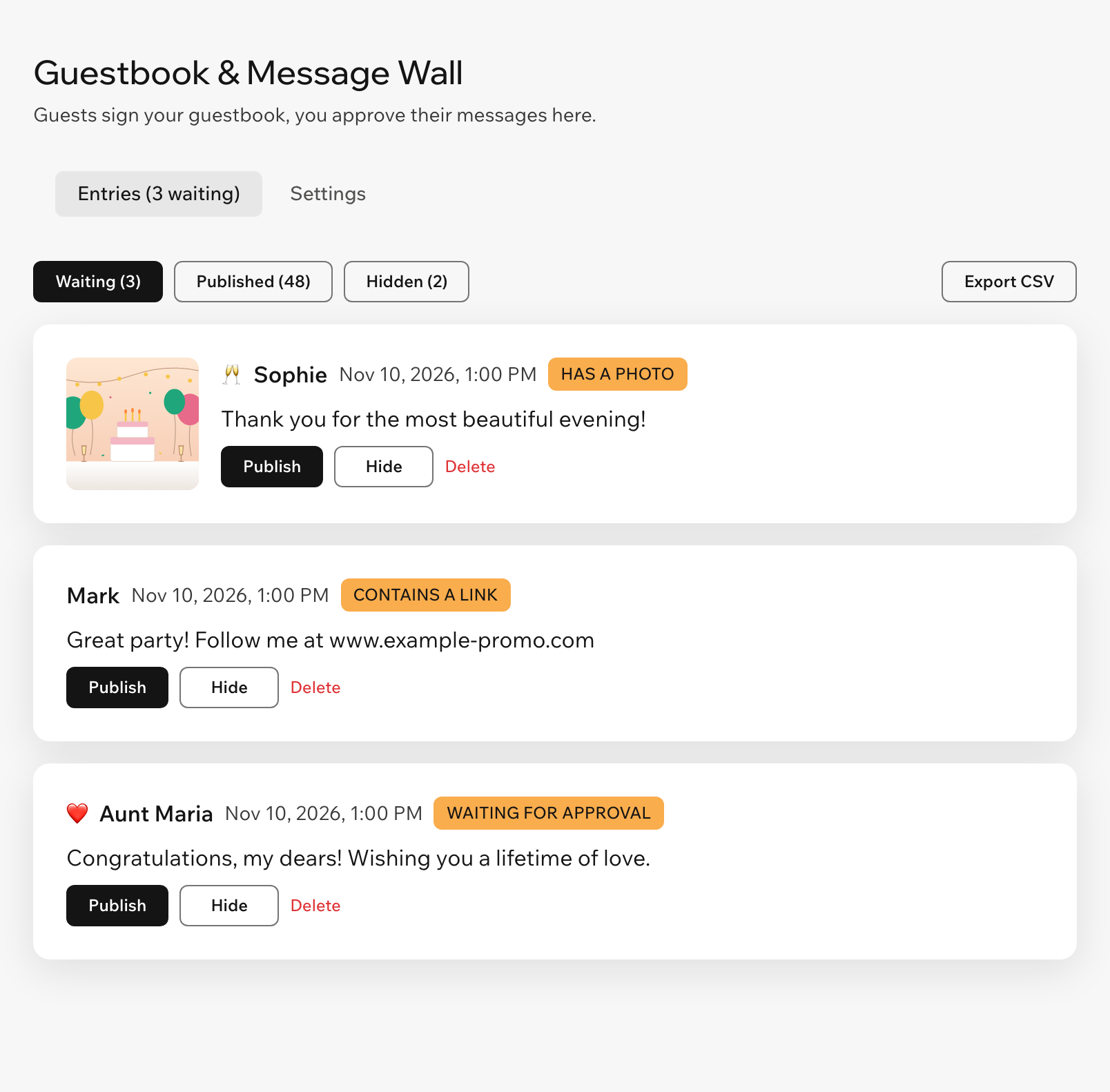
New entries wait on the Entries tab until you publish them, or appear right away if you turn approval off.
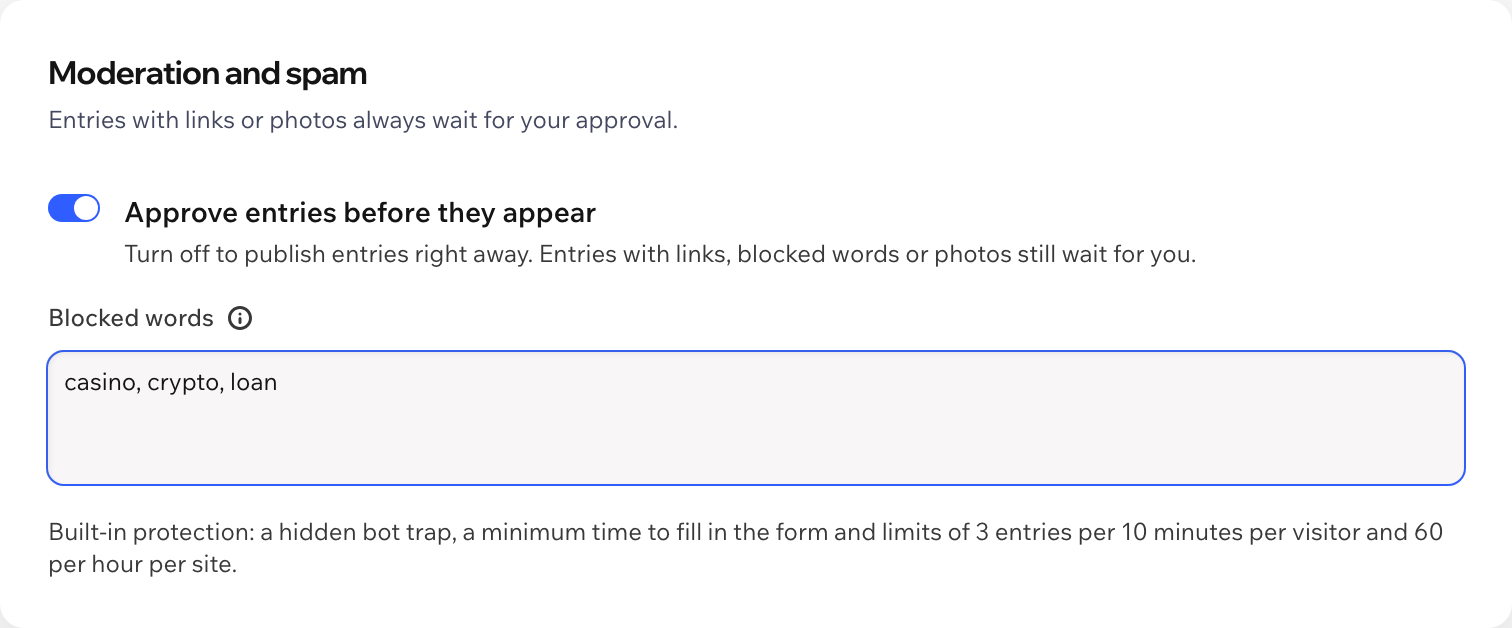
Entries with links, blocked words or photos always wait. A hidden bot trap and limits per visitor and per site keep floods out.
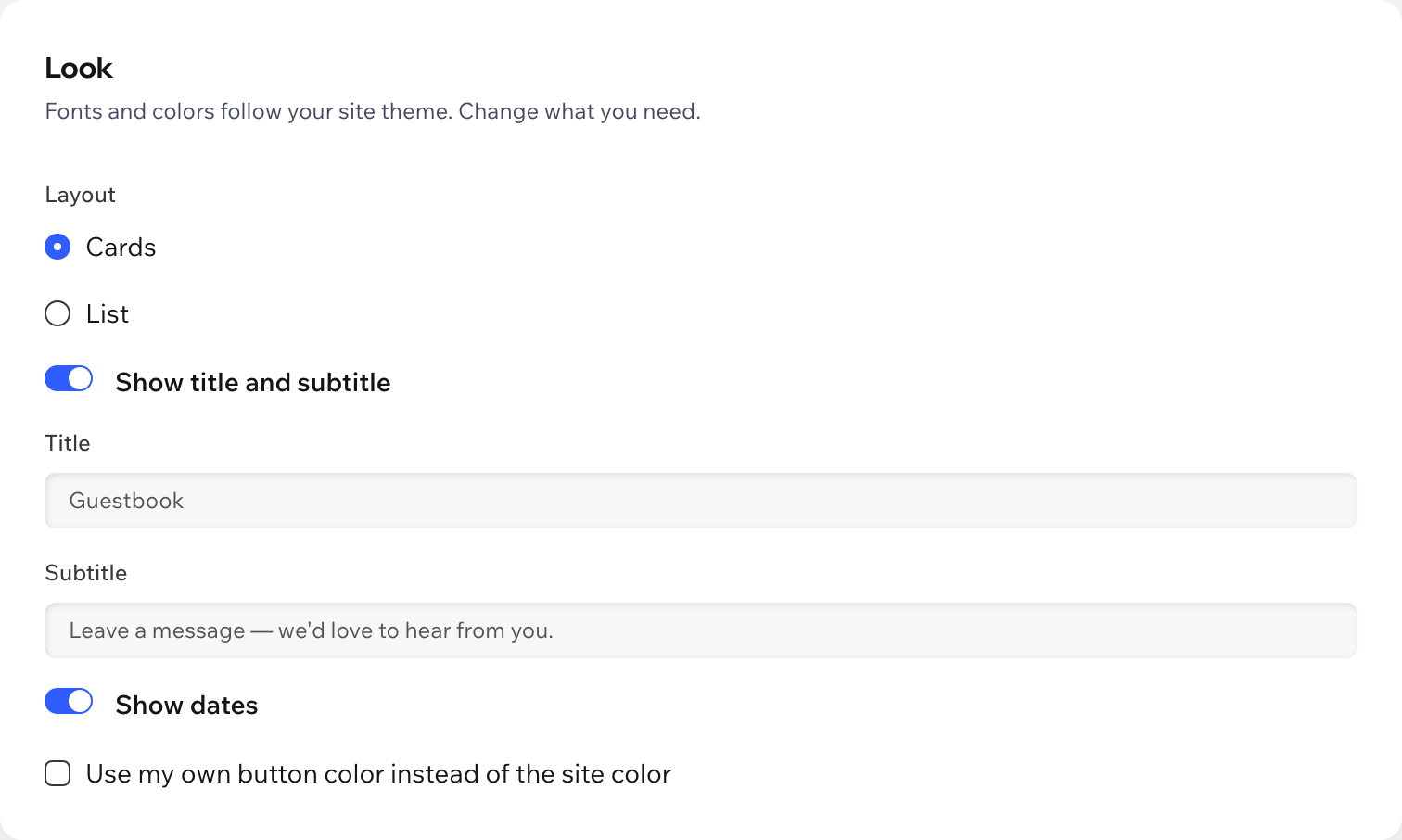
Choose the layout, title, button color and where the form sits. Fonts and colors follow your site theme, and it adapts to phones.
Get an email and a notification in your dashboard and the Wix app when someone signs. Turn each on or off.
Download every entry with date, name, message, emoji, photo link and status, whenever you like.
Guest photos are stored in a Guestbook folder of your site's Media Manager. Deleting an entry moves its photo to the trash.
The guestbook follows your site language, and the dashboard speaks both. Aria, the Wix AI assistant, can tell you how many entries wait, read-only.
What you see
Every waiting entry shows why it waits: approval, a link, a blocked word or a photo. Publish, hide or delete it, and set up the form and look with a live preview.
Pricing
$4.99/month
or $3.99/month billed yearly · 7-day free trial
Set up the guestbook before the trial starts: in the editor you see it with sample messages, and visitors see it while your trial or plan is active. Prices shown in USD.
In your editor, open the page you want and click Add Elements, then App Widgets, then Guestbook. Publish your site and set it up in the app dashboard.
It is waiting for your approval on the Entries tab, or it contains a link, a blocked word or a photo. Publish it there.
A hidden field that only bots fill, a minimum time to fill in the form, limits of 3 entries per 10 minutes per visitor and 60 per hour per site, and entries with links or blocked words always wait for you.
In a Guestbook folder of your site's Media Manager. They are made smaller in the guest's browser first, which also removes location data from the file.
Nothing. You can set everything up first; the guestbook appears on your live site while your free trial or Pro plan is active.
The entries, in a data collection on your own site: name, message, emoji, photo and status, plus an anonymous visitor id used for the rate limits. Export them to CSV before you uninstall the app: they may not be kept after that.