Entry form with a countdown
Name, email and a required box to accept your official rules. A timer counts down to the start or the end, and the form closes by itself when time is up.
 Giveaway & Raffle Get the app
Giveaways · Raffles · Sweepstakes · Contests · Supported in Aria
Visitors see the prize, a countdown and a short entry form with your official rules. When it ends, draw a random winner in one click, and every entrant lands in your contacts.
Try the live demo Get it on the App Market7-day free trial, then $4.99/month or $3.99/month billed yearly.
Live demo
The widget below runs the same code merchants install. Your entry stays in this browser tab only: nothing is saved or sent, reload to start over.
The page around the giveaway is an illustration, and the prize, sponsor and winner are made up. The official rules are the app's built-in rules template, filled in with this giveaway. Try the same email twice to see the one-entry-per-email check.
What you get
Name, email and a required box to accept your official rules. A timer counts down to the start or the end, and the form closes by itself when time is up.
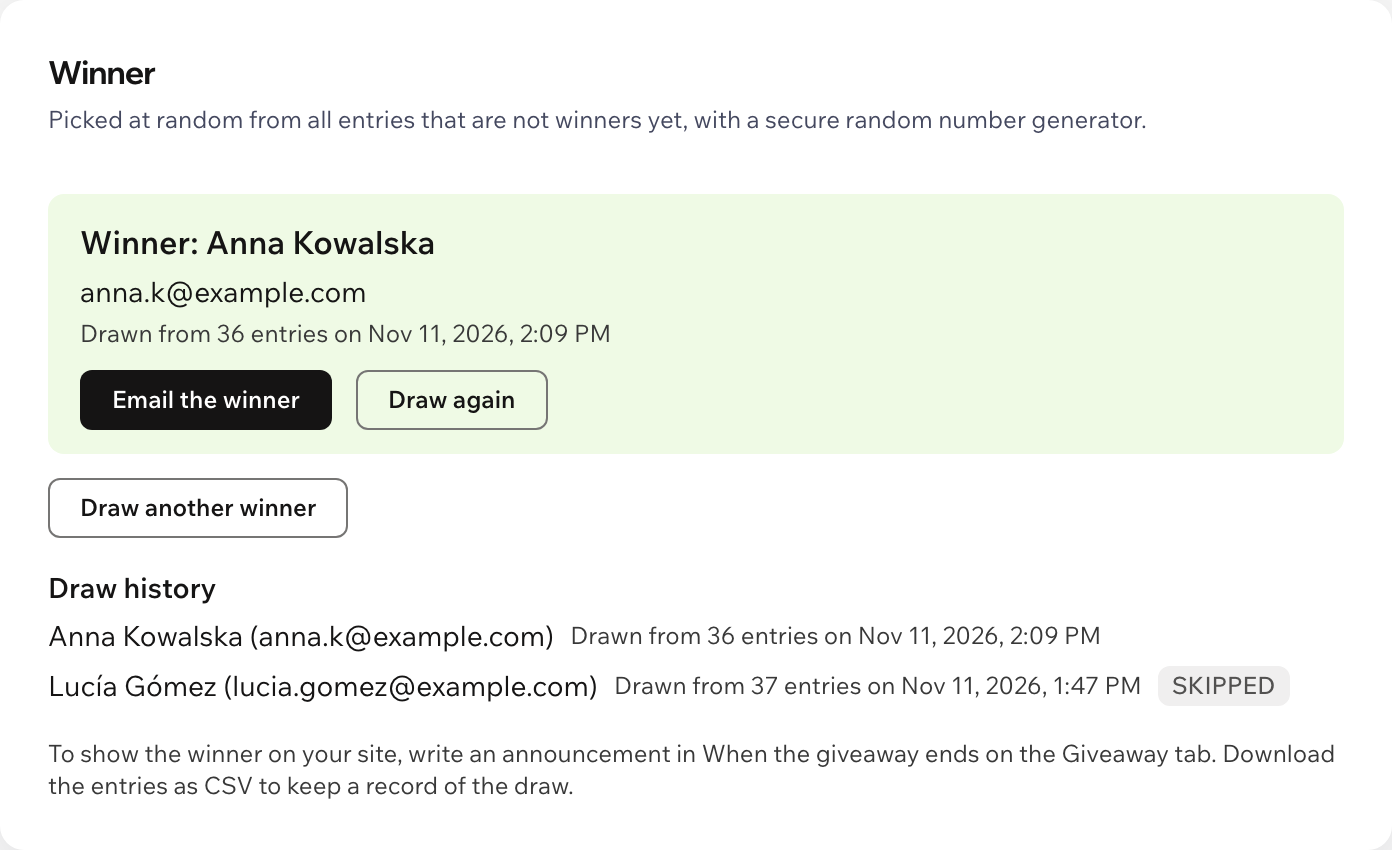
Draw a winner from all entries with a secure random number generator. Draw again if the winner does not reply, and keep the draw history.
A second try with the same email is refused politely. A hidden bot trap and a limit per site keep floods out.
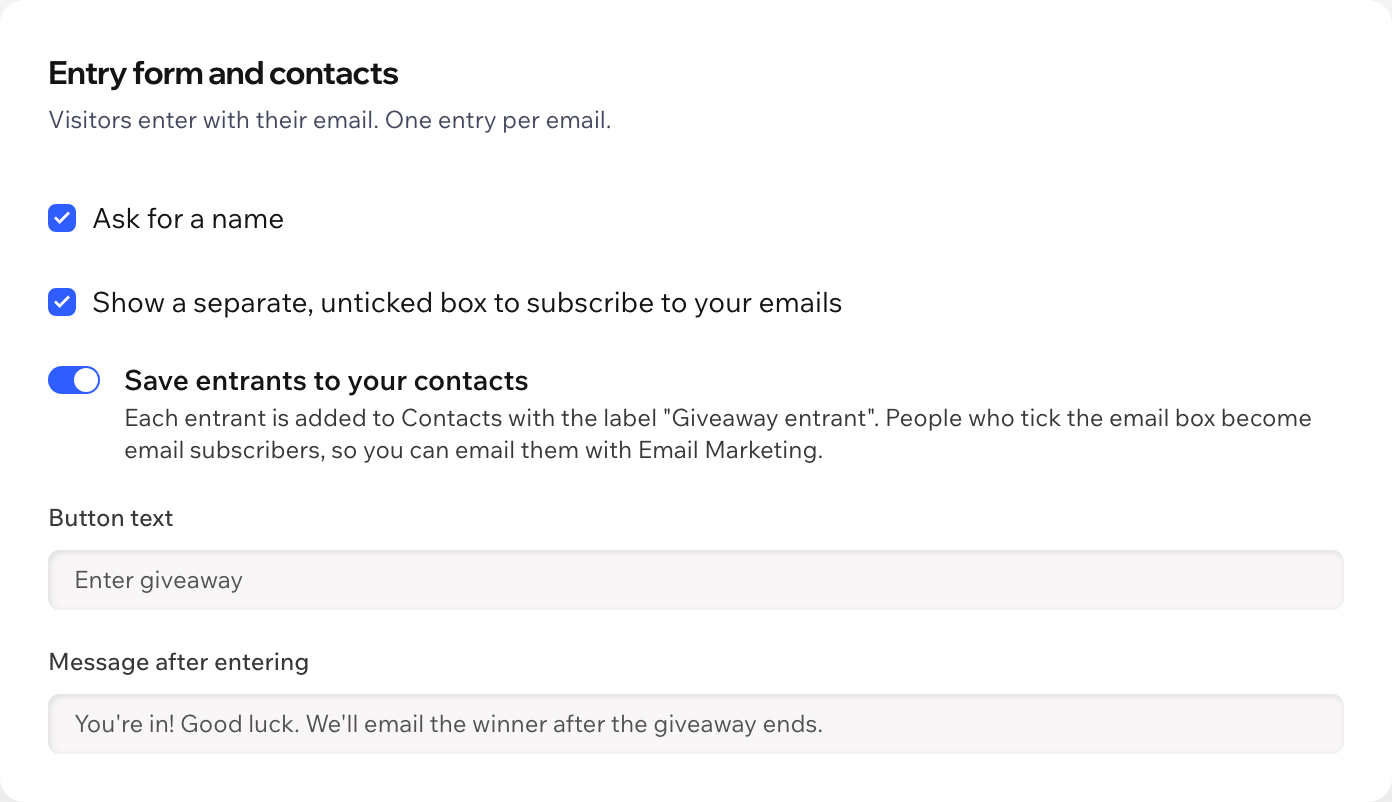
Every entrant is added to your contacts with the label "Giveaway entrant". Only people who tick a separate, unticked box join your email list.
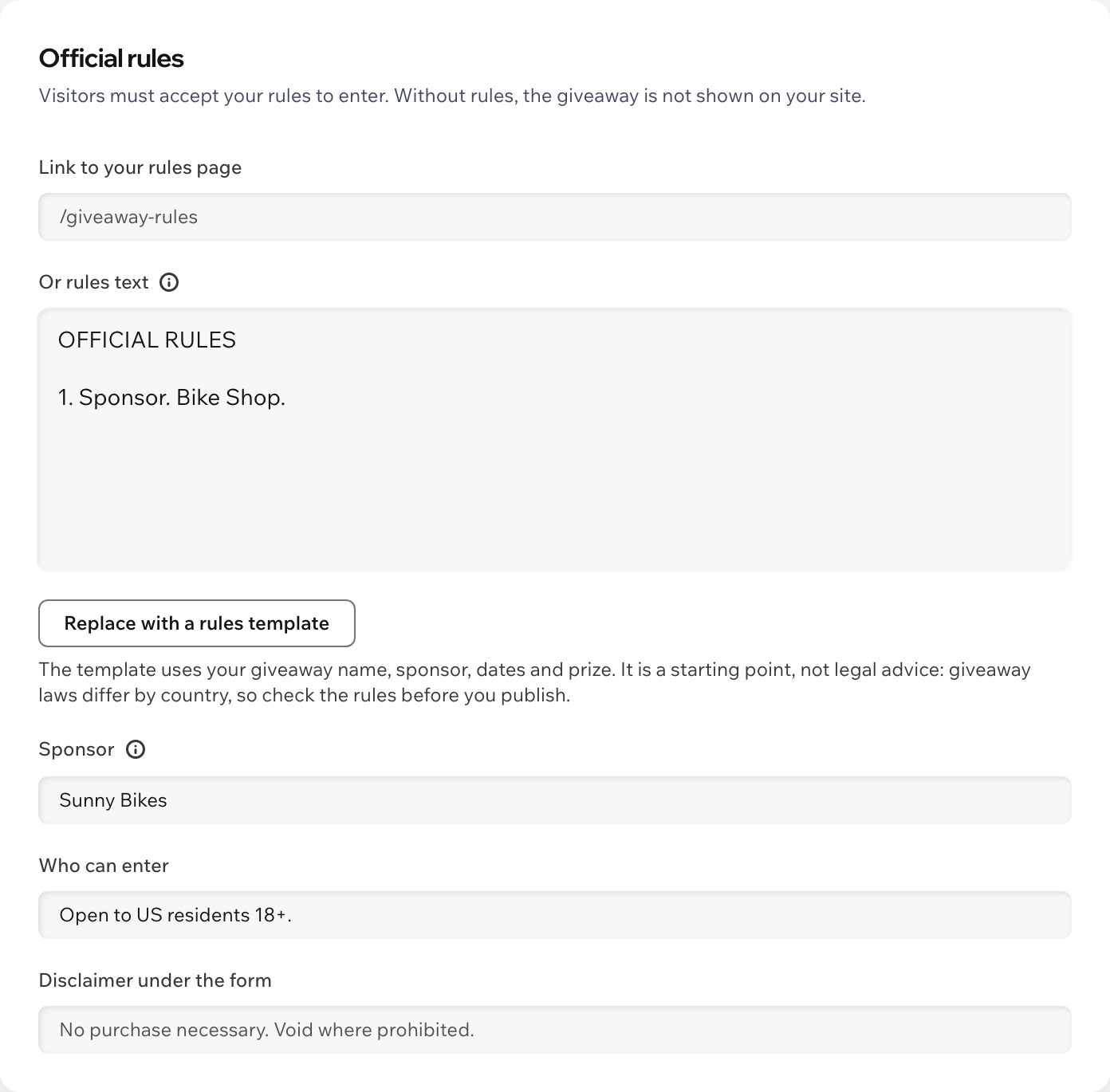
Link to your own rules page or start from the built-in template. "No purchase necessary" is shown under the form.
Minimal, Classic, Bold, Festive and Dark. Fonts and colors follow your site theme, or pick your own button color and corner radius.
Get an email and a dashboard notification when the giveaway ends, then announce the winner on your site.
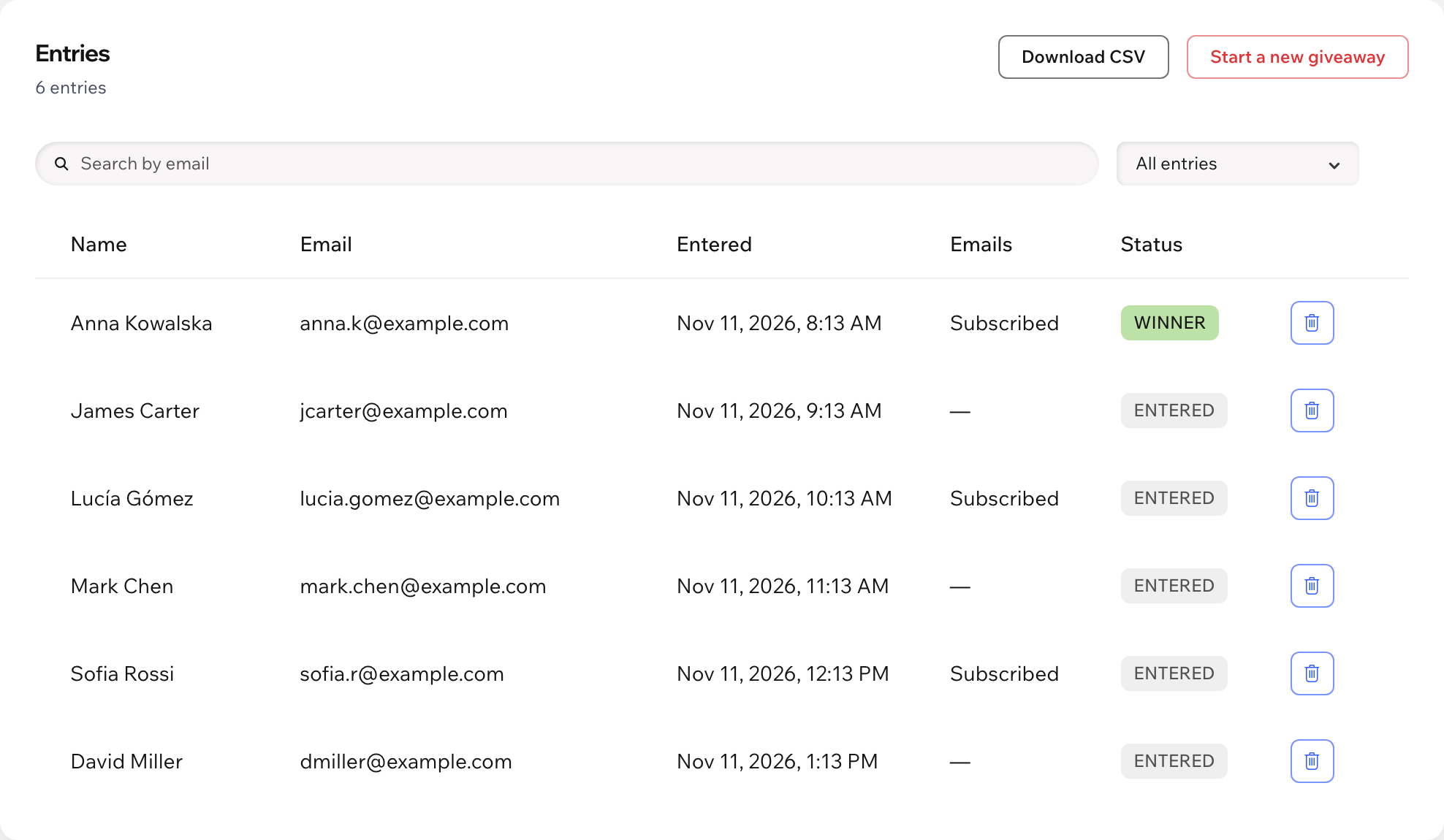
Search, remove and download entries as CSV. Texts show in English or Spanish, and Aria, the Wix AI assistant, can tell you how the giveaway is going, read-only.
What you see
See every entry with its email opt-in, draw a winner when the giveaway ends, draw again if needed, and start a new giveaway when you are ready.
Pricing
$4.99/month
or $3.99/month billed yearly · 7-day free trial
There is no free plan. Set up the giveaway before the trial starts: in the editor you see it with a note, and visitors see it while your trial or plan is active. Prices shown in USD.
In your editor, click Add Elements, then App Widgets, and drag Giveaway & Raffle onto a page. Then publish your site and fill in the name, end date and rules in the app dashboard.
After the end, the app picks one entry at random with a secure random number generator. Every entry has the same chance. Each draw is saved in the draw history, and you can draw again if the winner does not reply.
No. One entry per email address. A second try with the same email shows "You've already entered".
You are. You run the giveaway, so your official rules and how you run it must follow the laws where you and your entrants live. The app gives you a rules template filled in with your giveaway, a required box to accept the rules and the line "No purchase necessary. Void where prohibited." under the form. The template is a starting point, not legal advice: check it before you publish. Entry is always free: never ask for a purchase to enter.
Only if they tick the separate email box, which is never ticked in advance. Everyone else is added to your contacts with the label "Giveaway entrant" but is not subscribed. You can turn off saving to contacts.
Nothing. You can set everything up first; the giveaway appears on your live site and accepts entries while your free trial or Pro plan is active.
The entries, in a data collection on your own site: name, email, the email opt-in, language, entry time and status. Download them as CSV before you uninstall the app: they may not be kept after that.