
Ceramic Coffee Mug
$18
 Gift Wrap: Gift Message Get the app
For Wix Stores · Supported in Aria
Shoppers pick a wrapping style and write a note with To, From and a message. The gift wrap goes into the cart as its own line with your price, and the note stays with it all the way to the order.
Try the live demo View on App Market7-day free trial, then $4.99/month or $3.99/month billed yearly.
Live demo
The block in the side cart runs the same code merchants install: it reads the cart, opens the gift wrap window and puts the wrapping into the cart as its own line. Nothing is saved or sent: reload to start over.
$18
$48

$59
Try this: click Add in the cart, choose a wrapping and write a note. Then click Edit to change it, or remove all products and watch the gift wrap leave on its own.
The store and the side cart around the block are an illustration. The gift wrap line in it is built by the same rules the app's server uses in your store's cart.
What you get
The Gift wrap this order block shows in the side cart, and on the full cart page if you add it there.
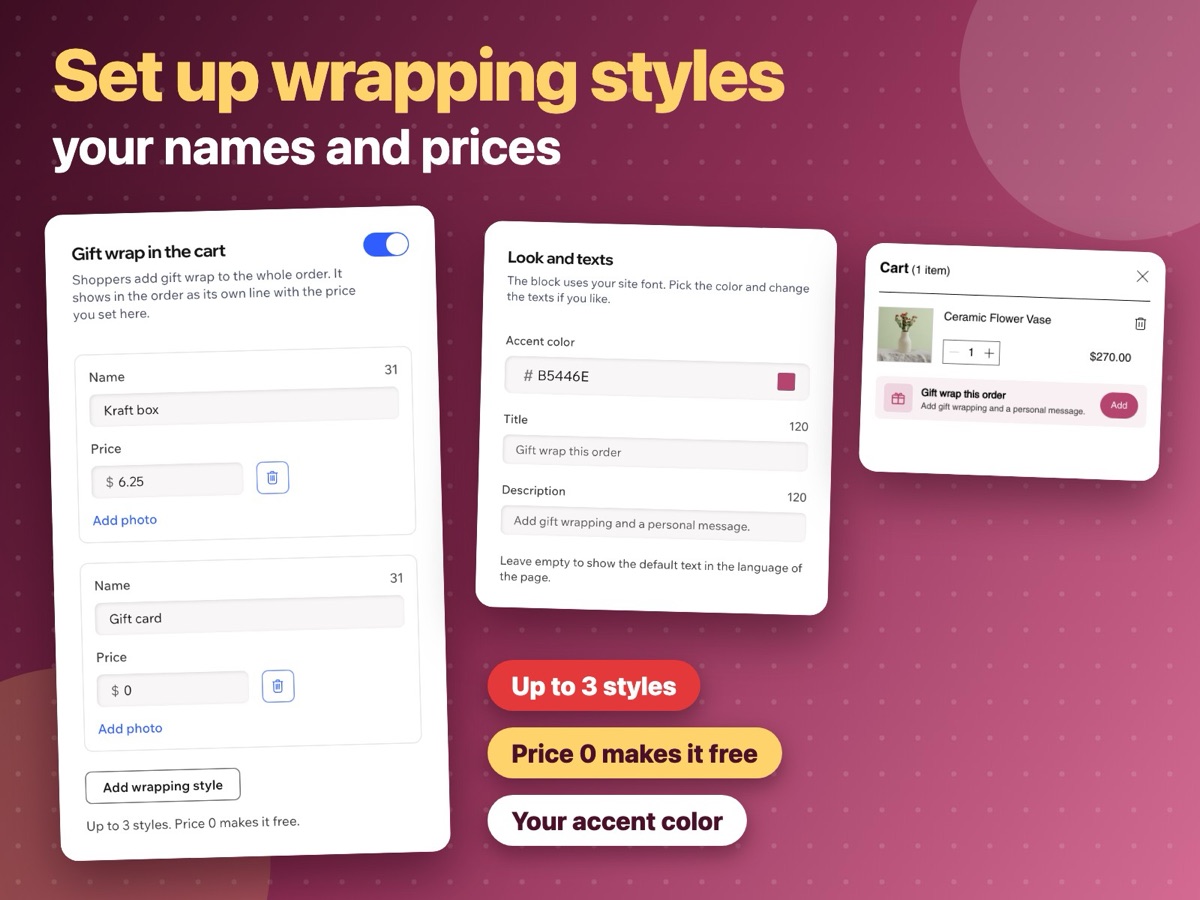
Each with a name, a price and an optional photo. A price of 0 makes a style free.
Shoppers write a gift note of up to 150 characters, or leave it empty. You can turn the message field off.
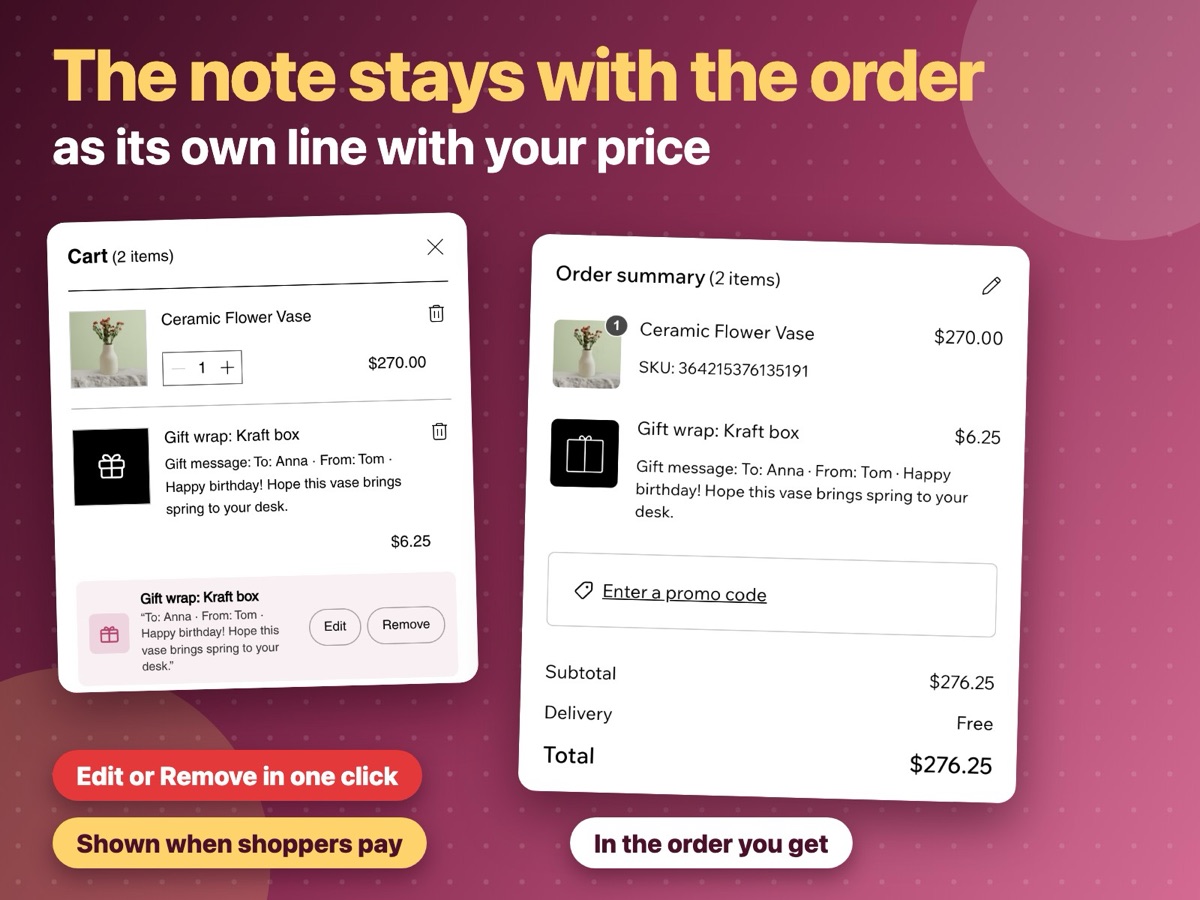
Gift wrap is its own line with your price, and the note sits under it: in the cart, when shoppers pay and in the order.
Edit changes the wrapping or the note, and Remove takes gift wrap off, without a page reload.
Gift wrap stays at quantity 1. If no products to ship are left in the cart, it leaves on its own.
The block uses your site font. Set the accent color, title and text with a live preview. Prices show in the shopper's currency.
The block follows your site language, and the dashboard speaks both. Aria, the Wix AI assistant, can describe your gift wrap setup.
What you see
Add wrapping styles on one dashboard page, then read each gift note in the order. Real screens from our test store.
Pricing
$4.99/month
or $3.99/month billed yearly · 7-day free trial
Set up gift wrap before the trial starts: in the editor you see the block with a preview note, and shoppers see it while your trial or plan is active. Prices shown in USD.
Wix Stores. Gift wrap is added to the store's cart, so there are no extra products to create.
It shows up in the side cart under the products, or click Add to side cart in the app dashboard. Not there? Open your site in the editor, open the side cart, click Plugins and add Gift Wrap. Then publish your site. For the full cart page, open the Cart page in the editor, click Add Elements, then App Widgets, and add Gift Wrap.
In the order. Gift wrap is its own line with the style name and your price, and the note is written under it as Gift message: To, From and the text.
Yes. Set a style's price to 0 and it shows as Free. You can mix free and paid styles.
No. Gift wrap is one per order. A second one replaces the first, and its quantity stays at 1.
There is nothing to wrap, so the block doesn't show. If the last product to ship leaves the cart, the gift wrap leaves too.
No block. You can set everything up first; the block appears on your live site while your free trial or Pro plan is active.
Only your gift wrap settings and plan status, in a data collection on your own site. The gift note stays in the Wix cart and order; the app doesn't store anything about shoppers.