

Ceramic Coffee Mug
$18
 Free Gift with Purchase Get the app
For Wix Stores · Supported in Aria
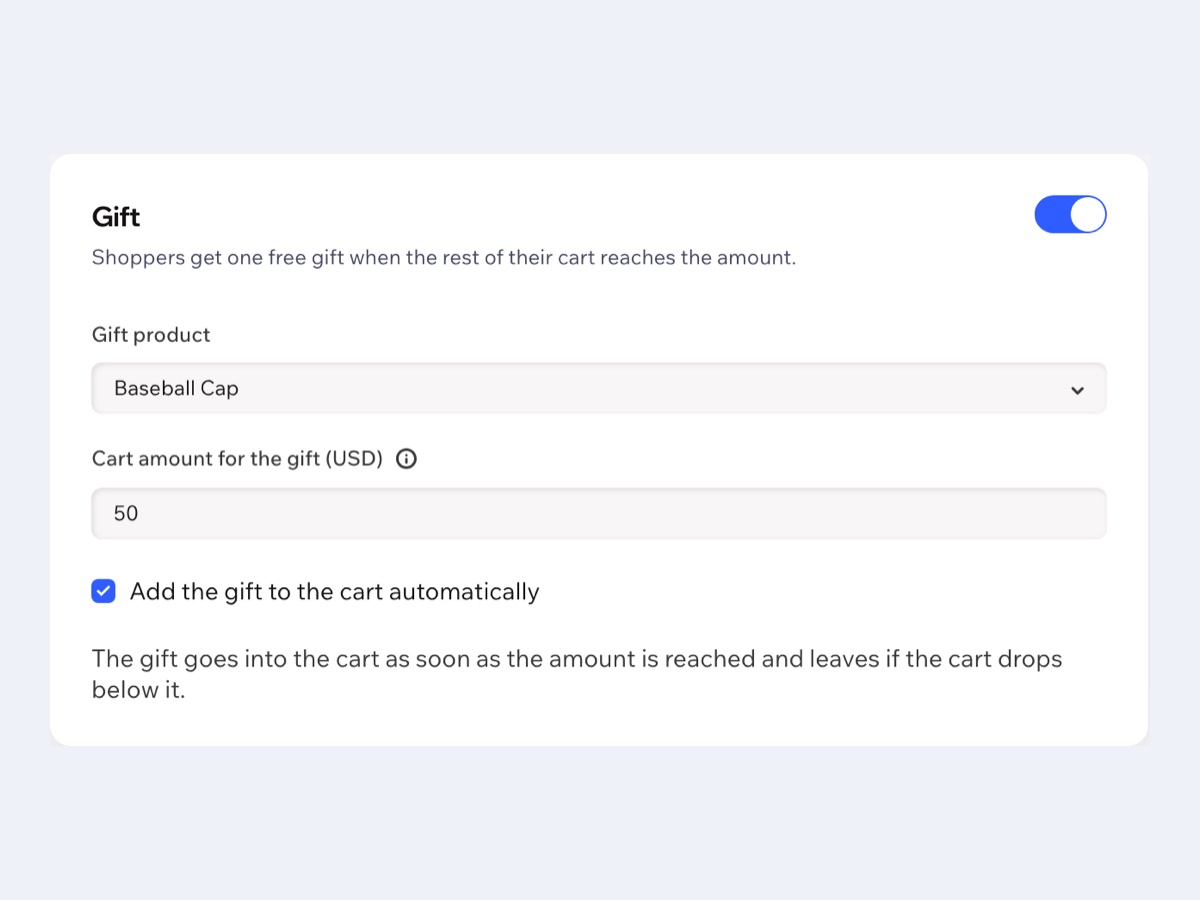
Pick a product as the gift and set the cart amount. Shoppers see how much is left right in the side cart, and the gift goes into the cart for free once they reach it.
Try the live demo View on App Market7-day free trial, then $4.99/month or $3.99/month billed yearly.
Live demo
The block in the side cart runs the same code merchants install: it reads the cart, shows the progress and adds or removes the gift itself. Nothing is saved or sent: reload to start over.
$18

$48

$59
Try this: fill the cart to $50, say the mug and the dress, and the Tote Bag drops in for free. Then remove a product, or delete the gift yourself.
The store and the side cart around the block are an illustration. The $0 price of the gift follows the same rule the app creates in your store's automatic discounts.
What you get
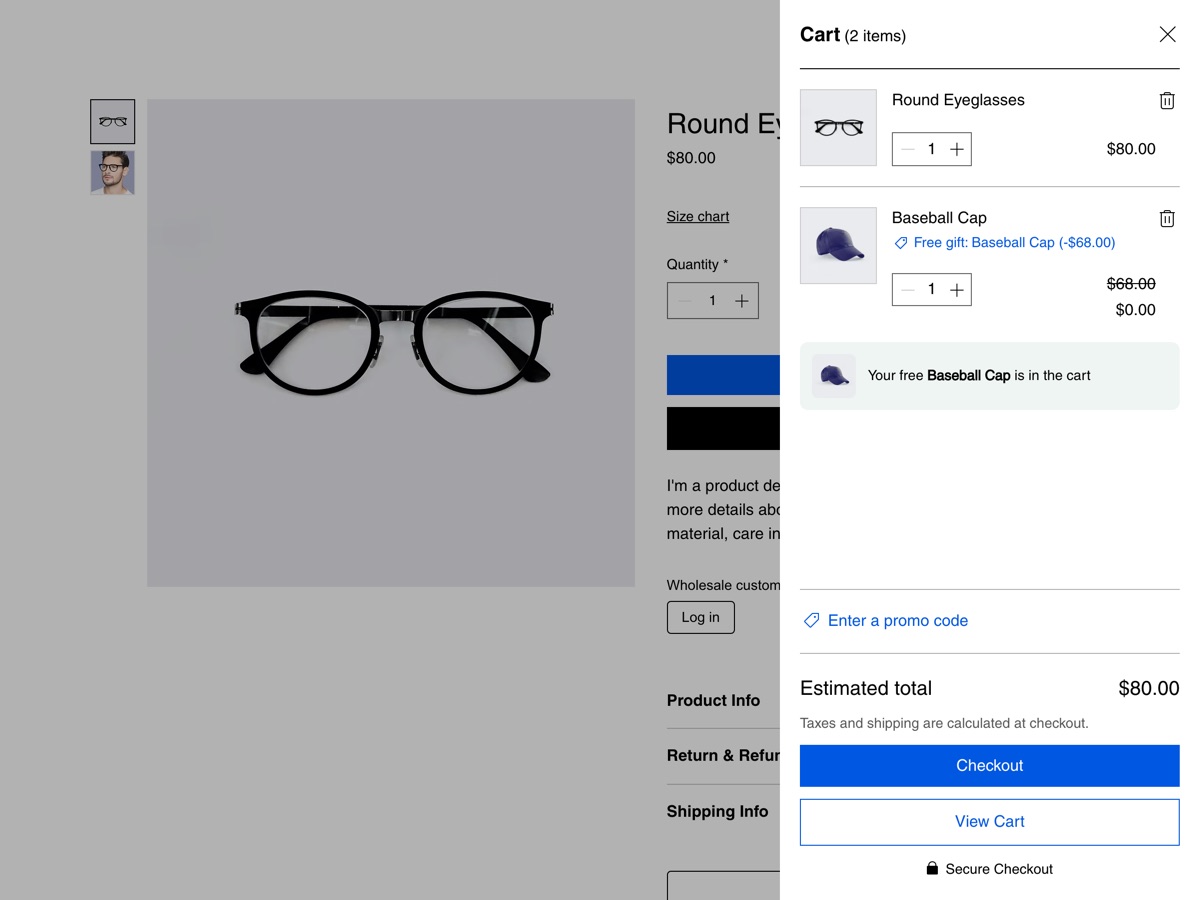
When the rest of the cart reaches your amount, the gift goes into the cart on its own and shows as free.
Shoppers see how much more they need to spend for the gift, right under the products.
The gift price never counts toward the amount, and only one gift per order is free. If the cart drops below the amount, the gift leaves the cart.
A gift the shopper removes is not added back. Prefer a click? Turn automatic adding off to show an Add free gift button.
The app creates an automatic discount in your store, so the cart and checkout show the gift at $0.
Add the same block to the full cart page from the editor, next to the cart.
The block uses your site font. Set your accent color and your own messages, or keep the defaults.
The block follows your site language, and the dashboard speaks both. Aria, the Wix AI assistant, can describe your offer, read-only.
What you see
Choose the gift and the amount in the dashboard. Real screens from our test store.
Pricing
$4.99/month
or $3.99/month billed yearly · 7-day free trial
Set up the gift before the trial starts: in the editor you see the block with a preview note, and shoppers see it while your trial or plan is active. Prices shown in USD.
Wix Stores. Any product of your store can be the gift.
Click Add to side cart in the app dashboard, or open your site in the editor, open the side cart, click Plugins and add Free Gift with Purchase. Then publish your site. For the full cart page, open the Cart page in the editor, click Add Elements, then App Widgets, and add Free Gift Progress.
No. One gift per order is free. Extra units of the gift are charged at the normal price, and the block asks the shopper to set its quantity to 1.
No. Only the rest of the cart counts, so the gift can't unlock itself.
It isn't added back. The block shows an Add free gift button, so the shopper can change their mind.
No block. You can set everything up first; the block appears on your live site while your free trial or Pro plan is active.
Turn the offer off and save before you remove the app. Otherwise the free gift discount stays in Automatic Discounts, where you can delete it.
Only your offer settings and plan status, in a data collection on your own site. The app doesn't store anything about shoppers.