Upload again, no duplicates
Each row is matched to an event by the Event ID from an export, by your own key column, or by title. Matching rows update the event, new rows create one.
 Event Import: CSV Bulk Update Get the app
For Wix Events · Supported in Aria
Upload a CSV file and see what changes before anything is written: the old and new value of each field, new events and rows with errors. Edit the file and upload it again: the same events update.
Try the live demo View on App Market7-day free trial, then $9.99/month or $7.99/month billed yearly. Without a plan you can check files, see every change and export your events.
Live demo
This is the same dashboard page sellers install. Try it with our sample file: the spring program of a small venue, edited after the last import. Or choose your own CSV file.
This is a demonstration on sample data. The demo site has 5 made-up events and a Pro plan. Import writes only to this page's memory: your file stays in your browser, no events are created or changed anywhere, and nothing is saved. Reload the page to start over.
After the sample file: click Import 5 changes, then Check the file again. The same file now shows 0 new and 0 changed rows.
Your own file: use columns such as Key, Title, Start, End, Time zone, Location and Address. A new event needs a title, a start and a location (or Online). Keep the Key column to update the same events next time. Times are in Europe/London.
| Title | Start | End | Location | Address |
|---|---|---|---|---|
| Jazz Night | 2027-03-12 19:30 | 22:00 | Blue Room | 12 Harbor St, Bristol |
| Poetry Evening | 2027-03-14 18:00 | 20:00 | Library Hall | 4 Park Row, Bristol |
| Wine Tasting | 2027-03-19 19:00 | 21:00 | Cellar Bar | 8 Quay St, Bristol |
| Book Club | 2027-03-21 17:00 | 18:30 | Library Hall | 4 Park Row, Bristol |
| Salsa Class | 2027-03-24 20:00 | 21:30 | Studio 2 | 30 Mill Lane, Bristol |
What you get
Each row is matched to an event by the Event ID from an export, by your own key column, or by title. Matching rows update the event, new rows create one.
The preview counts new, changed, unchanged and broken rows, and shows the old and new value of each field. Nothing is written until you click Import.
Export your events to a CSV file, edit it in any spreadsheet and upload it back. Or start from the sample file.
Columns are matched by name and you can change any of them. Dates are read in common formats, in the time zone of the row or the one you pick.
Rows with a wrong date, no title or an unknown registration type are listed with the reason and are not imported.
Events are written one by one and you can stop at any time. Ticketed events keep their tickets, and events missing from the file are never deleted.
What you see
Add the CSV, check the columns, review the preview and import. The app works in your Wix dashboard and adds nothing to your site pages.
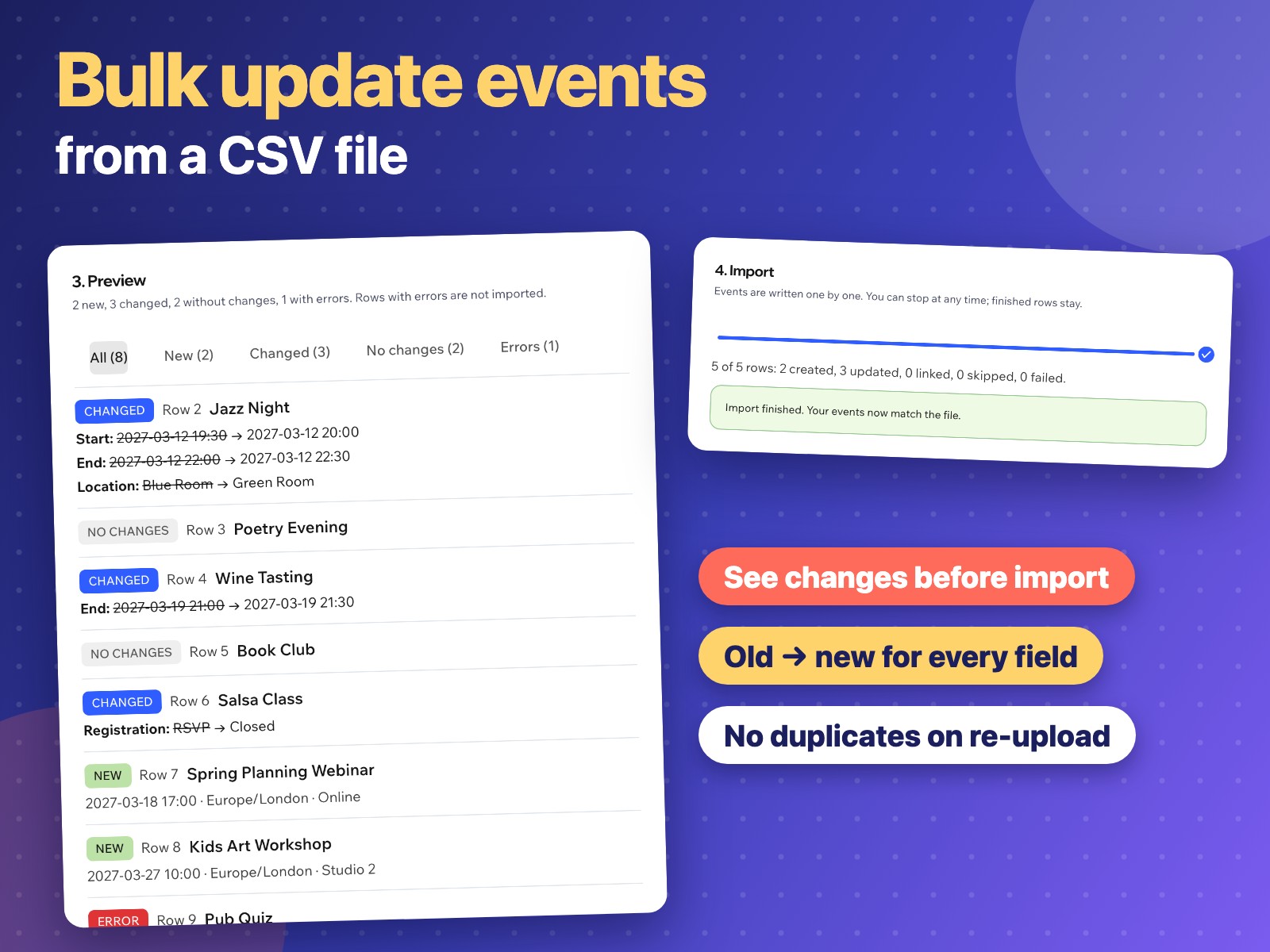
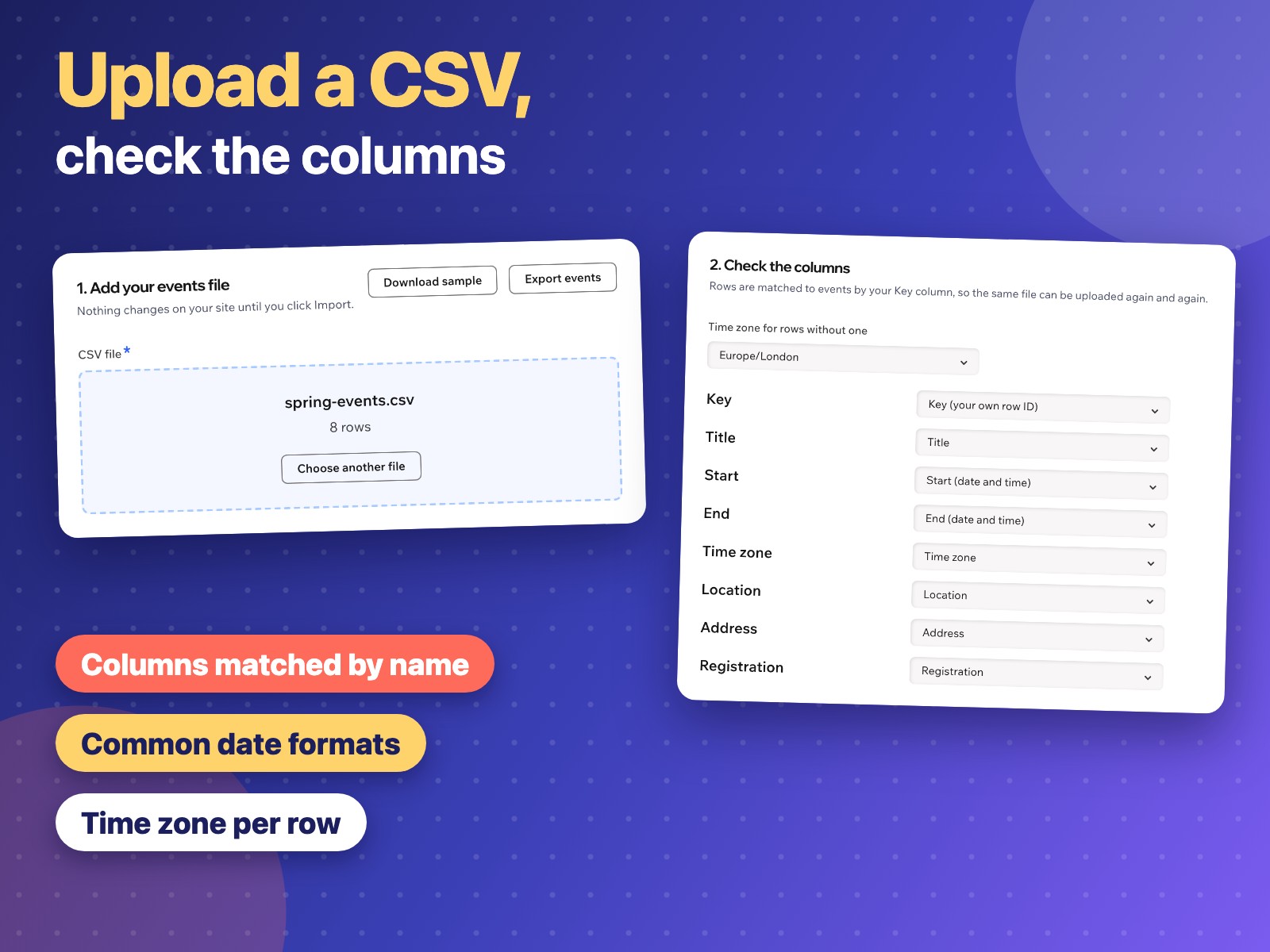
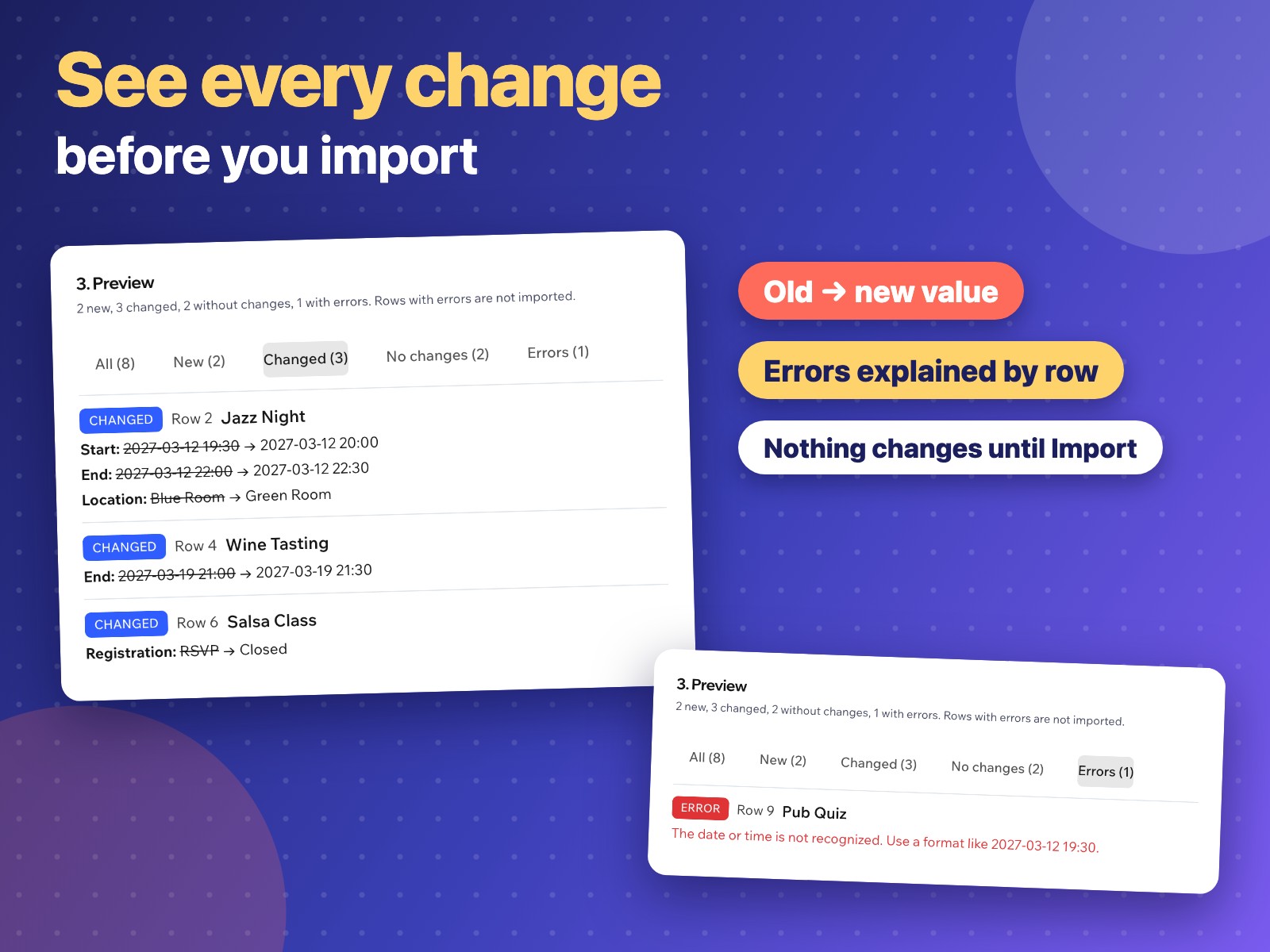
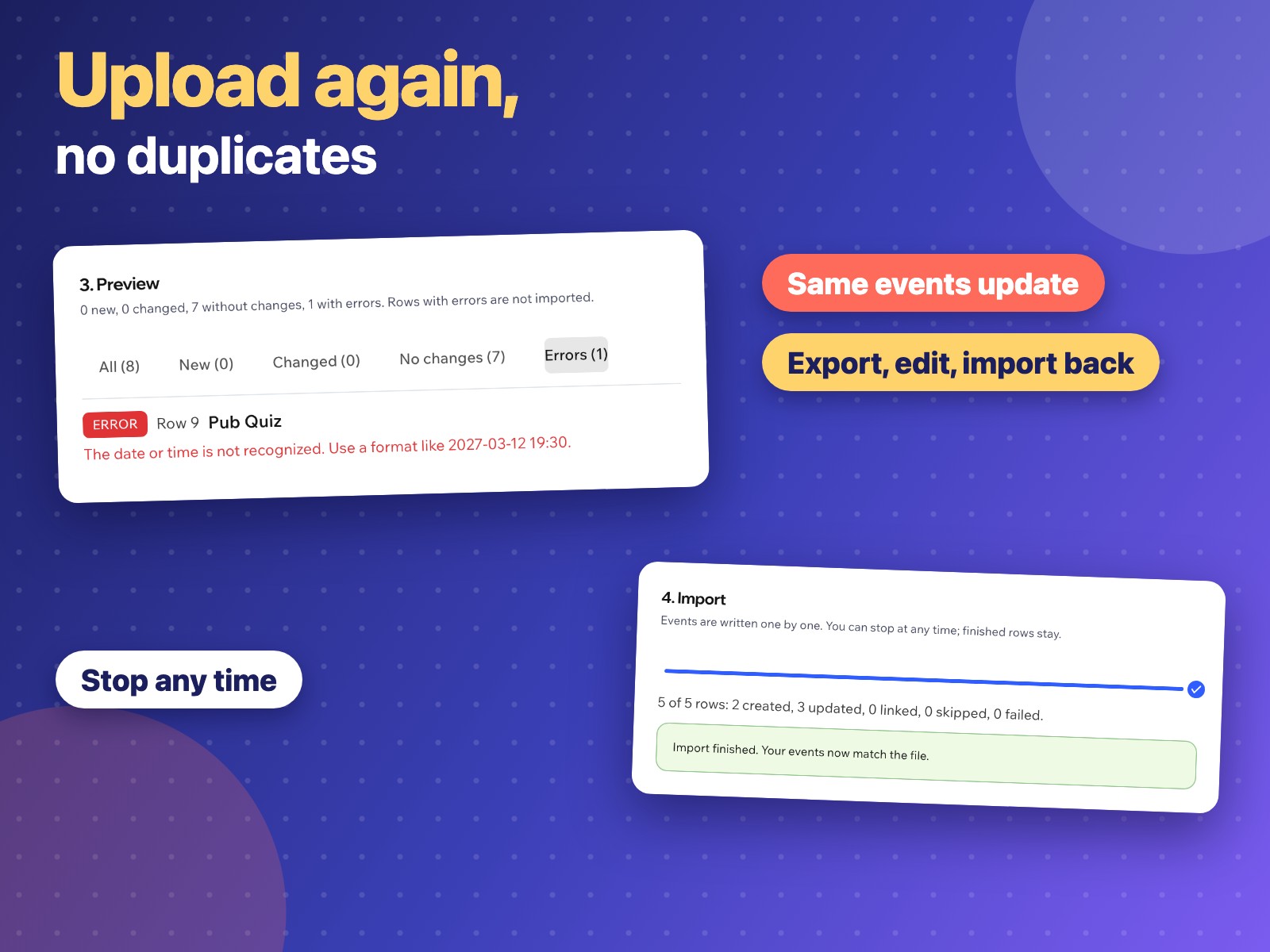
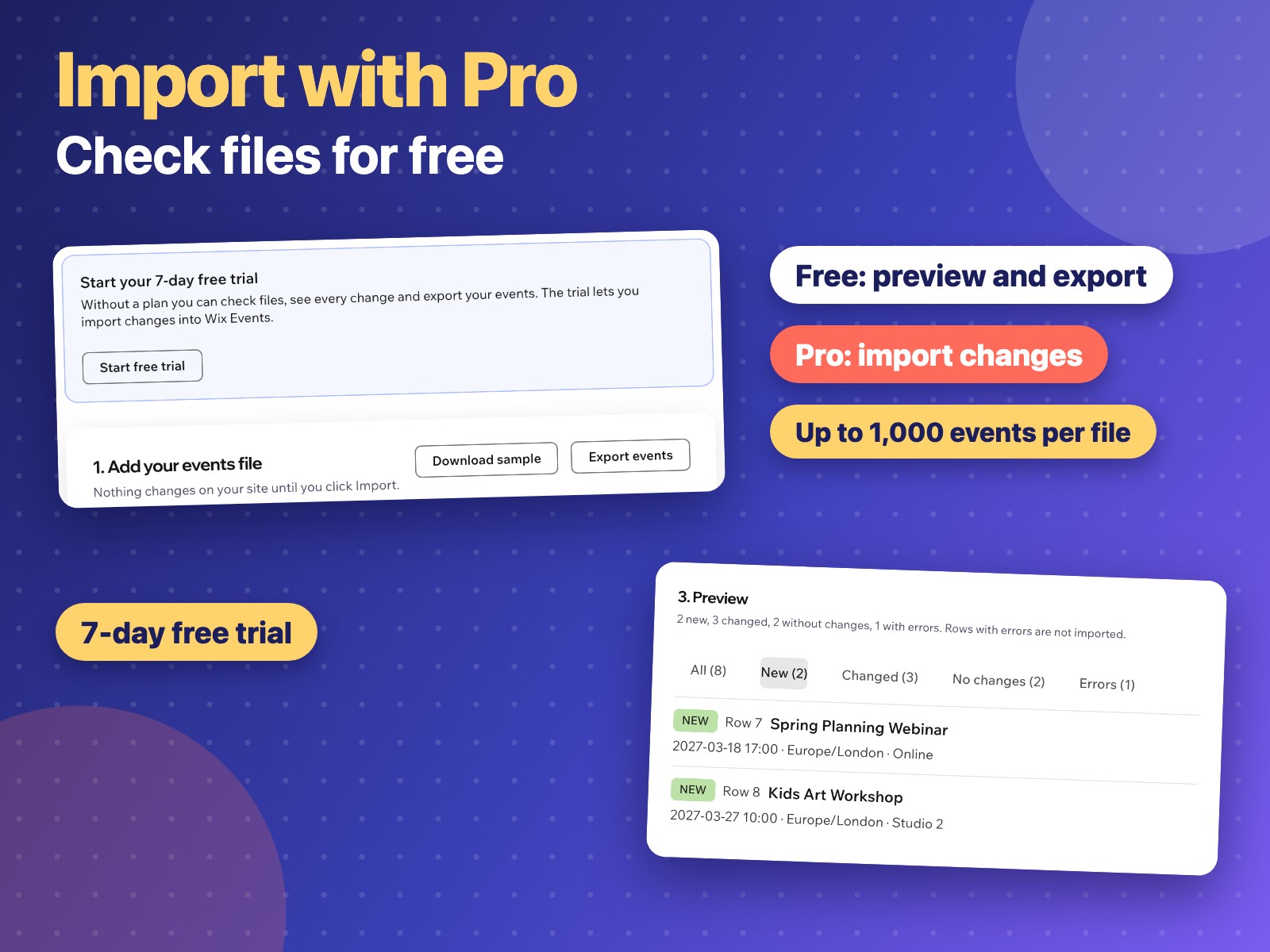
Images of the app dashboard with made-up events.
Pricing
$9.99/month
or $7.99/month billed yearly · 7-day free trial
No plan yet? Check any file, see every change, export your events and download the sample file. Importing needs the free trial or Pro. Prices shown in USD.
Each row is matched to an event: by the Event ID column of an export, by your own Key column, or by title. The app remembers which event each row created, so the next upload of the same file updates those events instead of creating new ones. For repeating events with the same title, add a Key column. To rename events, keep the Event ID or Key column: a new title without them creates a new event.
No. Upcoming events that the app imported or updated before and that are missing from your file are listed in the preview, but the app never deletes or cancels them. An empty cell does not erase a field either.
Ticketed events keep their tickets. You can still update their title, dates, location and descriptions from the file.
Title, Start and End (or separate date and time columns), Time zone, Location, Address, Short description, Description, Registration (RSVP, None or External with a link), Event ID and Key. Column names from Google Calendar and Outlook exports are recognized too.
Up to 1,000 rows and 5 MB per file. Save it as CSV UTF-8. To import more events, split them into several files.
The app works with the permissions of the person signed in to the dashboard. A team member without access to Events cannot read or change events through the app.