Links that apply coupons
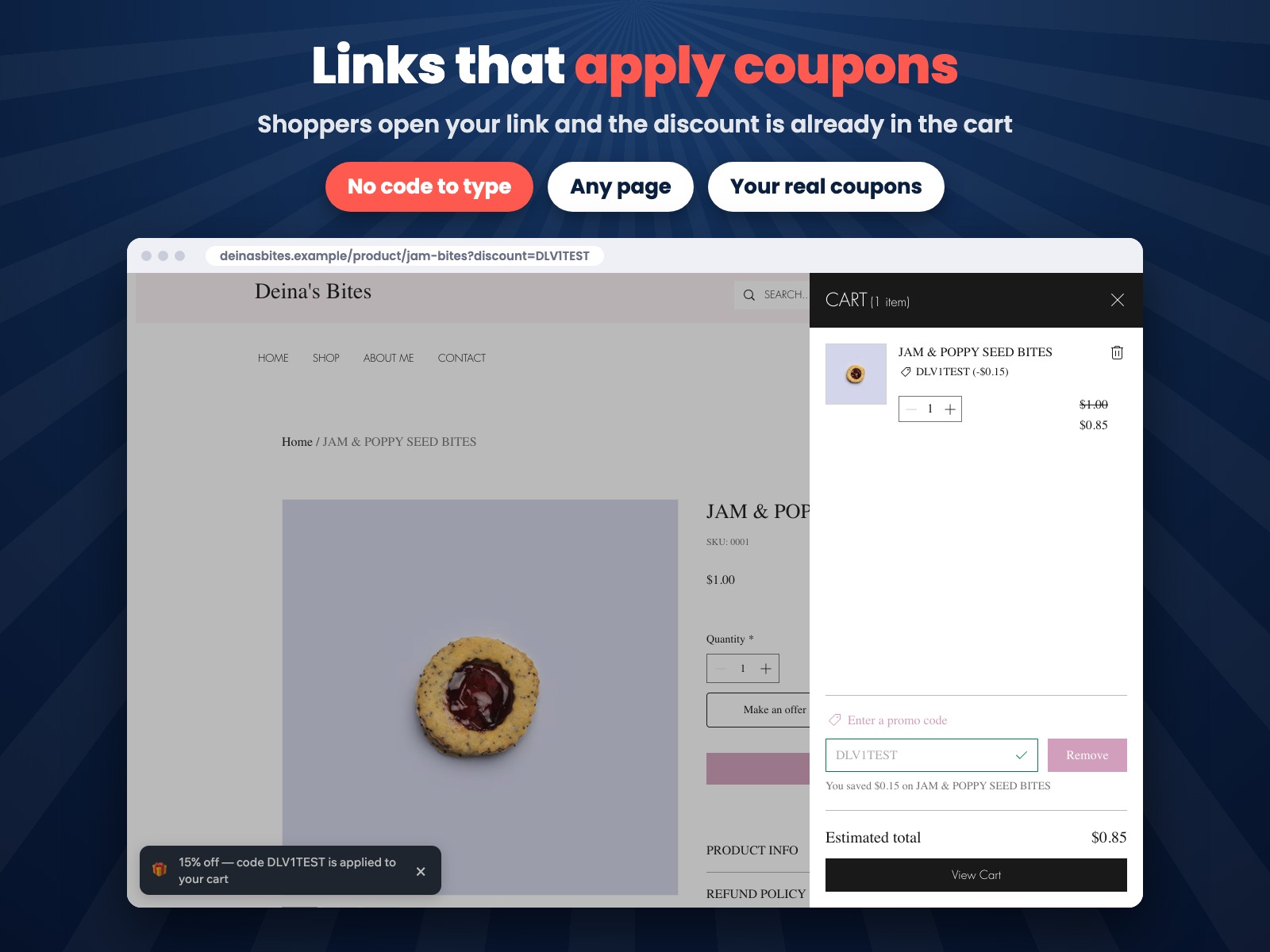
Add ?discount=CODE to any page address. The coupon goes into the cart on its own: nothing to type at checkout.
 Discount Links: Apply Coupons Get the app
For Wix Stores · Supported in Aria
Turn any coupon of your store into a link. Share it in an email, a post, a bio or a QR code on your packaging: the shopper who opens it finds the discount already in the cart, with no code to remember or type at checkout.
Try the live demo View on App Market7-day free trial, then $3.99/month or $2.99/month billed yearly.
Live demo
The page below was opened with ?discount=SPRING15. The banner and the coupon in the cart come from the same script merchants install: first it says the discount is waiting, and once there is something in the cart it applies the coupon and confirms it. Nothing is saved or sent: open the link again to start over.
Try this: click Add to cart and watch the banner change and the coupon line appear in the cart. The store, product and cart are an illustration; in your store the coupon goes into the real Wix cart and shows at checkout.
What you get
Add ?discount=CODE to any page address. The coupon goes into the cart on its own: nothing to type at checkout.
Send shoppers to the home page, a product, a category or any other page. Nothing to add in the editor.
The code waits on the shopper's device and is applied as soon as there is something in the cart, even when they come back later.
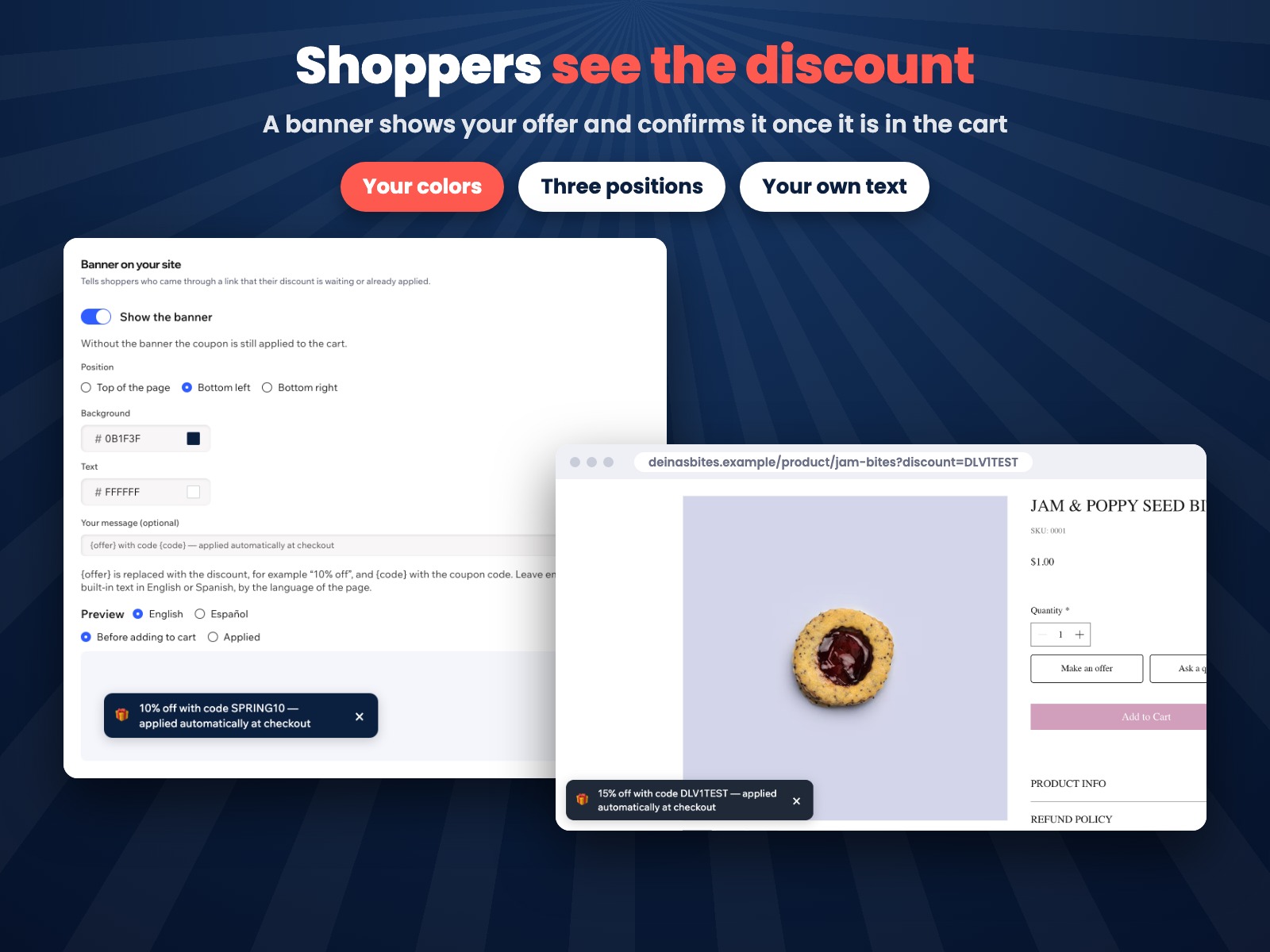
Shows the discount from your coupon, then confirms it once it's in the cart. Your position, colors and text, or turn it off.
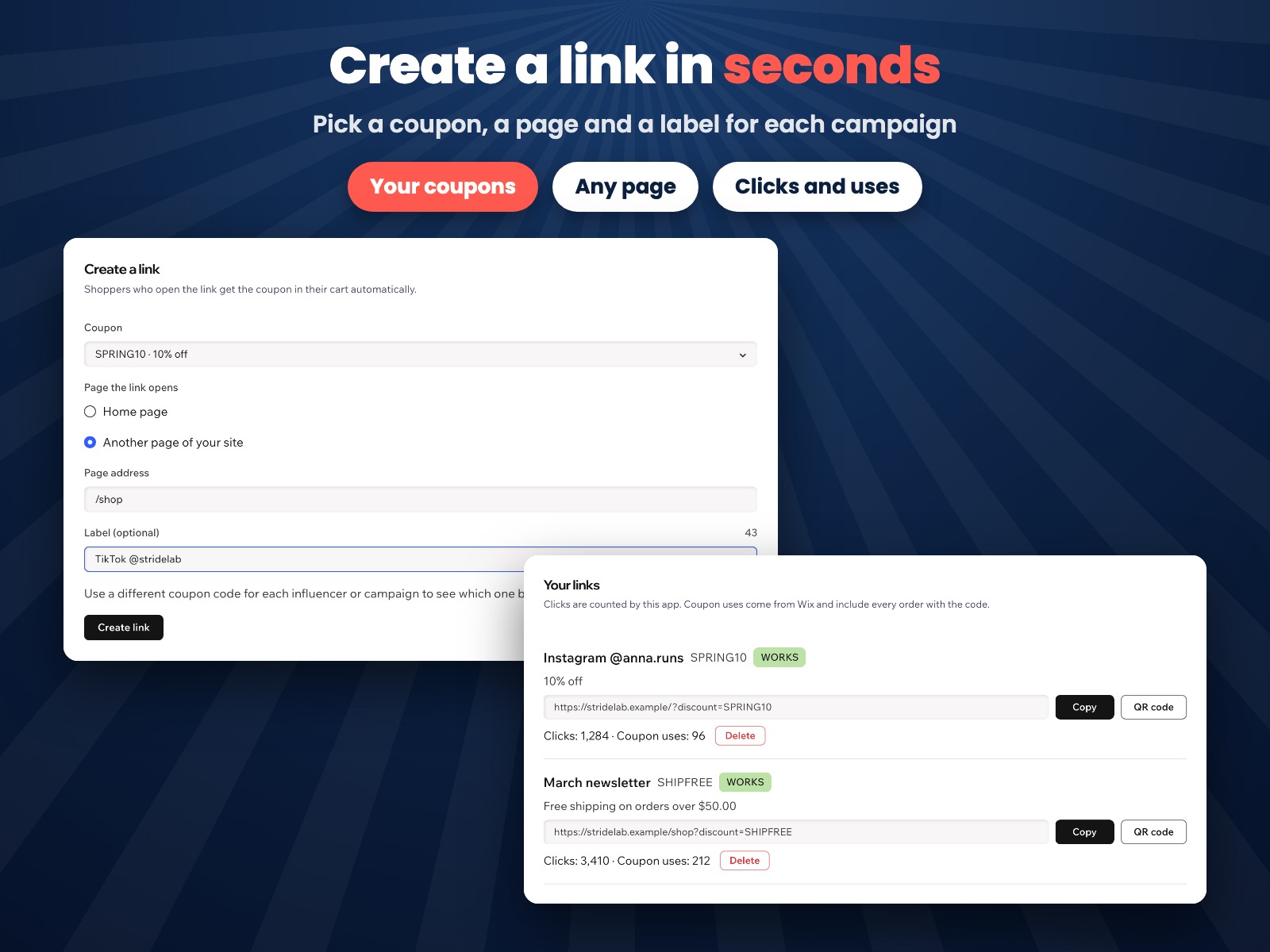
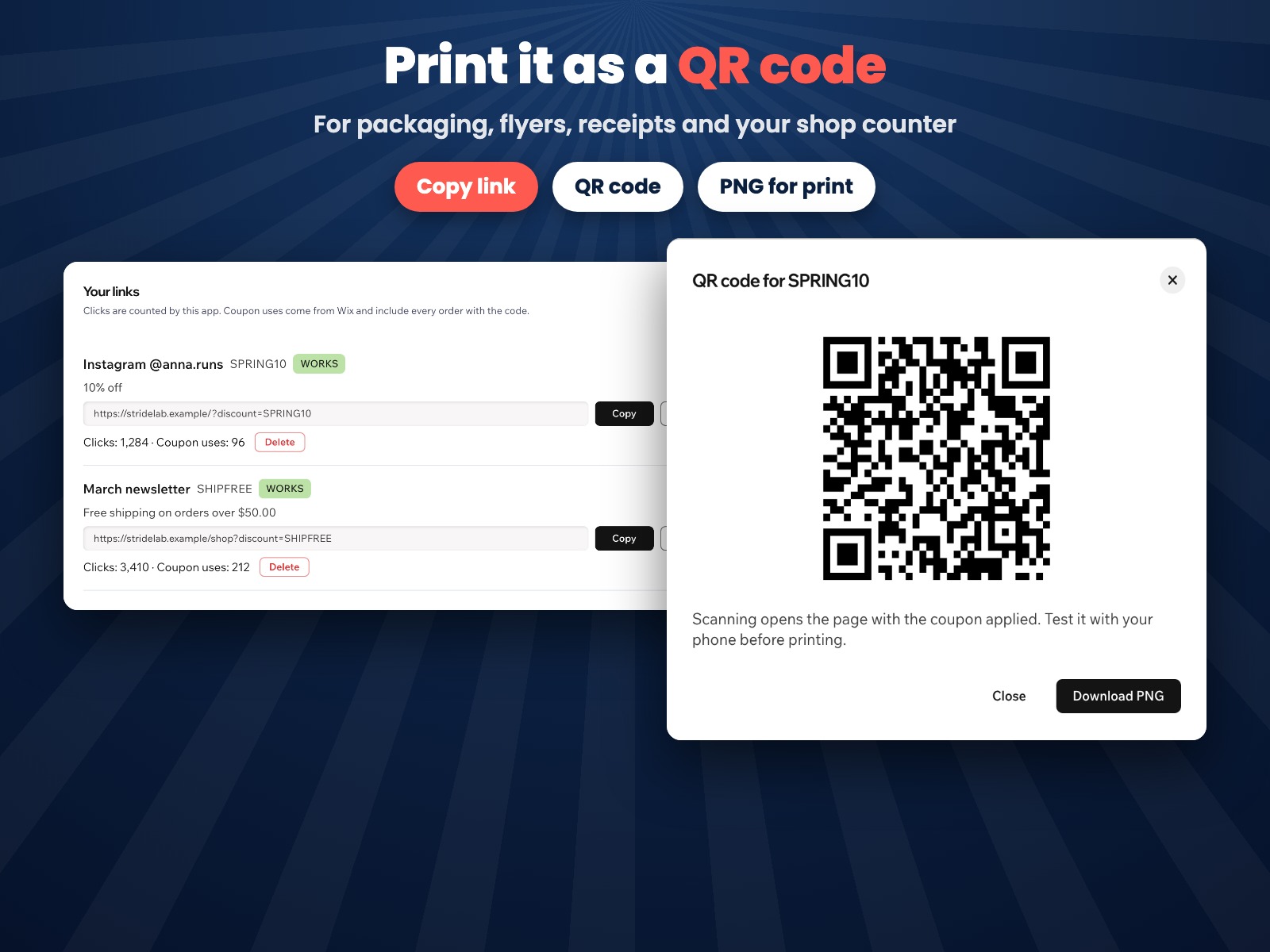
Pick a coupon, a page and a label. Copy the link or download a QR code as a PNG for packaging, flyers and receipts.
Every link shows its clicks next to how many times the coupon was used, so you see which channel brings orders.
A cart takes one coupon. If a shopper already entered a code, the app never replaces it.
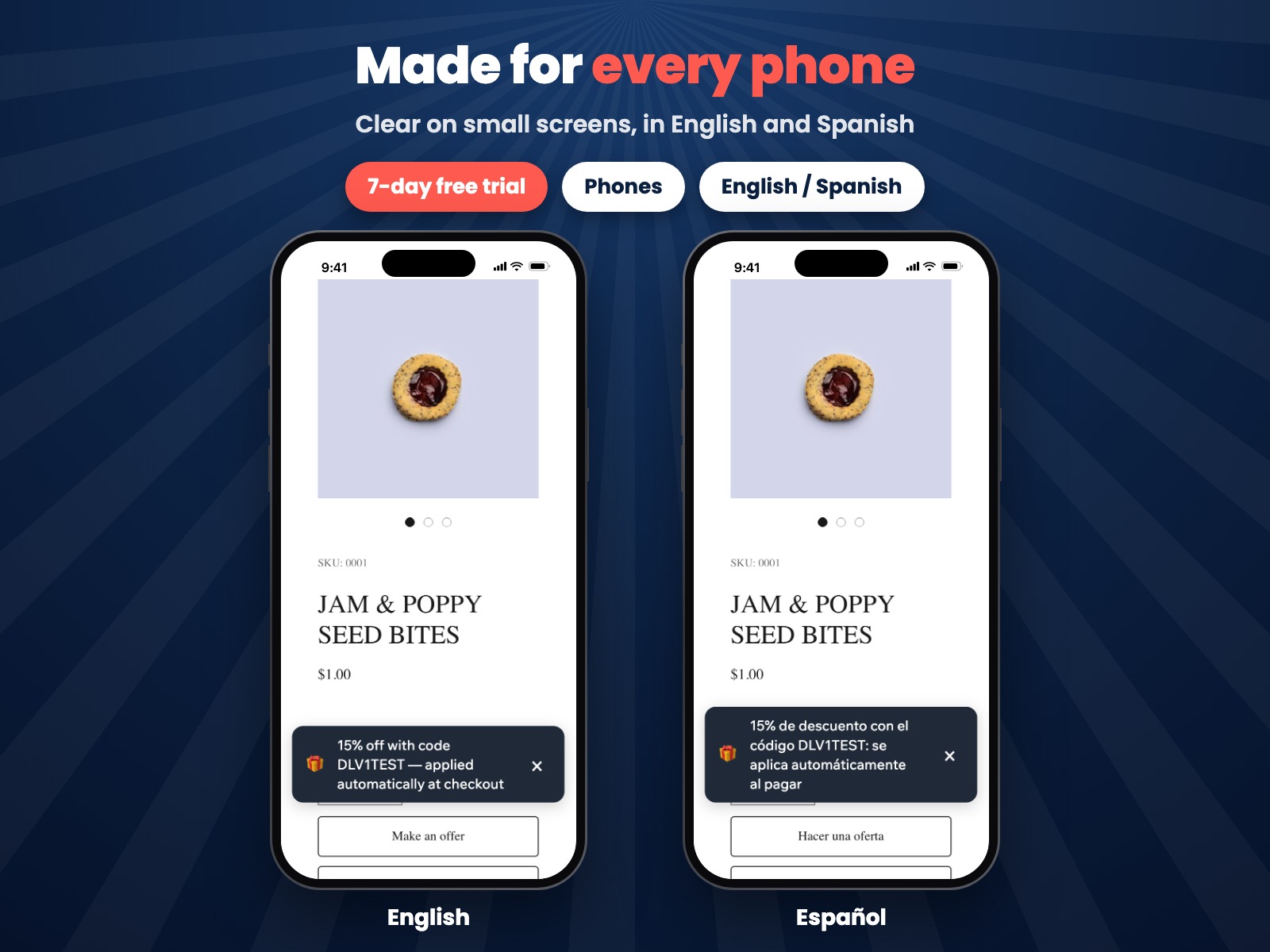
Banner texts follow the page language. Aria, the Wix AI assistant, can list your links and their clicks, read-only.
What you see
The link builder, your links with clicks and coupon uses, QR codes and the banner settings are on one dashboard page.
Pricing
$3.99/month
or $2.99/month billed yearly · 7-day free trial
Create your links before the trial starts: coupons are applied and the banner shows while your trial or Pro plan is active. Prices shown in USD. Current pricing is on the App Market listing.
A Wix site with an online store and at least one coupon. Create coupons in your site dashboard under Marketing → Coupons, then pick one in the app.
No. Links work on every page of your site as soon as the app is active; there is nothing to add in the editor.
The code waits on the shopper's device and is applied when the cart meets it, for up to 7 days after the shopper opened the link.
A cart takes one coupon, so the shopper's own code is kept and the banner stays hidden.
Buy Now skips the cart and goes straight to checkout. There the banner shows the code and asks the shopper to enter it in the promo code field.
Clicks are counted by the app: one per shopper's device while the code is remembered, so reopening the same link doesn't inflate them. Coupon uses come from Wix and include every order with the code, also when it was typed by hand.
Nothing changes on your site. You can create links first; they start applying coupons when your free trial or Pro plan is active.
Your links, banner settings and click counts, in a data collection on your own site. On the shopper's device it remembers only the code, for 7 days. The app stores nothing about shoppers.