Boxes
Inside size, divisor 139 in³/lb
| Box | Size, in | Box weight, lb |
|---|---|---|
| Small box | 12 × 9 × 6 | 0.4 |
| Medium box | 16 × 12 × 12 | 0.9 |
| Large box | 24 × 16 × 16 | 1.8 |
 Dimensional Shipping Rates Get the app
For Wix Stores · Supported in Aria
Light but large products cost more to ship than their weight suggests. Dimensional Shipping Rates calculates shipping at checkout from the boxes you actually use: each order is packed into your boxes, and each box is priced by its billable weight.
Try the live demo View on App Market7-day free trial, then $12.99/month or $9.99/month billed yearly. Without a plan you can set everything up and test carts for free.
Live demo
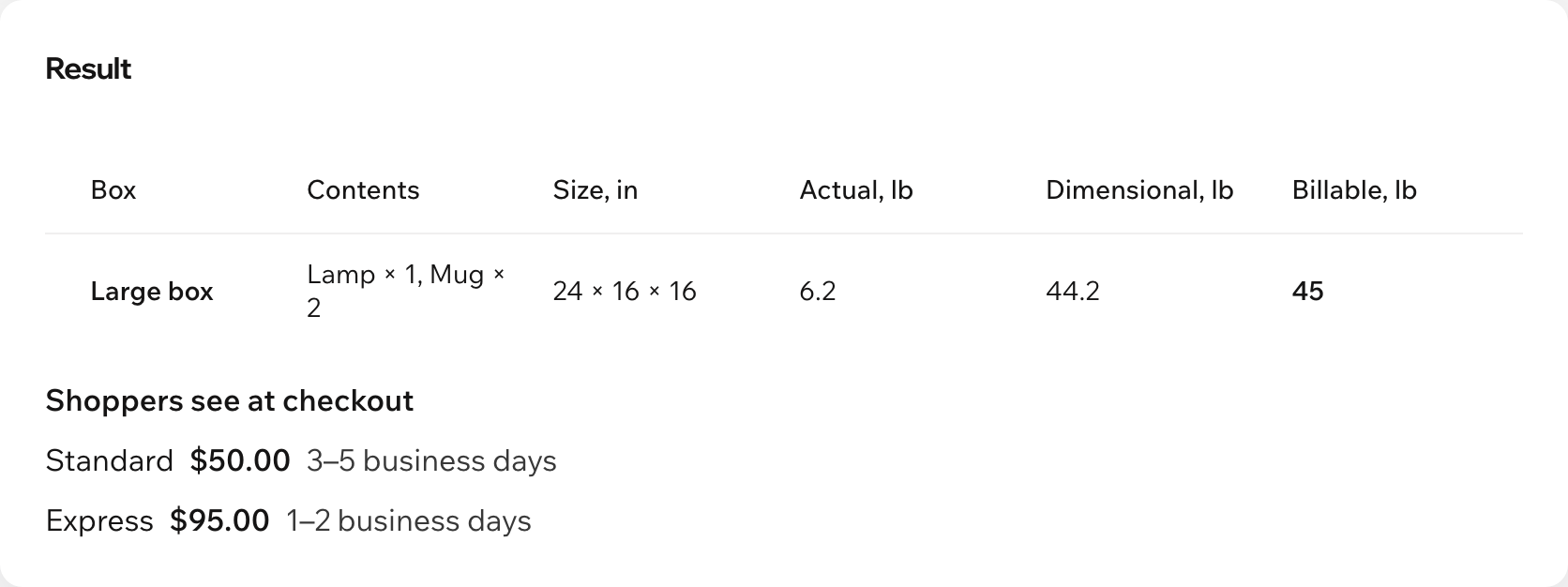
Change the products and quantities. The app's own packing and price calculation shows the box it picks, the dimensional and billable weight, and what shoppers pay for each shipping option.
This is a demonstration with sample boxes, prices and products. The calculation is the same code that prices carts at checkout, and it runs in your browser. Nothing is saved or sent.
Inside size, divisor 139 in³/lb
| Box | Size, in | Box weight, lb |
|---|---|---|
| Small box | 12 × 9 × 6 | 0.4 |
| Medium box | 16 × 12 × 12 | 0.9 |
| Large box | 24 × 16 × 16 | 1.8 |
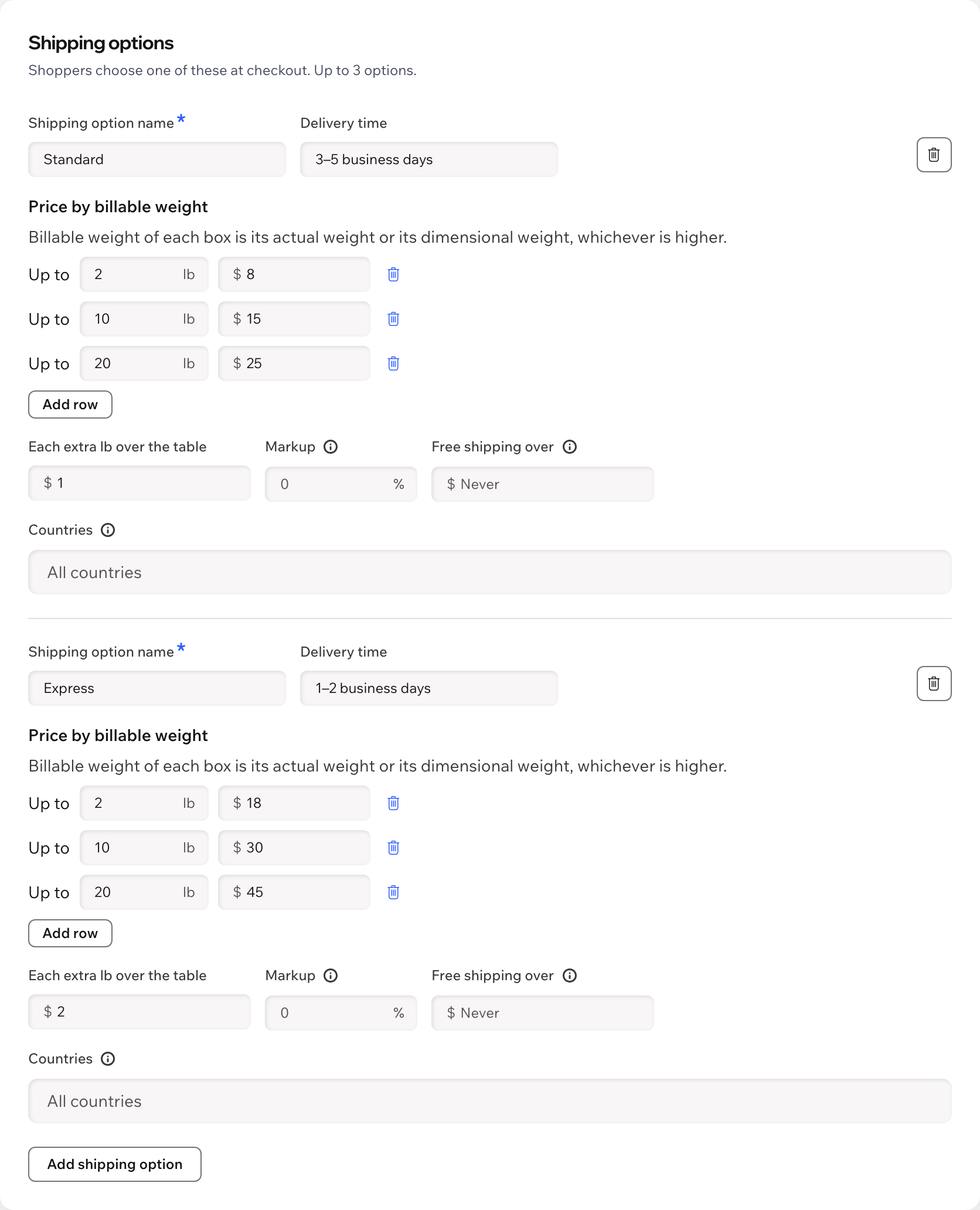
Price per box. Over 20 lb: the last price plus each extra lb
| Up to | Standard | Express |
|---|---|---|
| 2 lb | $8.00 | $18.00 |
| 10 lb | $15.00 | $30.00 |
| 20 lb | $25.00 | $45.00 |
| Each extra lb | $1.00 | $2.00 |
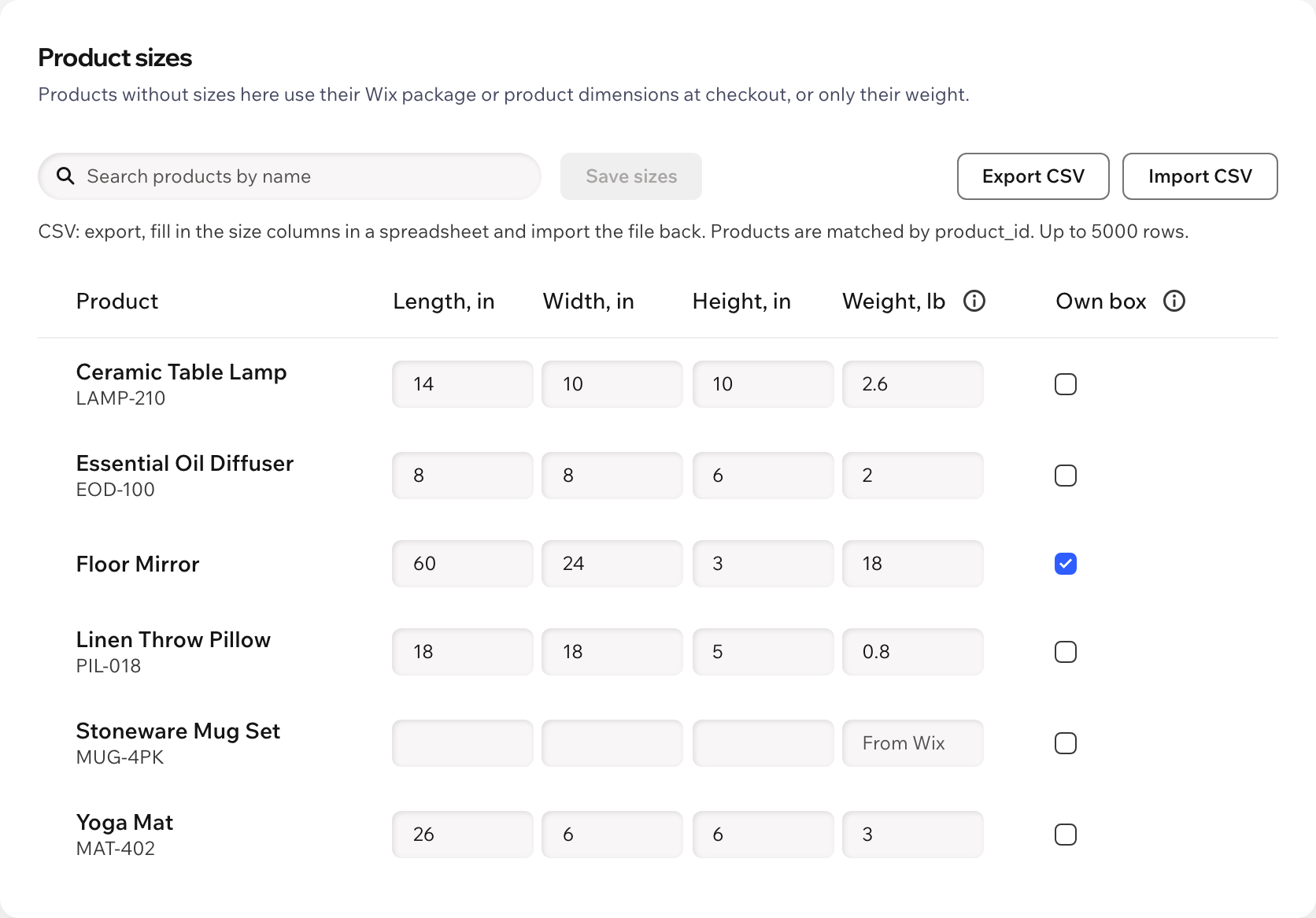
Own box: the product ships alone in its own packaging.
Loading the calculation…
What you get
Checkout rates come from your box sizes, so light bulky orders aren't undercharged.
Each order is packed into your boxes before it is priced. Products marked Own box ship alone in their own packaging.
Each box is priced by its actual weight or its dimensional weight, whichever is higher. Pick the dimensional weight divisor of your carrier.
For example Standard and Express, each with its own delivery time and price table by weight. Add a markup or a handling fee, offer free shipping over an order subtotal, or limit an option to selected countries.
Sizes come from the package or product dimensions in your store, or you enter them on the Product sizes tab or import a CSV file.
See how a cart is packed, its boxes and billable weight, and the price shoppers pay, before you turn rates on.
What you see
Shoppers choose a shipping option at checkout. You set up boxes, prices and product sizes in your Wix dashboard; the app adds nothing to your site pages.
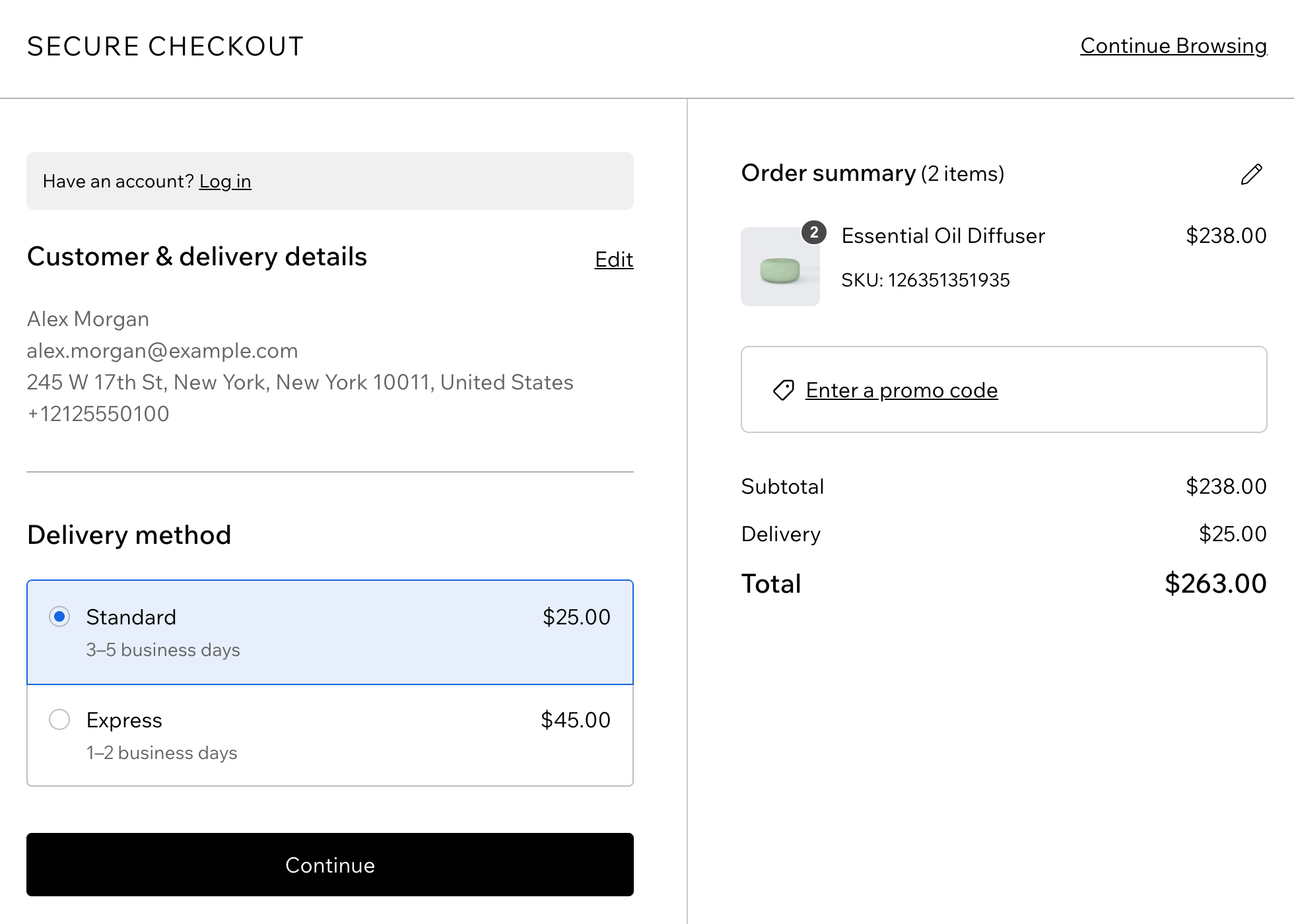
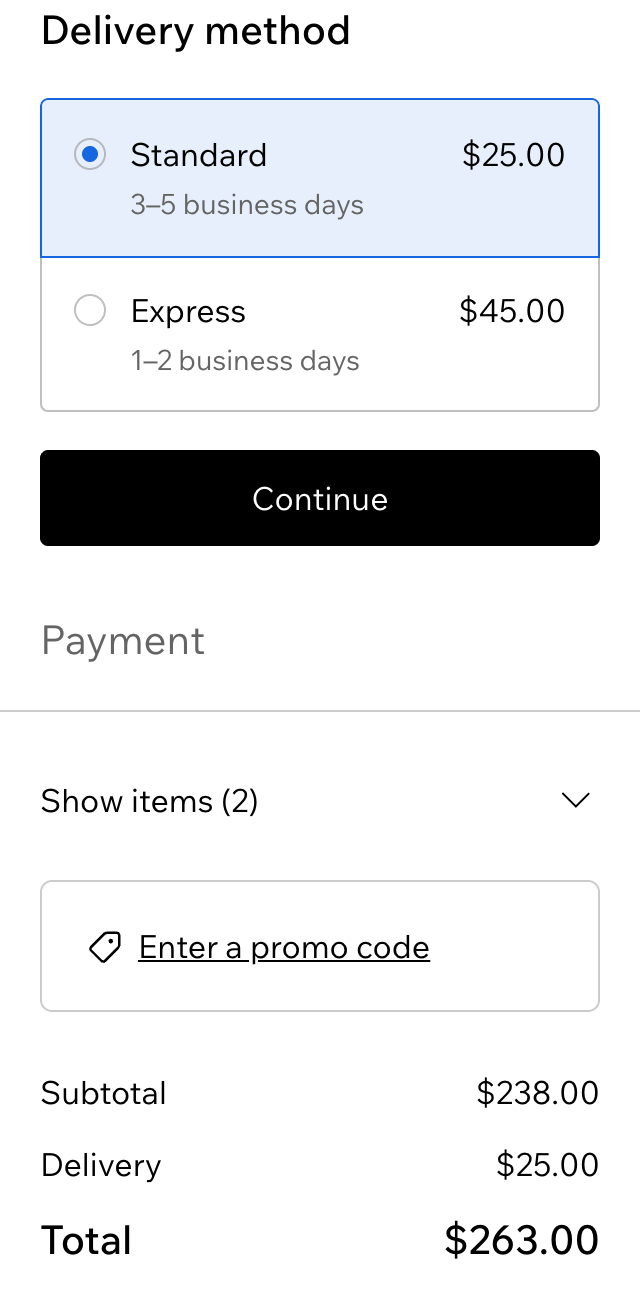
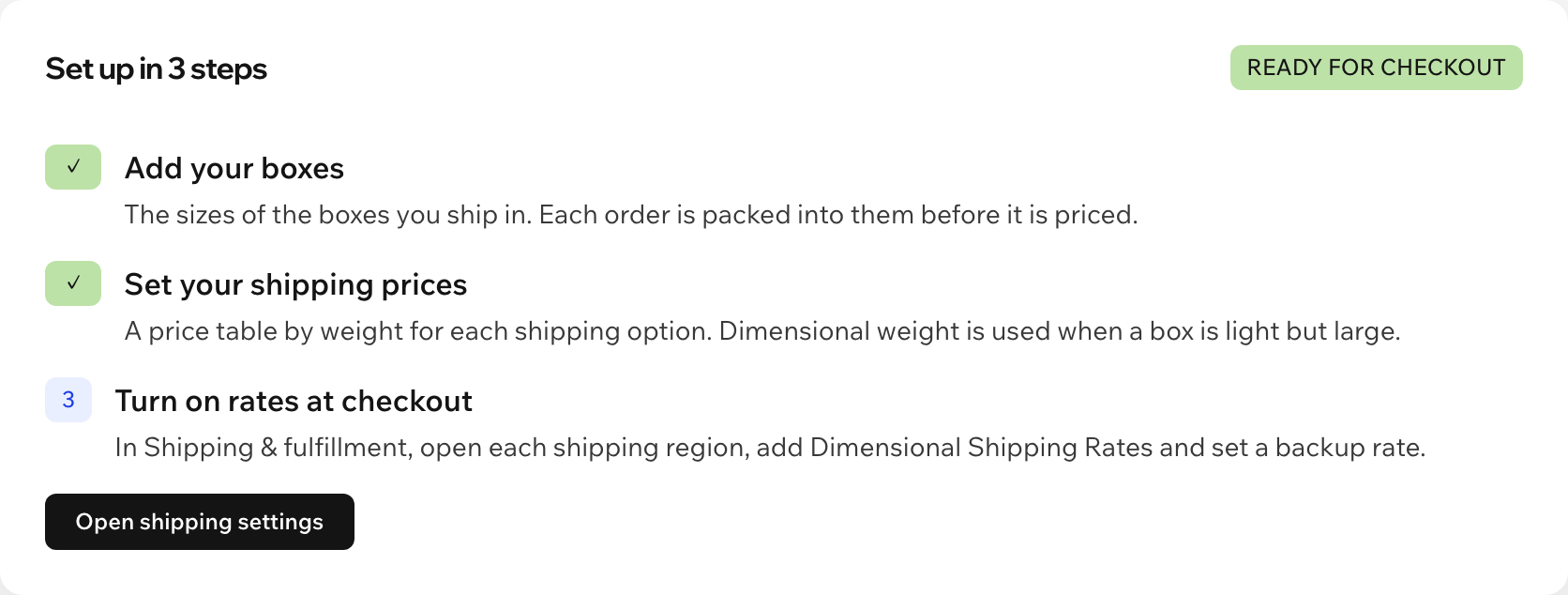
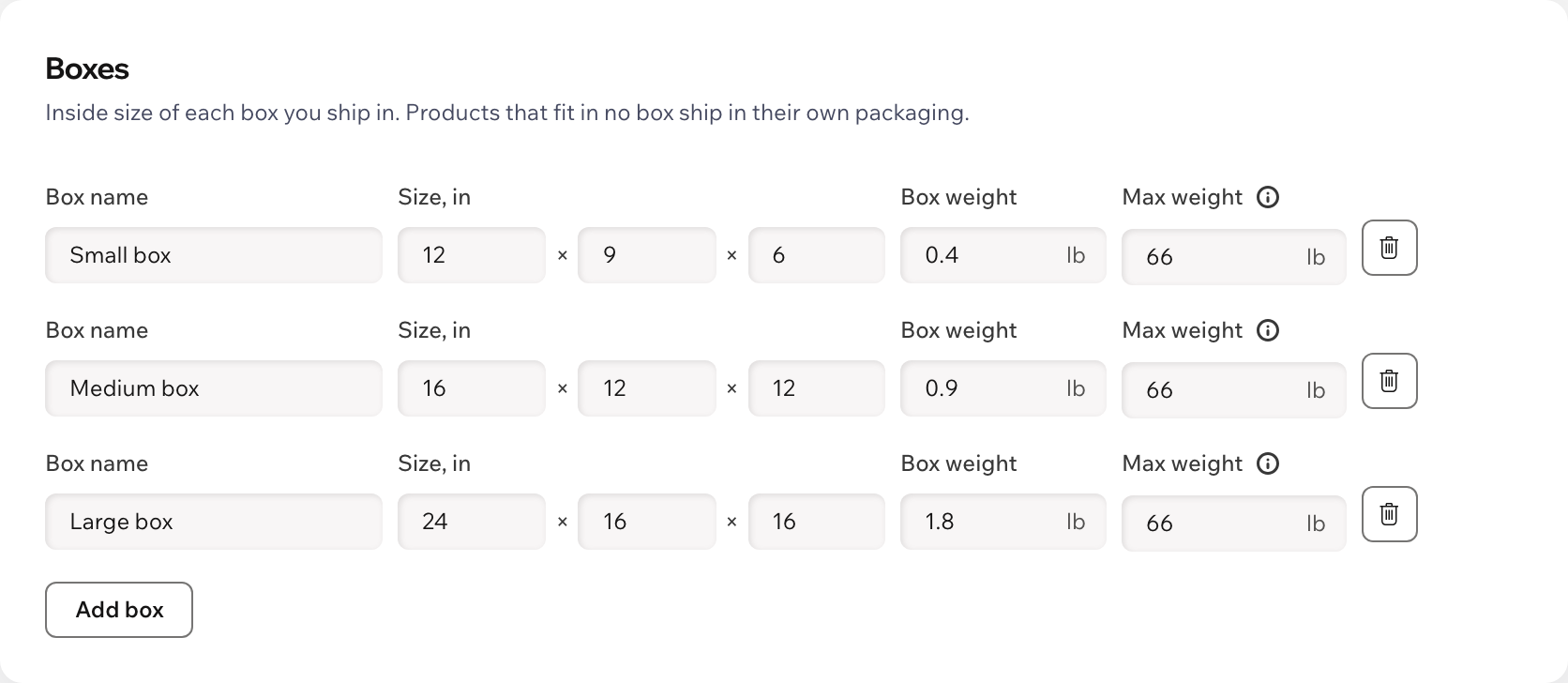
Screenshots of the app on a test store with made-up products.
Pricing
$12.99/month
or $9.99/month billed yearly · 7-day free trial
No plan yet? Set up your boxes, prices and product sizes and test carts for free. Shoppers see your rates at checkout once the free trial starts. Prices shown in USD.
The size of a box turned into weight: length × width × height divided by your carrier's divisor, for example 139 for UPS and FedEx daily rates in inches and pounds, or 5000 in centimeters and kilograms. The billable weight is the higher of the actual weight with the box and the dimensional weight, rounded up to your weight step. In inches, each side is rounded up to a whole inch first, as UPS and FedEx do.
From the sizes you enter on the Product sizes tab or import from a CSV file. Products without them use the package or product dimensions from your store, or only their weight.
In Shipping & fulfillment, open each shipping region, add Dimensional Shipping Rates and set a backup rate. The app works with Wix Stores products.
Checkout shows the backup rate from your shipping settings, for example for a very large order of more than 500 items, a checkout in another currency or a country none of your options ships to.
Pounds and inches, or kilograms and centimeters. Prices are in your store currency.
Up to 20 boxes, 3 shipping options and 30 price rows for each option.