Files right after checkout
A paid order shows the buyer's files on the thank-you page. With offline payment, buyers see that the link comes by email once you mark the order paid.
 Digital Downloads & Updates Get the app
For digital products · Supported in Aria
Every buyer gets a personal link to their files and can come back any time. Upload a new version, and buyers get it with the same link. Lost the email? Buyers ask for a new link right on the product page.
Try the live demo View on App Market7-day free trial, then $6.99/month or $5.99/month billed yearly. Unlimited products, buyers and downloads.
Live demo
The block on the thank-you page, the download window, their texts, file rules and the lost link form run the same code you install. Nothing is downloaded or sent: this demo has no real files and sends no emails.
Order #10024 · You'll receive a confirmation email soon.
Budget Planner 2027 · PDF$12.00
$12.00
Edition: PDF
The pages around the block are illustrations. Right after checkout, a paid order shows its files on the thank-you page. The email has a link to the product page with a personal ?download= code: it opens the download window over the page. Without the code, shoppers see nothing. With an empty ?download=, the window shows the lost link form.
What you get
A paid order shows the buyer's files on the thank-you page. With offline payment, buyers see that the link comes by email once you mark the order paid.
Every paid order also gets a personal link in an email. It opens the buyer's files in a window on the product page and doesn't expire.
An e-book in several formats, a bonus pack, or a separate file for each product variant. Buyers get only what they paid for.
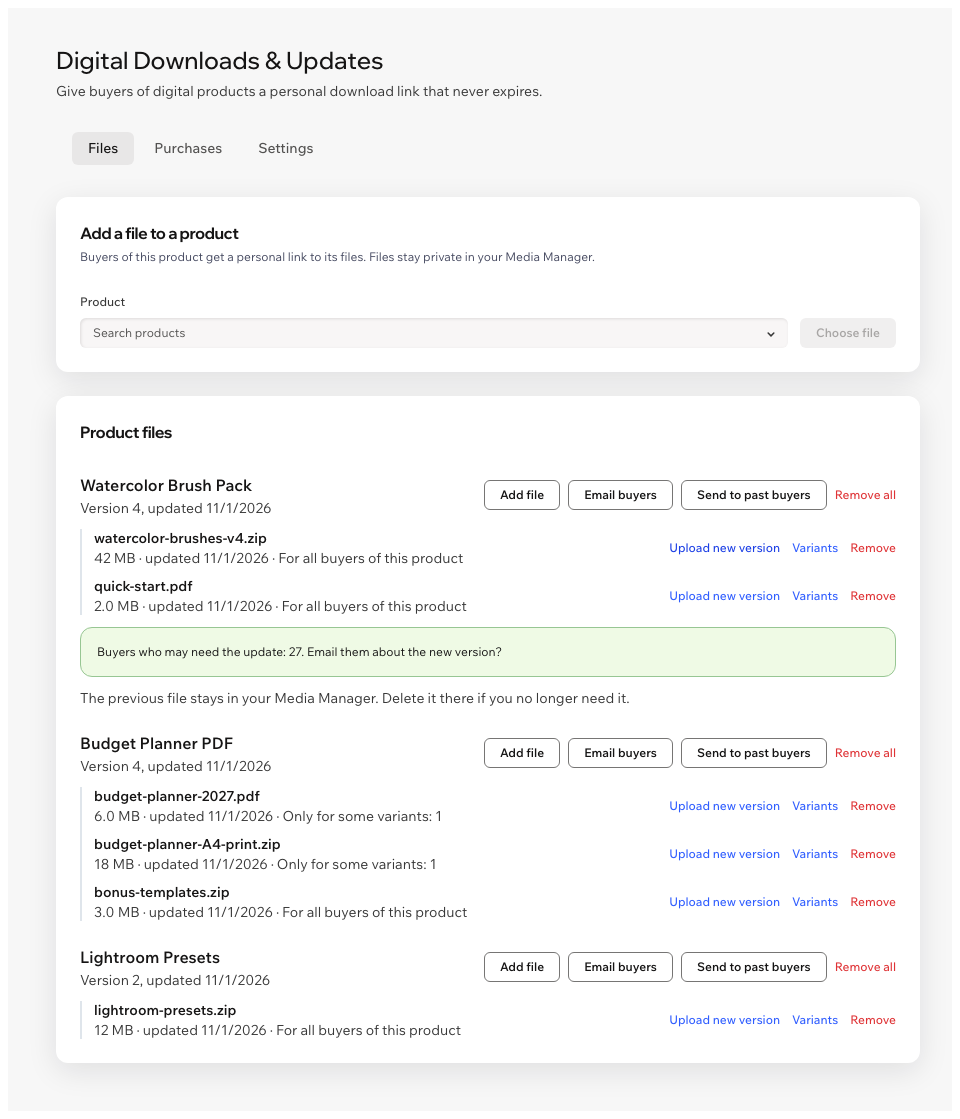
Upload a new version and buyers get it with the link they have. Email only the buyers the change applies to.
Sold files before you installed the app? Send download links to past buyers of a product in one click.
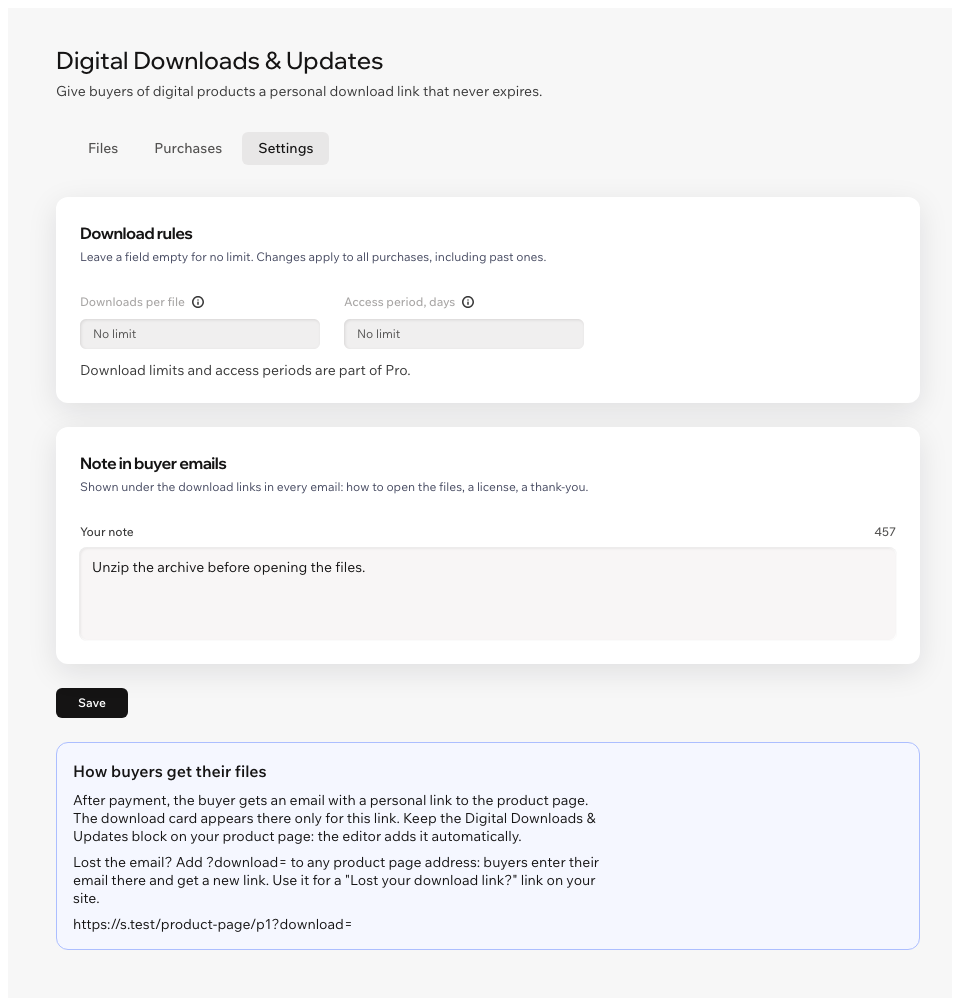
Buyers enter their email on the product page and get a new link. Add ?download= to a product page address for a "Lost your download link?" link.
Files stay private in your Media Manager. Each download gets a fresh file link that works for 15 minutes.
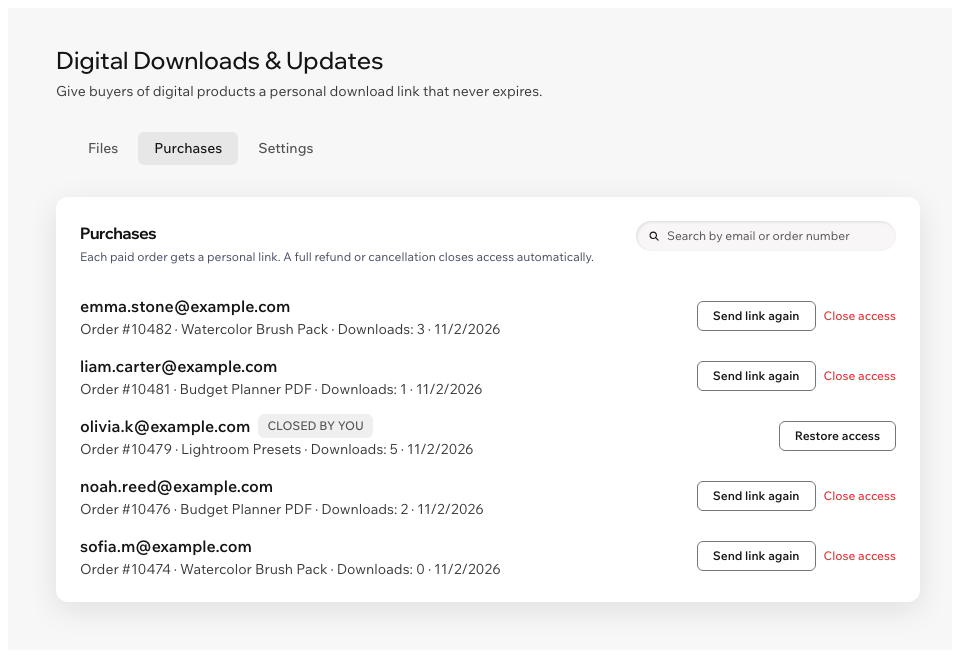
See downloads per order, send a link again, close or restore access. A full refund or cancellation closes access on its own.
Set how many times each file can be downloaded, or how many days access lasts after the purchase.
Add your own note under the download links in every email: how to open the files, a license, a thank-you.
The download block follows your site's language, right-to-left included. The dashboard is in 9 languages.
Ask Aria, the Wix AI assistant, about your files, purchases and plan right in your dashboard.
What you see
Add files to a product, upload new versions and email the buyers who need them. See every purchase and decide who keeps access.
Pricing
$6.99/month
or $5.99/month billed yearly · 7-day free trial
Prices shown in USD. Current plans and pricing are on the App Market listing.
No. The personal link from the email keeps working, so buyers can come back for their files any time. Each click on Download makes a fresh file link that works for 15 minutes, so a copied file link soon stops working. You can set an access period if you want one.
They open a product page with ?download= at the end of the address, enter the email from their order and get a new link. Link to it from your site as "Lost your download link?". You can also click Send link again under Purchases.
A full refund or a cancelled order closes access to the files automatically. A partial refund keeps access: close it yourself under Purchases if you need to, and restore it at any time.
Up to 10 files per product, for as many products as you like. Put more files into a zip archive.
In your site's Media Manager, as private files. Buyers never get the file's address: each download uses a temporary link. The list of files and purchases is kept in data collections on your own site.
Only the files for all buyers of the product and the files for the variant they bought. In the demo above, switch the edition: the PDF and the print file go to different buyers, the bonus pack goes to both.
Click Upload new version next to the file. Buyers get the new file with the link they already have, and the old file stays in your Media Manager. Email the buyers the update applies to: buyers of other variants don't get the email.