Live price as they answer
The total and the breakdown update with every answer. Visitors send the request with the estimate already in it.
 Cost Calculator Get the app
Cleaning · Moving · Painting · Photography · Supported in Aria
Stop answering “how much?” one message at a time. Visitors answer a few questions about the job, watch the estimate change as they go and send you a request with the full breakdown.
Try the live demo Get it on the App MarketFree plan: one calculator with up to 12 questions, requests and alerts. Pro: $7.99/month or $79/year, with a 7-day free trial.
Live demo
It runs the same code that goes on a merchant's site, with the app's own templates. This is a demo: the price is worked out in your browser, and requests are not sent or saved.
The page around the calculator is an illustration. Prices are the templates' sample prices: you set your own. The title and the note under the price are written as an owner would write them, and the Spanish version shows questions an owner translated, with prices in euros. Try “Price after contact” to see the total appear only after a visitor leaves an email.
What you get
The total and the breakdown update with every answer. Visitors send the request with the estimate already in it.
Cleaning, moving, painting, landscaping, photography, catering, printing, web design, detailing, renovation, events, or start blank.
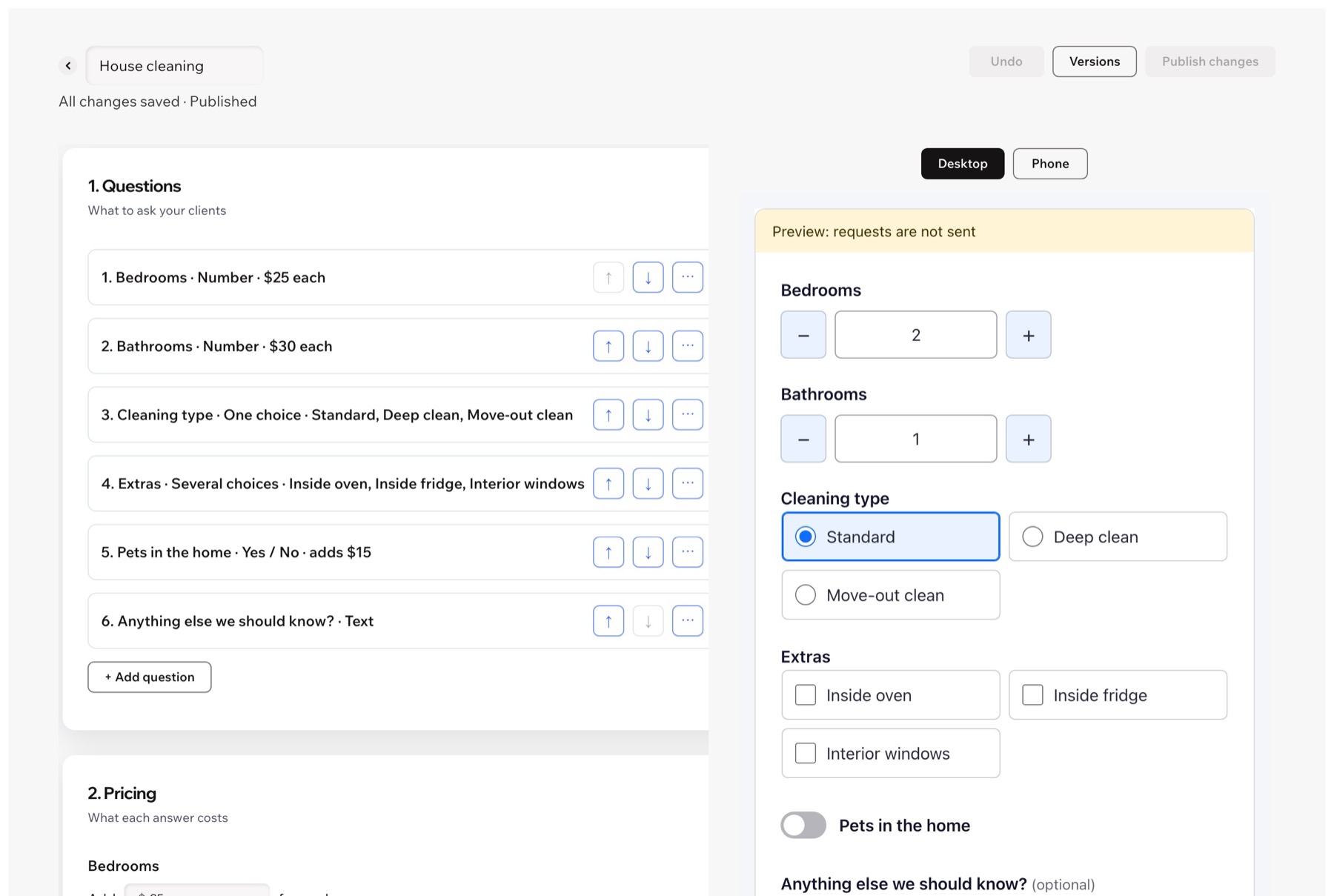
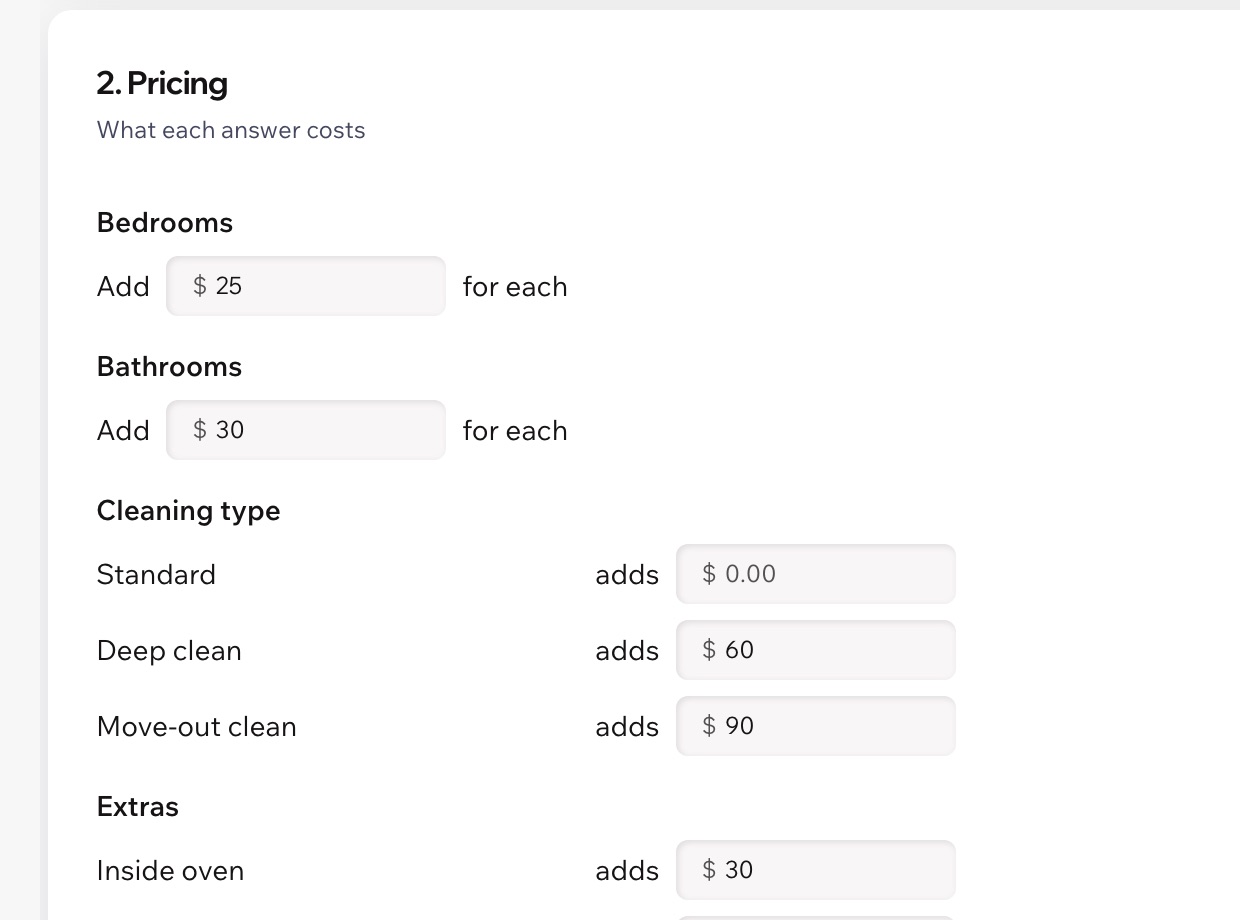
“Add $25 for each room”, a price per option, a minimum price and rounding. Pro adds formulas, tiers, named fees and tax.
Show the total only after visitors leave an email or phone, or show a from–to range with a hidden margin built into your prices.
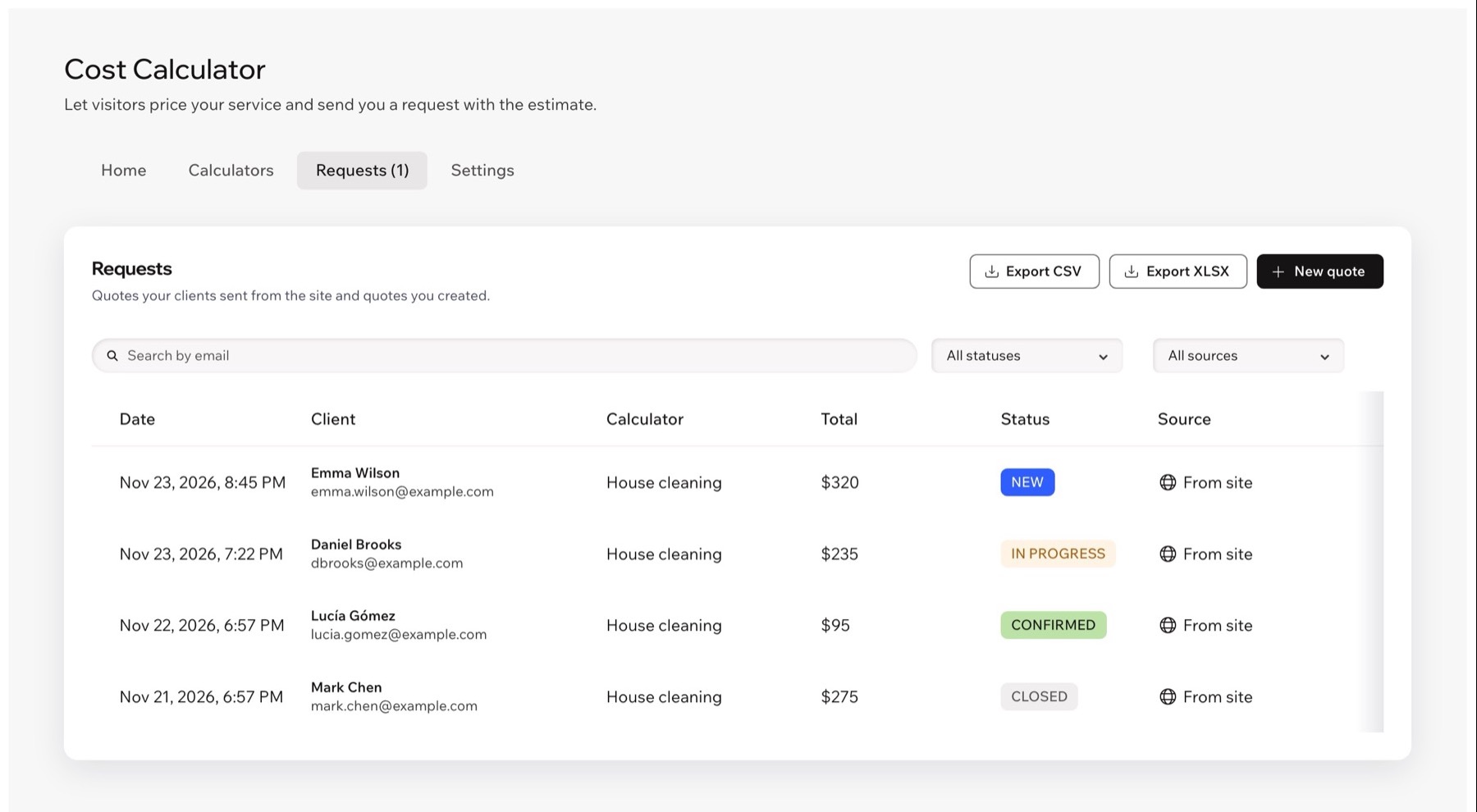
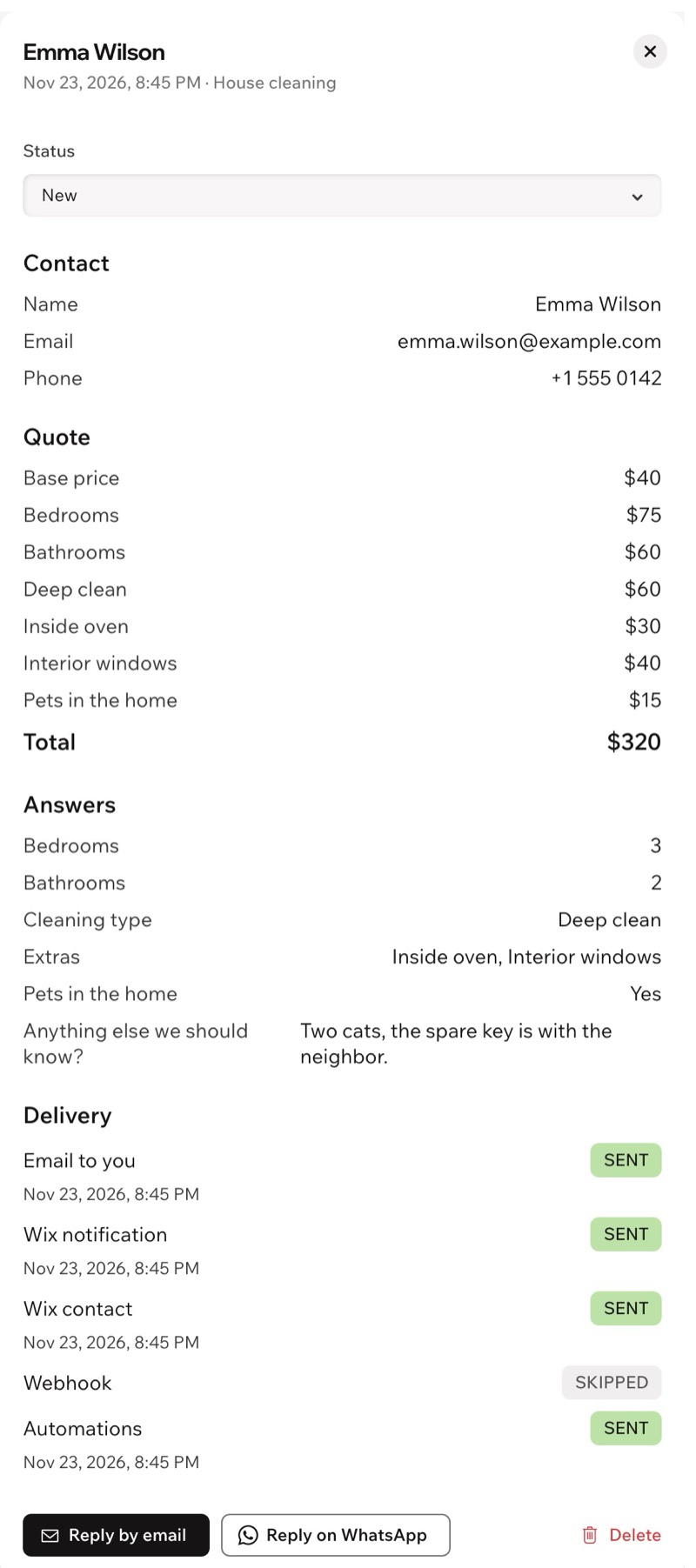
Every request is saved with the answers, the estimate and a delivery log, even if an email does not arrive. It goes to your contacts too.
Reply by email or WhatsApp with the quote filled in. On a call? Fill in your calculator yourself with New quote and send it.
Live preview on a phone and a computer, drafts and Publish changes, versions to restore, questions that show only when they matter.
An email and a notification for every request, a reminder for requests waiting a day. Pro CSV, Excel and webhooks. Aria, the Wix AI assistant, can sum up your requests.
What you see
Pick a template, set your prices and watch the preview. Requests arrive with the estimate and the answers, and the card shows what was delivered.
Pricing
$0
$7.99/month
or $79/year · 7-day free trial
No limits on views or requests on either plan. Prices shown in USD.
In your editor, click Add Elements, then App Widgets, and drag Cost Calculator onto a page. Choose the calculator in the block's Settings and publish your site.
The Free plan gives you one calculator on your site with up to 12 questions, all templates and question types, steps and conditional questions, requests, contacts and alerts. Pro adds formulas, tiers, named fees and tax, price after contact, a price range, CSV, Excel and webhook export, unlimited calculators and removes the app label. You can try Pro features in the builder preview before you upgrade.
No. The hidden margin is built into the prices before they reach the page, and with “Show price after contact” the price is calculated on the server.
The request is still saved. Every request is kept in Requests, and its card shows a delivery log: email, notification, contact and webhook. Check your alert settings and your spam folder.
With Pro, add a webhook URL from Zapier, Make, n8n, Pabbly or IFTTT in the calculator's Result & form step, or download requests as CSV or Excel.
Your calculator keeps working and never shows a wrong price. A calculator that uses Pro pricing rules shows the request form without a price until you upgrade or change the rules, and all your requests stay available.
Your calculators and requests, in data collections on your own site: the visitor's name, email, phone, comment and answers, the estimate, the status and the delivery log. Visitors who leave their details are also added to your contacts.