An equal choice
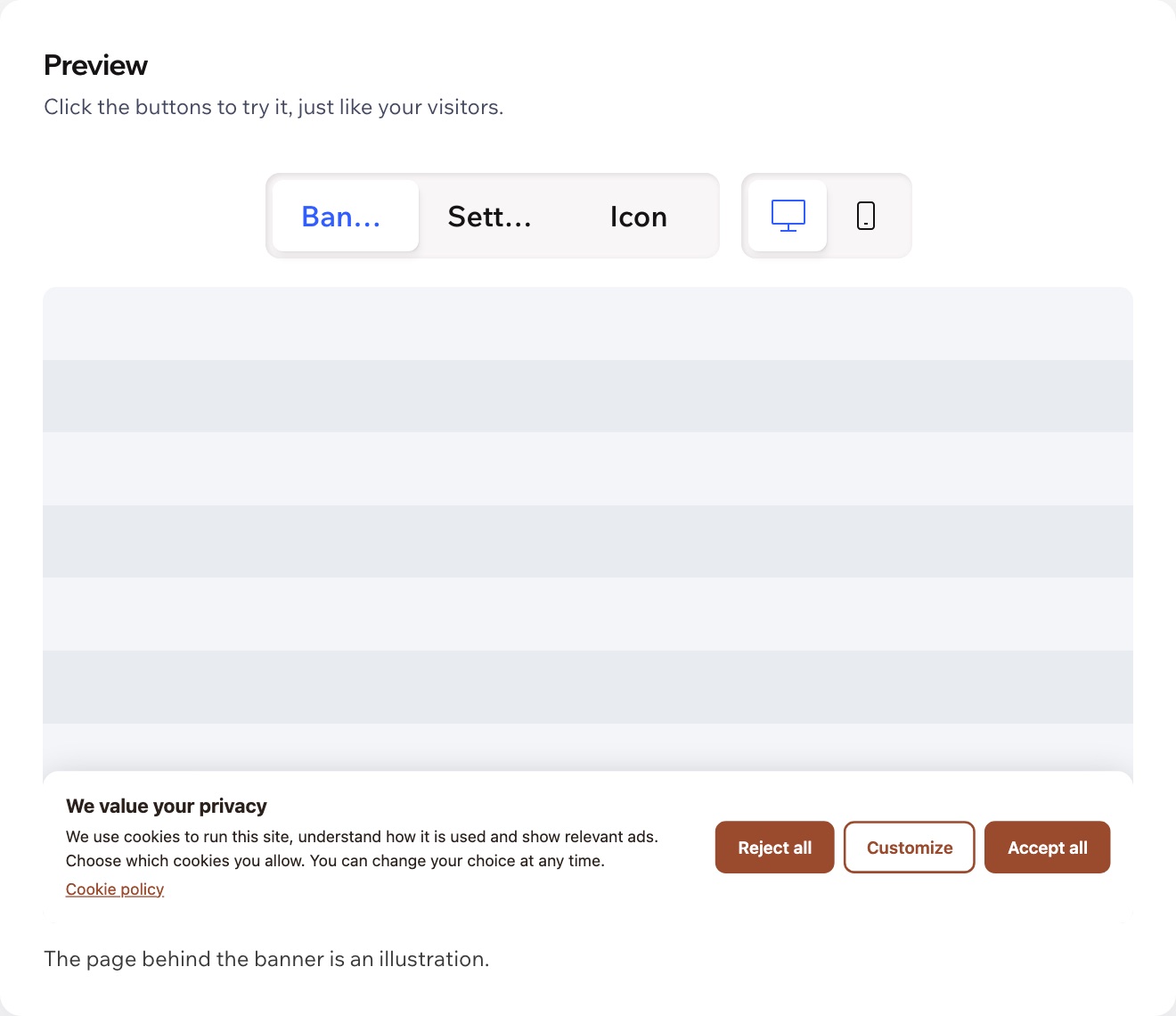
Accept all, Reject all and Customize get the same weight, so saying no is as easy as saying yes.
 Cookie Banner Get the app
For any Wix site · Supported in Aria
Cookie Banner: GDPR Consent shows one clear banner on every page: Accept all, Reject all or Customize, with equal weight. The choice goes into your site privacy settings, so analytics and ad tools connected to your site wait until visitors agree.
Try the live demoThe banner is free. Pro adds Google Consent Mode v2, a CCPA “Do Not Sell or Share” option and your own texts for each language: $4.99/month or $3.99/month billed yearly, with a 7-day free trial.
Live demo
The banner below runs the same code merchants install. Accept, reject or open Customize, then reopen it from the cookie icon or the “Cookie settings” link in the store footer. Nothing is saved or sent.
Small-batch mugs, bowls and vases, glazed by hand in our studio.
Shop the collection© Fern & Clay · Cookie settings
Choose in the banner to see what your site would save.
The store is an illustration and so is the saved choice: on your site it goes to your site privacy settings, and the page reloads when the choice changes so Wix applies it.
What you get
Accept all, Reject all and Customize get the same weight, so saying no is as easy as saying yes.
Functional, analytics and advertising, each with a short note. Essential cookies are always on; hide a category your site doesn't use.
The choice goes into your site privacy settings, and the tools connected to your site load only for the categories visitors allowed.
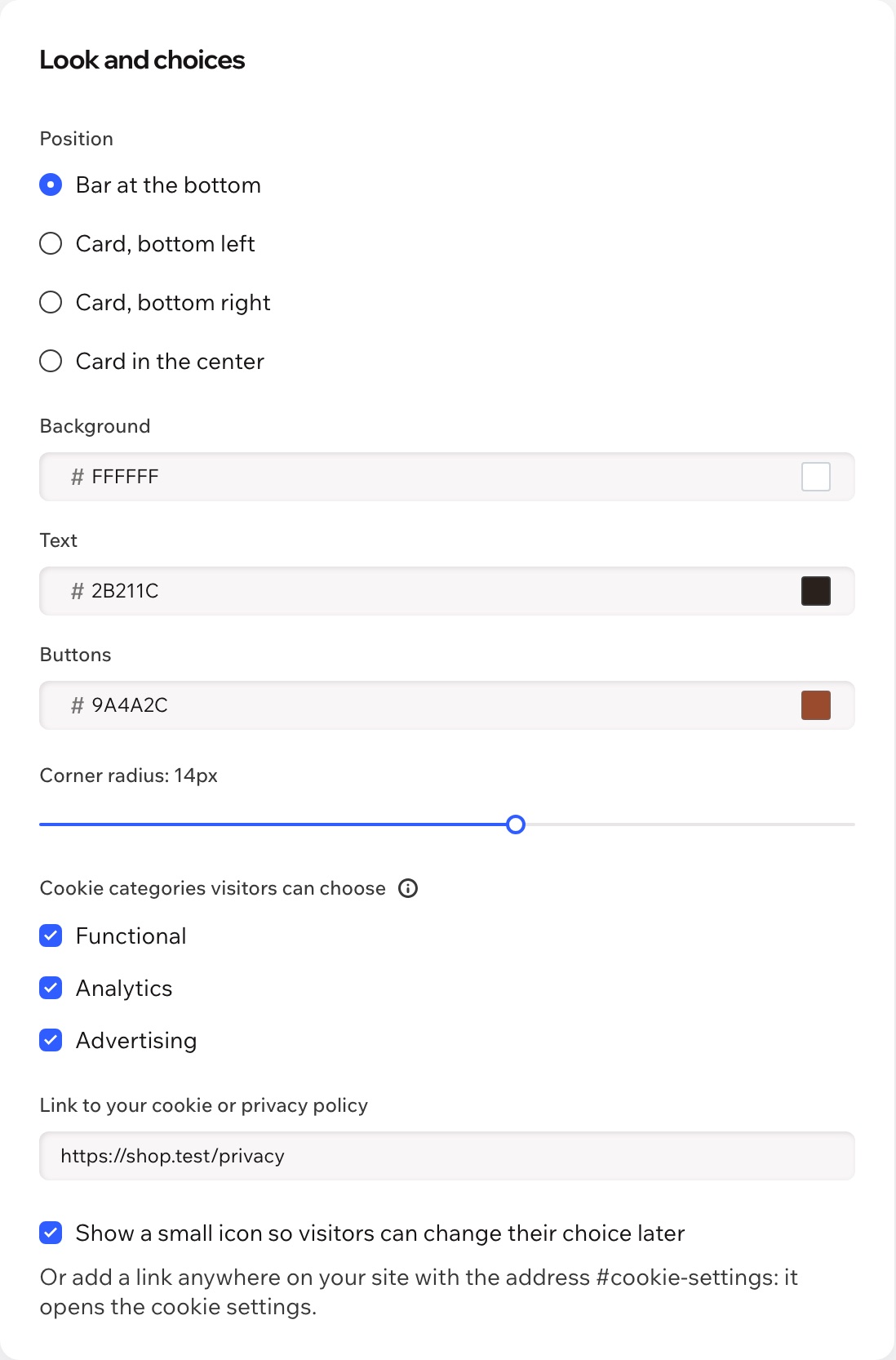
Bottom bar or a card on the left, right or center. Your colors, corners, texts and policy link, with a live preview in the dashboard.
A small cookie icon stays in the corner. Prefer your own link? Add one with the address #cookie-settings to your menu or footer.
Full width with large buttons on phones. The settings window keeps focus inside, closes with Escape and works with screen readers.
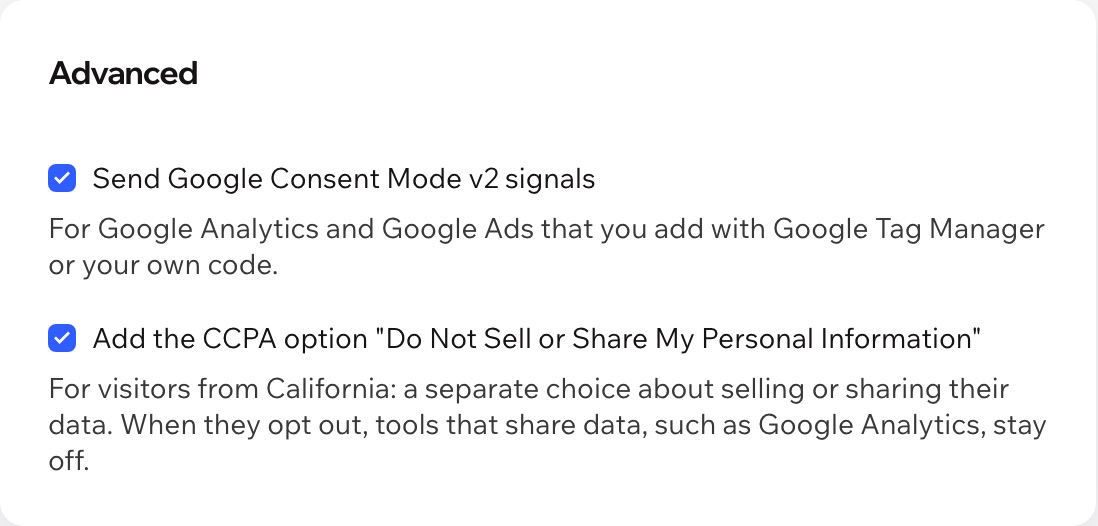
With Pro, Google tags you add with Google Tag Manager or your own code get the visitor's choice as consent signals.
The banner follows your site language, the dashboard speaks both, and Aria, the Wix AI assistant, can read your banner settings.
What you see
One button turns the banner on. Pick the position, colors and categories and try every button in the live preview before your visitors do.

Pricing
$0
The whole banner, on every page
$4.99/month
or $3.99/month billed yearly · 7-day free trial
Asking for consent is never behind a paywall: the free banner has every category, look and text setting. If Pro ends, the banner keeps working without the Pro extras. Prices shown in USD.
No app can promise that, and this one is not legal advice. It asks visitors before optional cookies are used, makes Reject all as easy as Accept all and lets them change their mind. What your site needs also depends on the tools you use, your policy texts and where your visitors come from: if you are unsure, ask a lawyer.
Wix blocks the tools and integrations connected through your site by cookie category until visitors allow that category. Code added in a way that skips your site privacy settings may not be blocked; when you add custom code, choose its cookie category in your site settings.
Use one consent banner per site. Turn off the Wix cookie banner (Usercentrics) in your dashboard under Settings, Privacy & Cookies; the app dashboard reminds you if both are on.
Turn off the banner in the app dashboard first, then remove the app. Turning it off sets your site back to loading all scripts without asking; if you remove the app while the banner is on, your site may keep blocking analytics and ads until you install it again and turn the banner off.
Wix applies a new consent choice when the page loads. When a choice changes something, the banner reloads the page once, so the tools visitors allowed start and the ones they turned off stop.
From the small cookie icon in the corner, or from any link on your site with the address #cookie-settings, for example in your footer. You can hide the icon and use only the link.
The banner follows your site language: English and Spanish are built in, other languages show English unless you write your own texts. On the free plan your texts apply to every language; Pro lets you write them for each language.
With Pro, the banner tells Google tags on your page what visitors allowed: everything is denied until they choose, then updated with their choice. Use it when you add Google Analytics or Google Ads with Google Tag Manager or your own code.
Only your banner settings, in a data collection on your own site. The visitor's choice is saved by Wix in the visitor's browser and your site privacy settings; the app collects no personal data about visitors.