Shared spaces
Group the services that use one room or one piece of equipment. Once one is booked, the others can't be booked at an overlapping time.
 Double Booking Rules & Limits Get the app
Bookings · Shared rooms · Daily limits · Supported in Aria
A yoga class and a private studio rental in the same room, a group sauna and a private hire: once one of them is booked, the other can't be booked at an overlapping time. Rules are checked on the server the moment a customer books.
Try the live demo View on App Market7-day free trial, then $4.99/month or $3.99/month billed yearly.
Live demo
The rules below run the same code the app uses to check bookings. The Studio is shared by a yoga class and a private rental, and you take at most 3 massages a day. Nothing is booked or saved: reload to start over.
Pick a service and a time, then try to book.
The services, times and bookings are an example. On a real site the customer books in the usual Wix booking page; when a rule stops a booking, it isn't created and Wix asks the customer to try again.
What you get
Group the services that use one room or one piece of equipment. Once one is booked, the others can't be booked at an overlapping time.
A class session and a private appointment in the same room block each other. More people can still join the same class session.
Keep up to 4 hours free before and after each booking in a space, for cleaning or setup.
Take no more than a set number of bookings or participants per day, for chosen services or for all of them, in your time zone.
When a customer books several services in one go, all of them stay with the same staff member.
See every booking your rules stopped: the rule, the service and the time.
Bookings you add in the dashboard can skip the rules. Courses aren't checked.
If the app can't check a booking in time, the booking goes through. English and Spanish dashboard, and Aria can tell you your rules.
What you see
Name a space, tick the services that use it and save. Add a daily limit if you need one. Rules apply to new bookings right away once your trial starts.
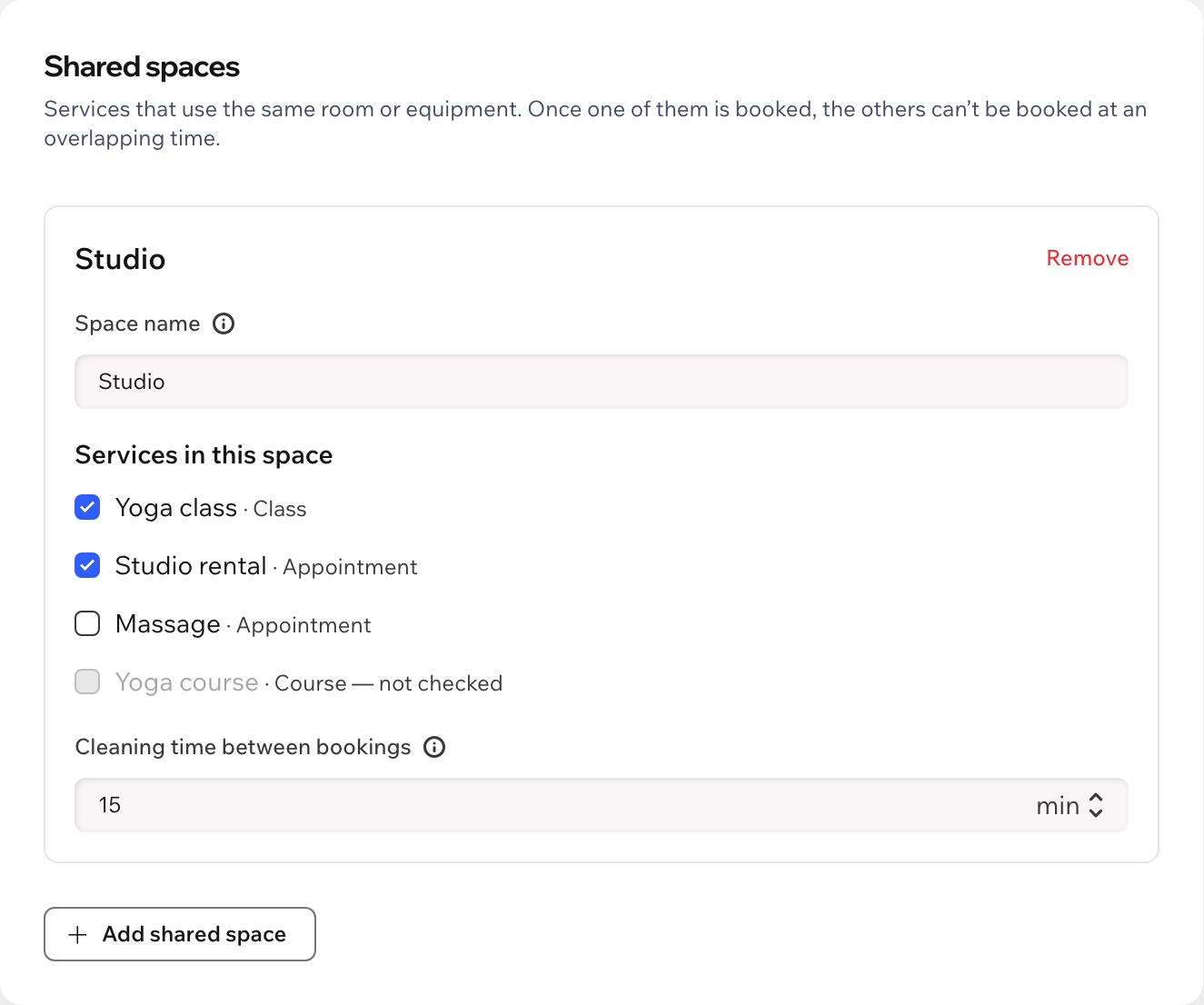
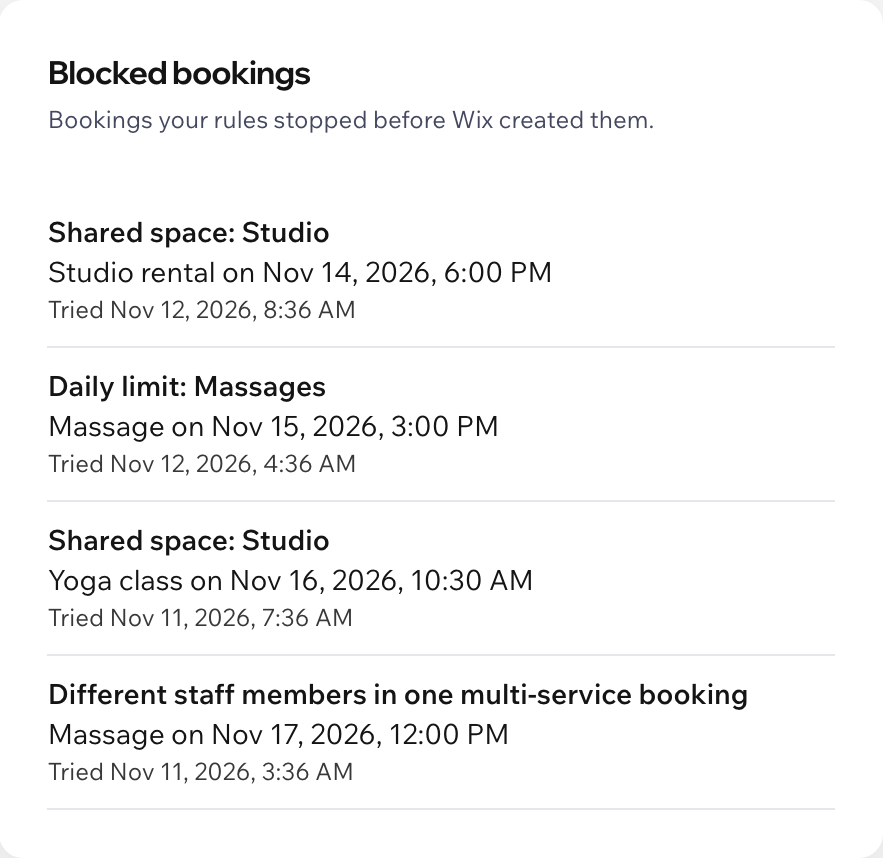
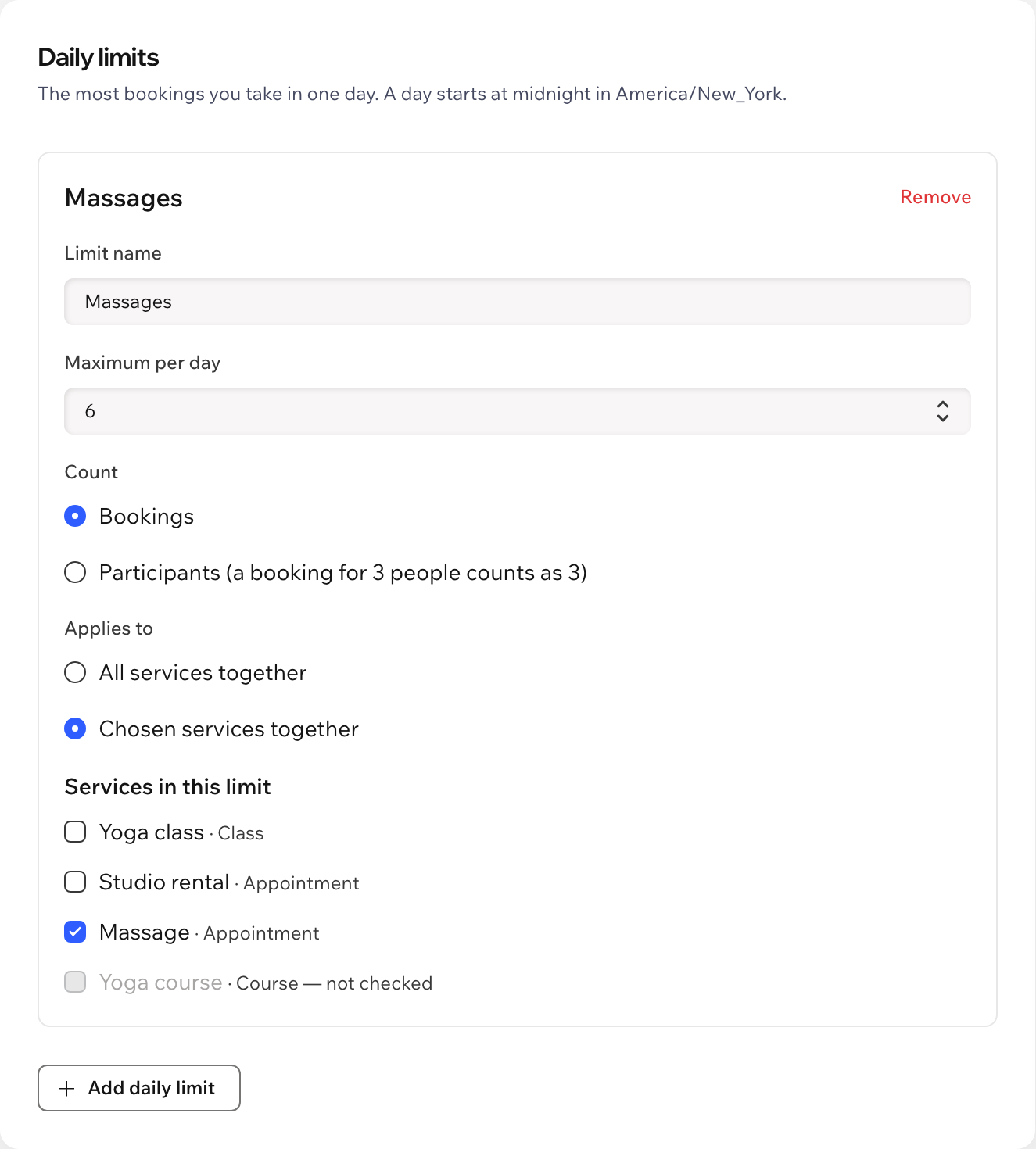
Screenshots of the app dashboard with sample services.
Pricing
$4.99/month
or $3.99/month billed yearly · 7-day free trial
There is no free plan. Set your rules up first: they start checking bookings once your free trial or Pro plan is active. Prices shown in USD.
Wix Bookings with your services. Open the app dashboard, add a shared space or a daily limit and save. Nothing is added to your site pages.
The usual Wix booking page. The booking isn't created and Wix shows its standard message asking the customer to try again. Wix doesn't show a custom message from apps there yet, so mention on your service pages which services share a room.
Confirmed bookings and bookings waiting for your approval. Unpaid bookings that were never completed don't hold a time.
Yes. Joining the same class session is never a clash. A different session or a private booking in the same room at an overlapping time is.
Courses aren't checked, because a course booking covers many weeks. Bookings you or your staff add in the dashboard skip the rules unless you turn that on.
Then bookings go through as if the app wasn't installed. The app never stops your customers from booking because of a problem on its side.
Your rules and a log of stopped bookings in data collections on your own site: the rule, the service and the time. No names, emails or phone numbers are stored.