On your product pages
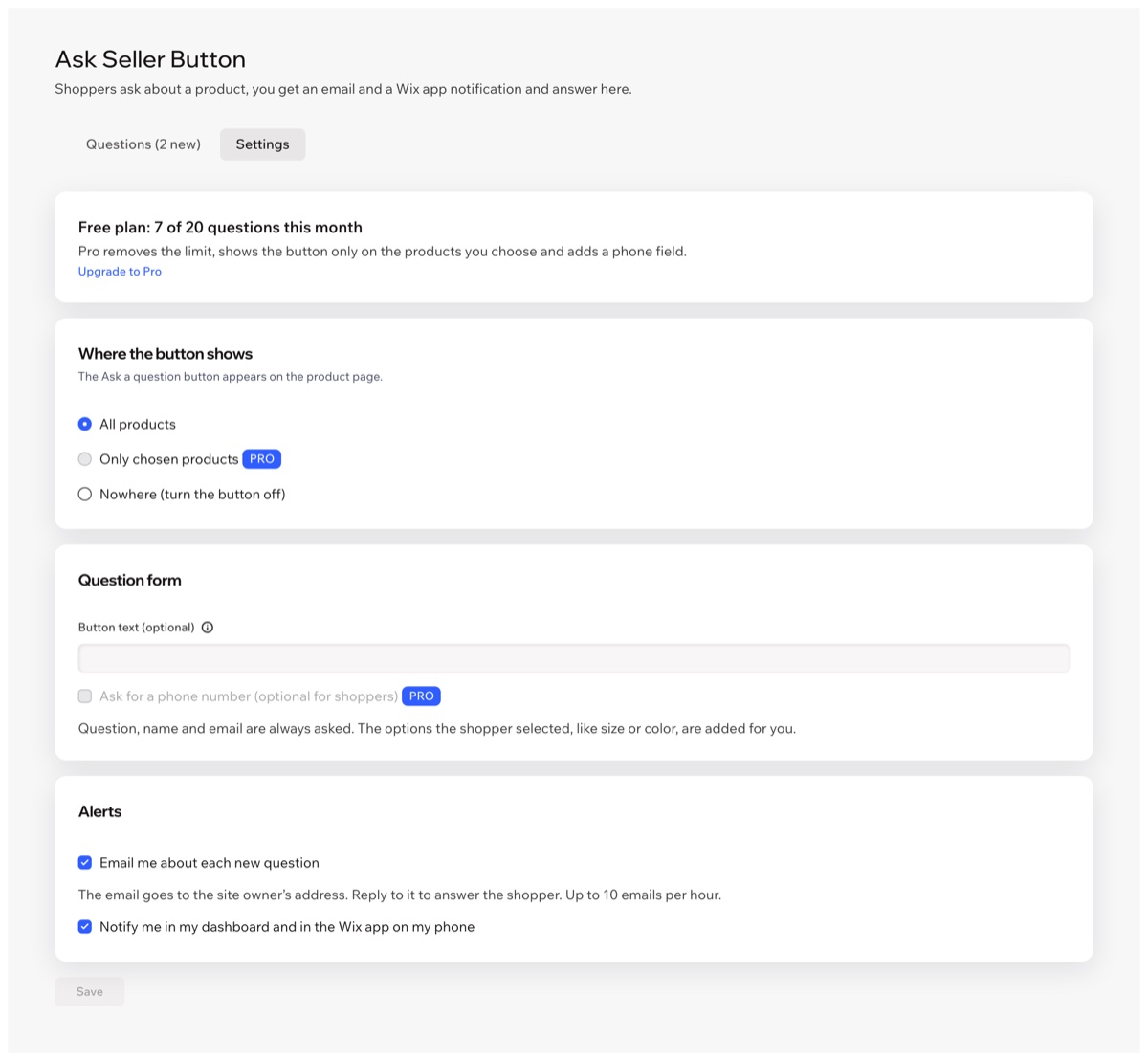
The Ask a question button is added to product pages on its own, on every product. With Pro, only on the products you choose.
 Ask Seller Button Get the app
For online stores · Supported in Aria
Ask Seller Button adds an Ask a question button to your product pages. Shoppers send their question, and you get an email you can answer by simply replying, plus a notification in your dashboard and on your phone.
Try the live demo View on App MarketFree plan with 20 questions a month. Pro removes the limit.
Live demo
The button, the form and its checks run the same code you install. Nothing is saved or sent: questions in this demo go nowhere.

$24.00
Color: White
Size
Pick a size, then ask: the options you picked go with the question. In the editor and preview of your site the button is a sample; the form opens on the published site.
What you get
The Ask a question button is added to product pages on its own, on every product. With Pro, only on the products you choose.
The size, color or other options the shopper picked go with the question, so you know what they mean.
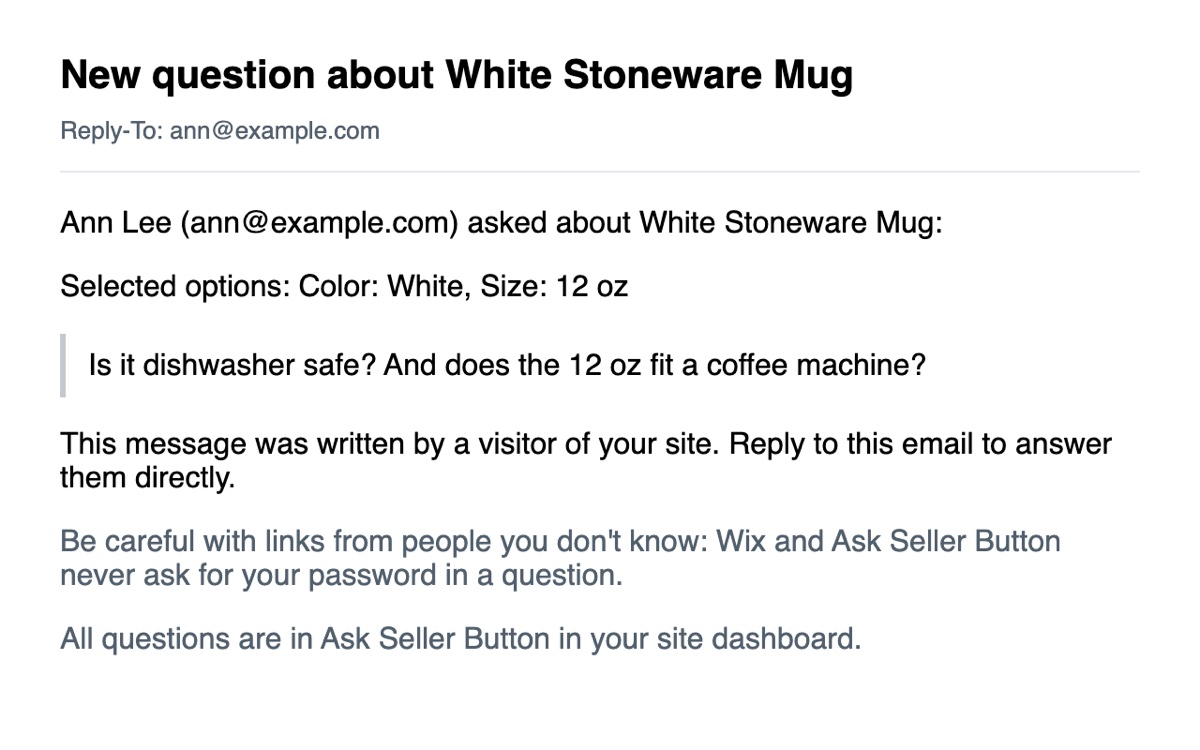
Each question comes to you by email in your site's language. Hit Reply, and your answer goes straight to the shopper.
A notification in your dashboard and the Wix app on your phone. Turn email and app alerts on or off separately.
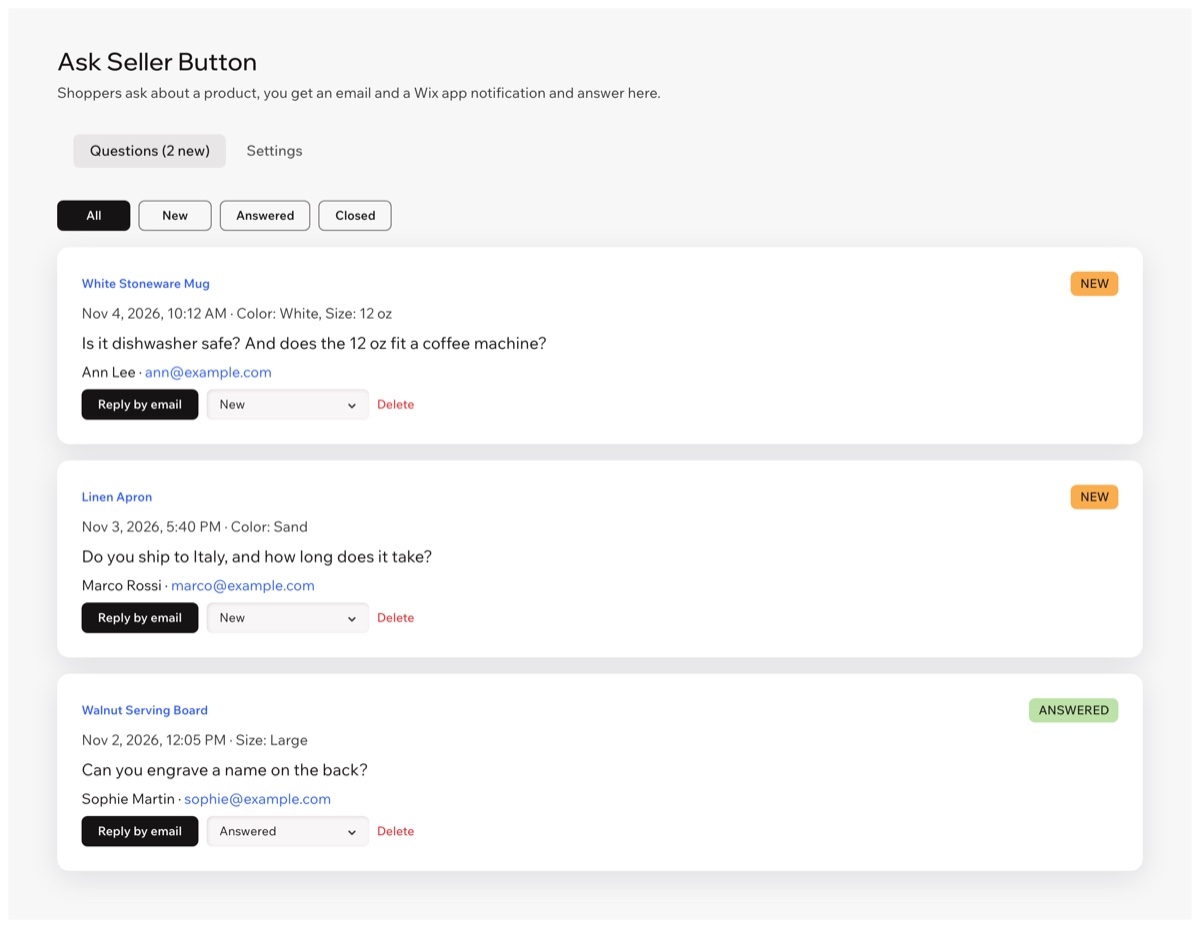
See the product, the shopper's contact details and the question. Reply by email in one click and mark questions New, Answered or Closed.
Set the button color, style, size, corners and width in the editor, or keep the look of your Add to Cart button.
A hidden trap field and limits per email and per hour keep bots out without a captcha.
The button and the form follow your site language, right-to-left included. The dashboard is in 9 languages.
What you see
Questions land in your inbox and in the app dashboard. Choose where the button shows and which alerts you get under Settings.
Pricing
$0
$4.99/month
or $3.99/month billed yearly · 7-day free trial
Prices shown in USD. Current plans and pricing will be on the App Market listing.
Reply to the email you get: the reply goes to the shopper's address. Or click Reply by email in the dashboard: your mail app opens with the shopper's address, the product and their question, and the question is marked Answered.
New questions pause until the next calendar month, and shoppers see that questions are not available right now. The questions you already got stay in your dashboard. Pro has no limit.
In the editor and preview the button is a sample, so you can place and style it. The form opens on your published site.
Your site's language. The question form follows the language of the page the shopper sees, in 30 languages.
You get up to 10 emails an hour, and you can turn email alerts and app alerts off separately in the app settings.
In a data collection on your own site. Only you and your site collaborators see them in the app dashboard, and you can delete any question.
Install the app and publish your site. The button appears on your product pages on its own. If it doesn't, click Add to product page in the app dashboard.