Under the buy buttons
The block shows on product pages that have links, under Add to Cart. Products without links show nothing.
 Also Available On Get the app
For online stores · Supported in Aria
Also Available On adds an “Also available on:” block to your product pages, with buttons to the same product on Amazon, eBay, Etsy, Walmart, Target and European marketplaces. Shoppers who prefer a marketplace they already use find your product there in one click.
Try the live demo View on App MarketFree plan for 5 products. Pro adds unlimited products and links by country.
Live demo
The block, its styles, colors and region switcher run the same code you install. Nothing is saved: settings in this demo live only on this page.
$48.00
The product page around the block and the shopper's browser language are an illustration, and the links lead to example addresses: here a click shows a note instead of opening the marketplace. On your site each button opens the marketplace in a new tab, and the plugin reads the shopper's real browser language.
What you get
The block shows on product pages that have links, under Add to Cart. Products without links show nothing.
Amazon and eBay in the US, UK and Europe, Etsy, Walmart, Target, Otto, Zalando, bol, Allegro, Kaufland, Cdiscount and Fnac. Or add any other marketplace with your own name.
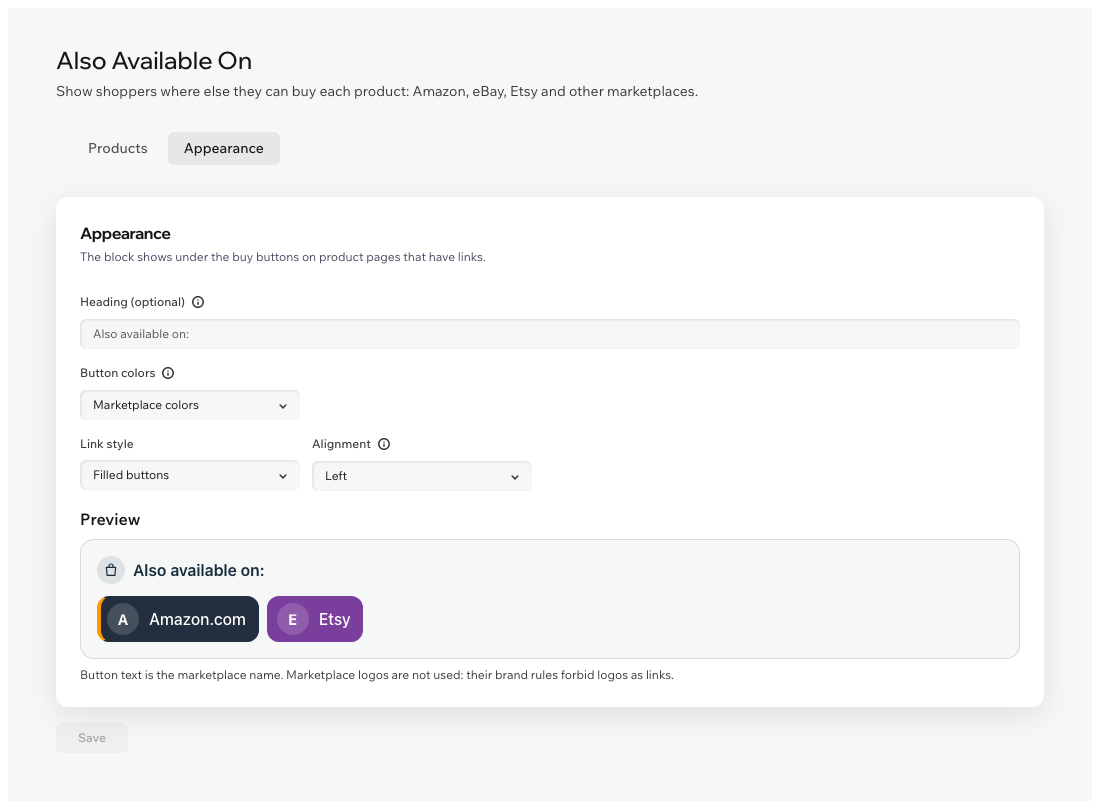
Buttons show the marketplace name in colors close to the marketplace's own. Marketplace brand rules forbid logos as links, so there are none.
Each button opens the product on the marketplace in a new tab, so your store stays open.
Add links for the US, UK, Germany and other countries. Shoppers first see the country guessed from their browser language and can switch.
Filled buttons, outlined buttons or text links. Marketplace colors, one color for all or your site's colors, plus your own heading and alignment.
A link must lead to the marketplace you picked, over https. When you click Save, a wrong link is flagged at its field and isn't saved.
The block follows your site language, right-to-left included. The dashboard is in 9 languages.
Ask Aria, the Wix AI assistant, which products have links and how the block looks. Aria only reads: you make changes in the app dashboard.
Wix Editor, Wix Studio and Harmony, with both the old and the new Wix Stores catalog.
What you see
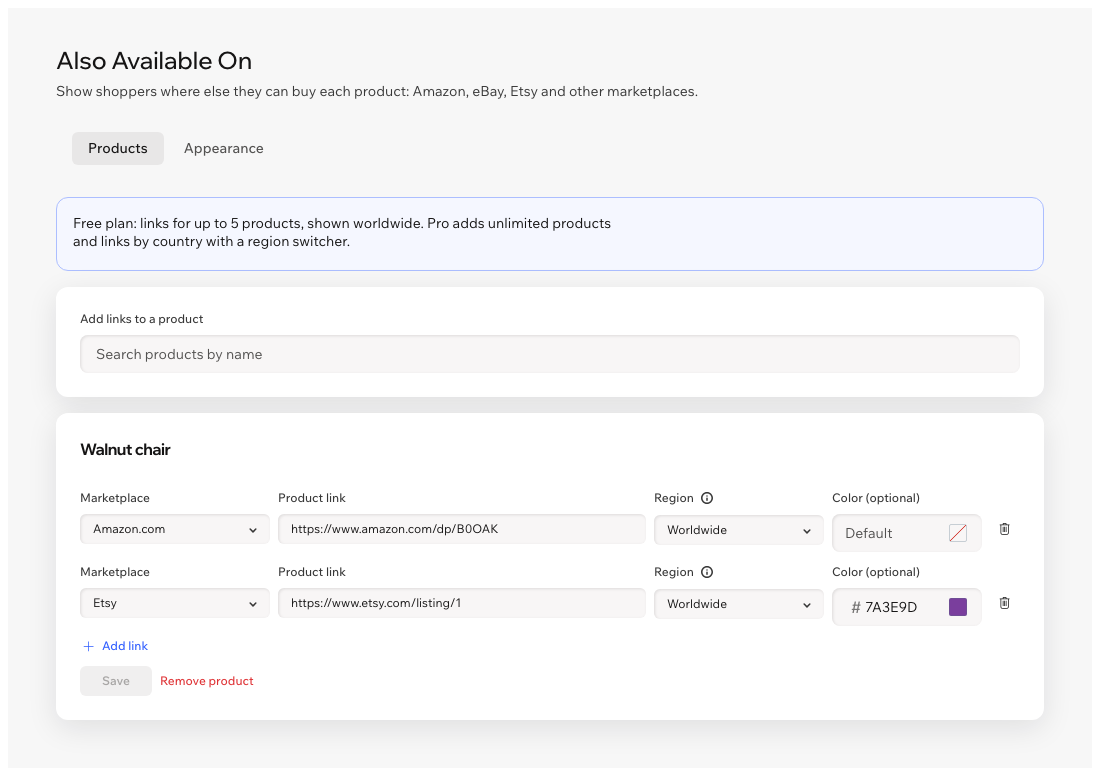
Find a product, paste its links from the marketplaces and save. Choose the look of the block on the Appearance tab and check it in the preview.
Pricing
$0
$6.99/month
or $4.99/month billed yearly · 7-day free trial
Prices shown in USD. Current plans and pricing are on the App Market listing.
Amazon's and eBay's brand rules forbid using their logos as links. Each button shows the marketplace name and a letter badge, in colors close to the marketplace's own. You can also pick one color for all buttons or match your site.
From the shopper's browser language: de-DE shows links for Germany, en-GB for the UK. Austria and Switzerland get Germany, Ireland gets the UK. It is a guess, not location tracking: the app never looks up where the shopper is. When there is no match, all links show, and shoppers can switch the region any time. Worldwide links always show.
Links for up to 5 products, shown to all shoppers, with every style and color. Links by country and more products need Pro.
Up to 20 links per product. A link to Amazon, eBay or another marketplace from the list must lead to that marketplace's site; Amazon short links work too. For Other marketplace, add any https link and the name to show on the button.
Nothing. The block shows only on products you added links to.
Install the app, add links to your products in the app dashboard and publish your site. The block is added to your product page on its own. If you don't see it, click Add to product page in the app dashboard.
In a data collection on your own site. You add, change and remove them in the app dashboard.